Charts
Crypto charts with live liquidations on price
Help: How to add liquidations to a chart
Live candles with liquidations on price, plus indicators and drawings, ALL IN ONE TAB. Free during Alpha.
Free during Alpha.
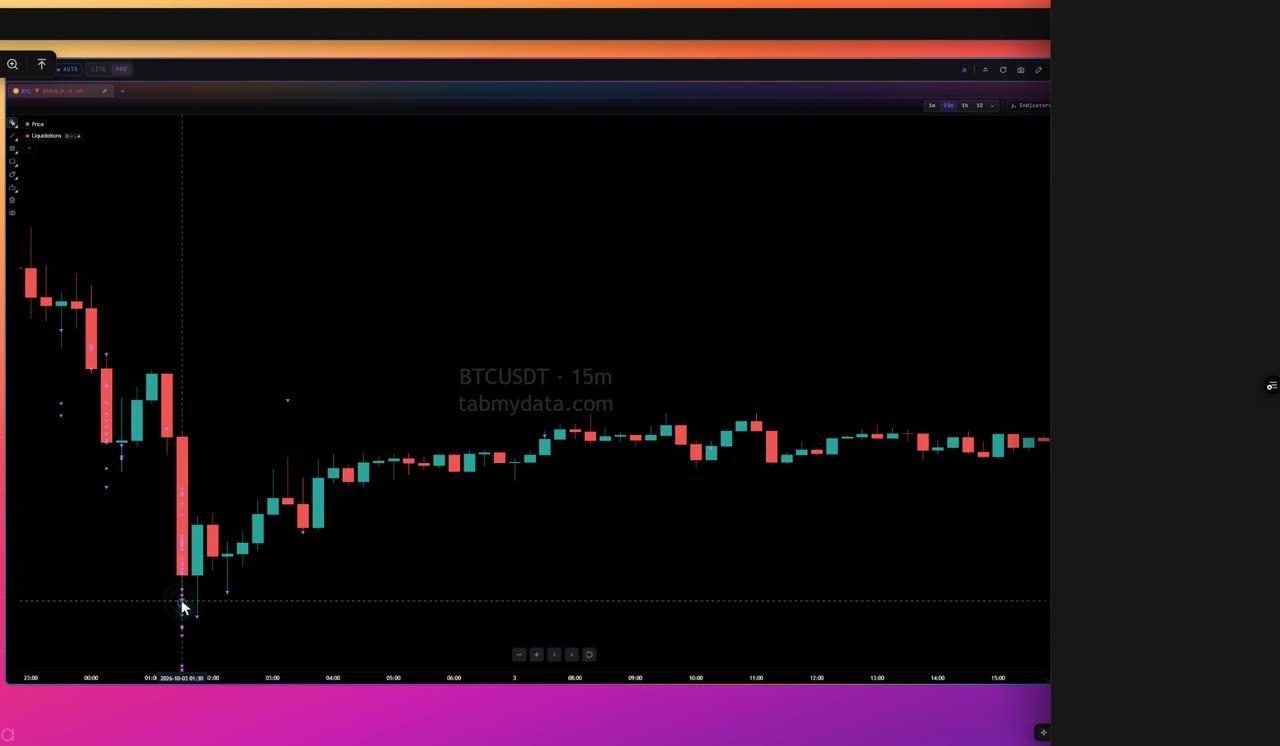
What's happening
Live candles
Live candles on spot or futures. Switch to any time frame fast, with the Orderbook and Liquidations in the same view.
Product tour
What you can do in the Charts tab
Charts is Tabmydata's candlestick chart for any coin with a price. Liquidations land on the chart as they happen, so you read forced closes in the context of price.
Add up to 8 indicators on one chart, including the modeled Liquidation Heatmap. View or hide any of them whenever you want.
Open charts next to the Orderbook Heatmap of the same coin to get deeper insights. Your indicators in each tab are saved for you.
Features
- 01
Live candlestick chart
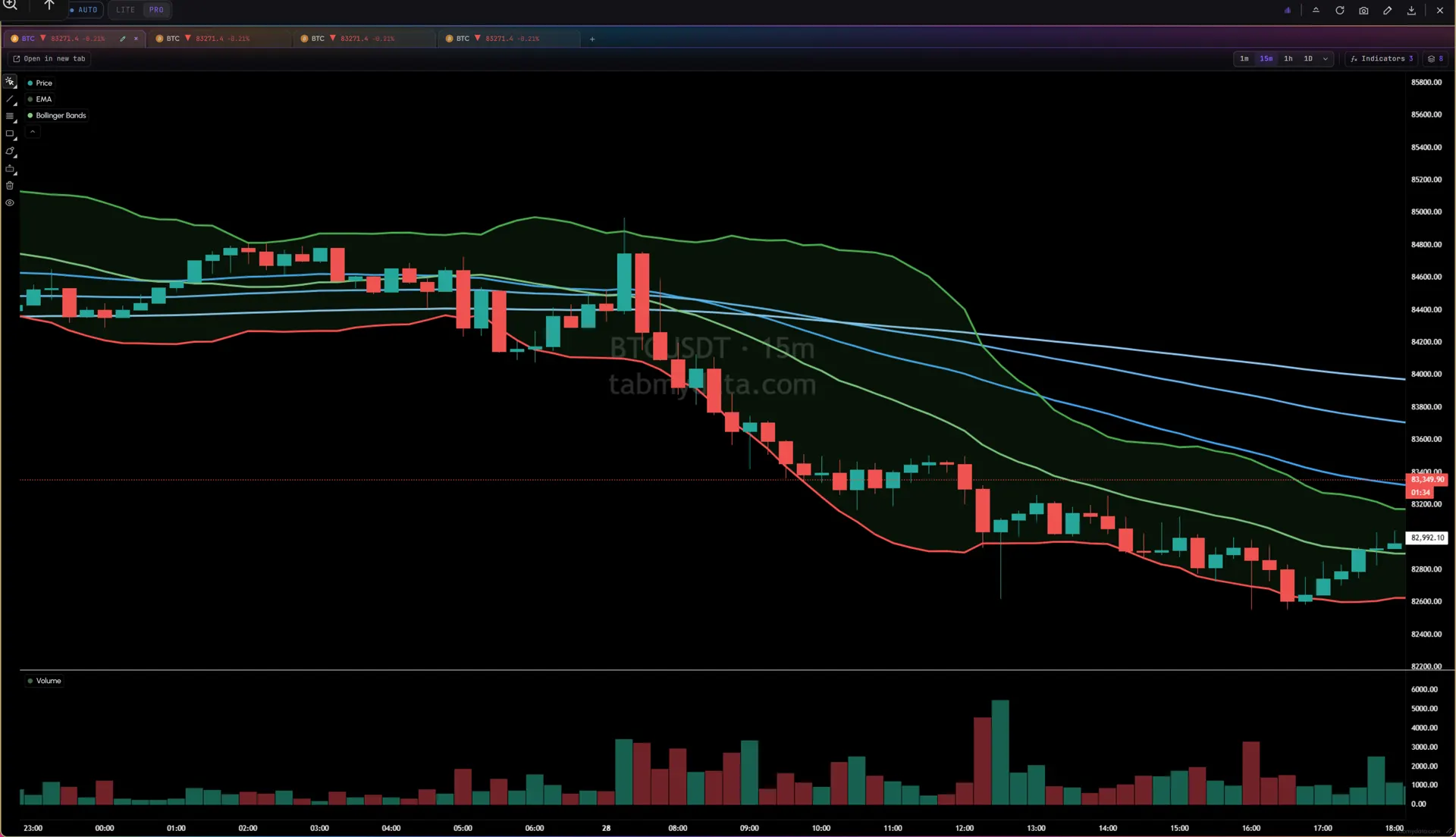
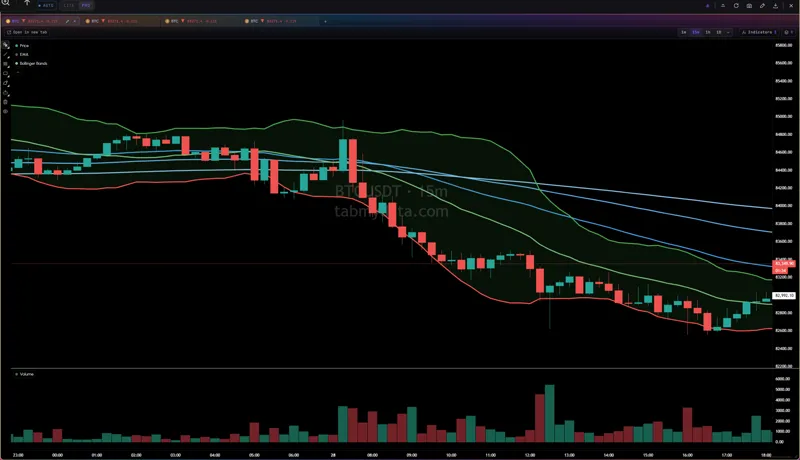
Live candles on spot or futures. Switch to any time frame fast with the 1m, 15m, 1h and 1D buttons or the menu, while having the Orderbook Profile and Liquidations in the same view. The header shows the price, the change and the market it reads from. Hover for a date and price readout.
- 02
Liquidations on price
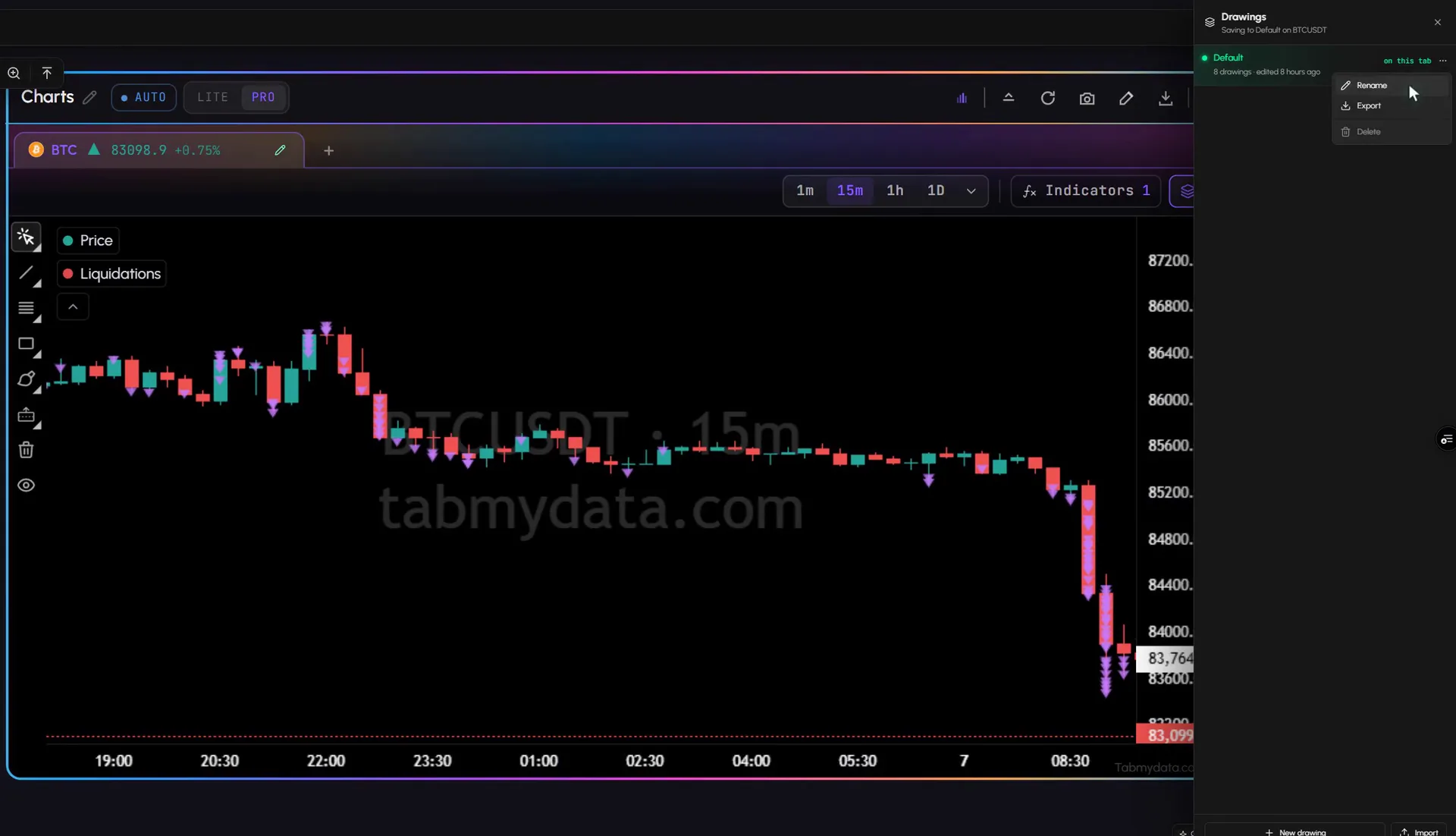
Add the Liquidations layer and a triangle marks each forced closure over $10k. Set a minimum size, and pick which exchanges to read. The same events stream in the crypto liquidation tracker.
- 03
The indicator library
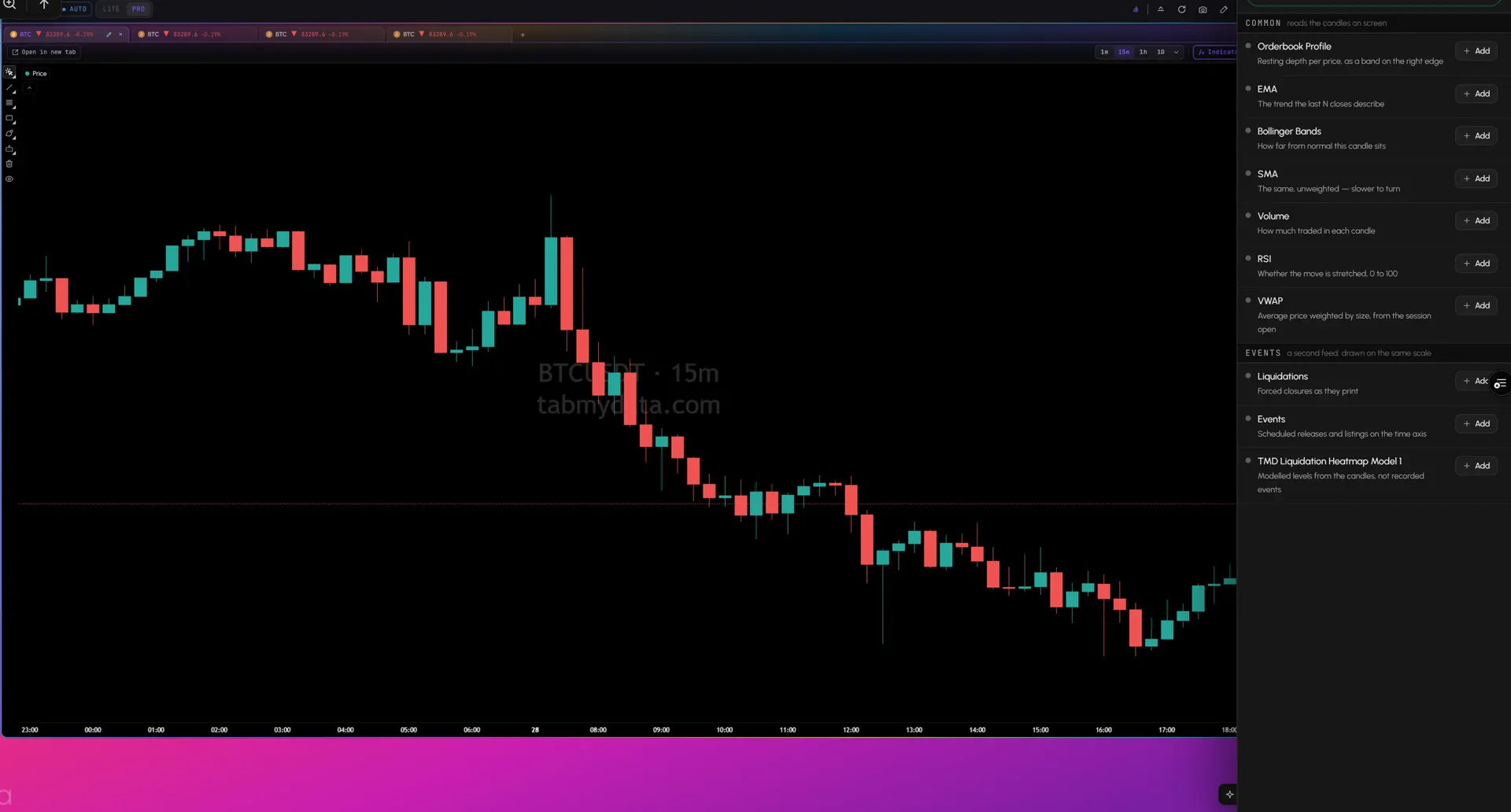
Add any indicator from a library that fits your trading style. Press Indicators and search by name, or by the question it answers.
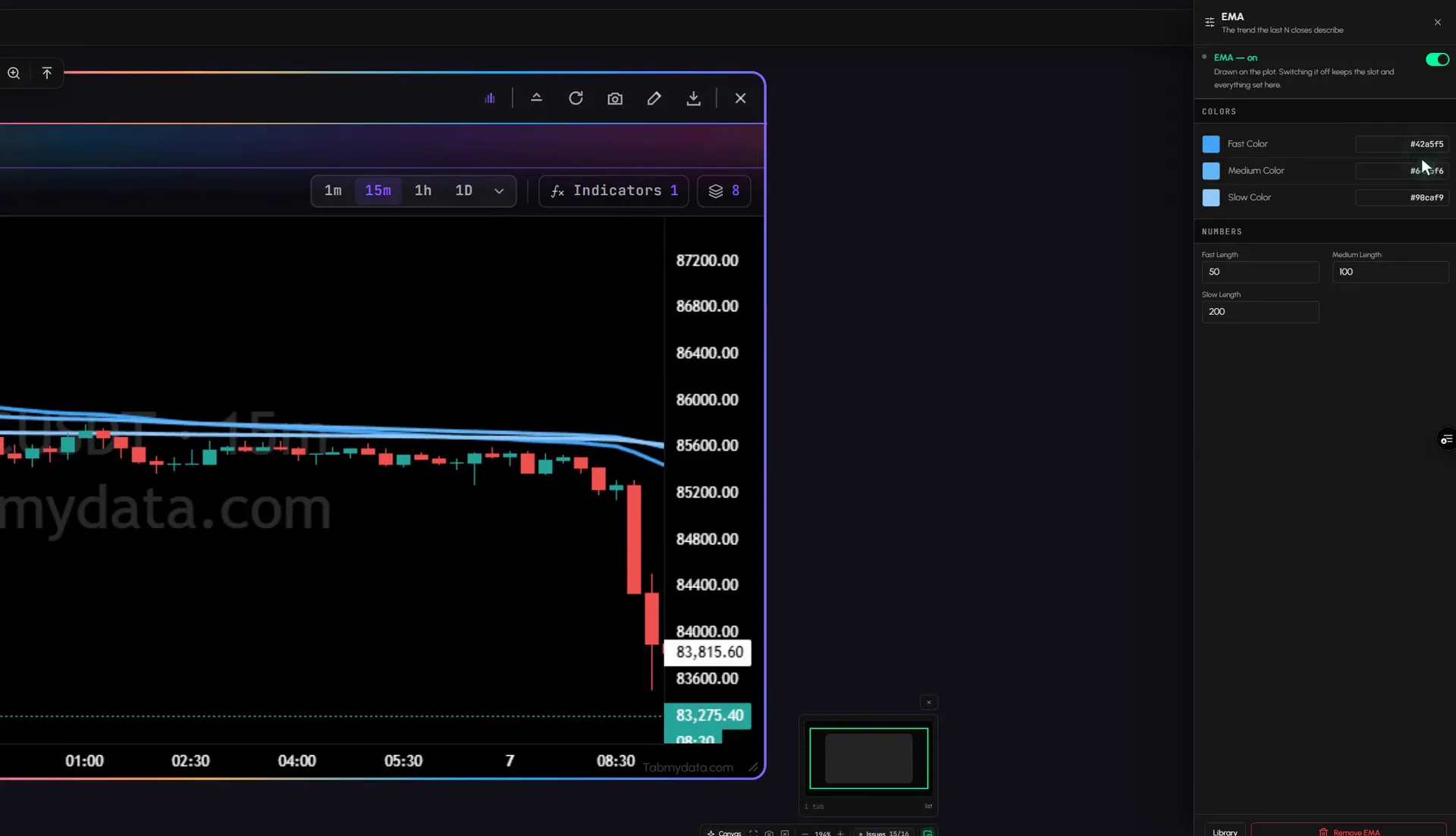
- Everyday indicators: EMA, Bollinger Bands, SMA, Volume, RSI, VWAP and Orderbook Profile.
- A second feed on the same scale: Liquidations, Events for scheduled releases and listings, and the Liquidation Heatmap, which shows modeled levels, not recorded events.
- 04
Settings for every indicator
Each indicator has its own gear. EMA takes fast, medium and slow colours and lengths. Bollinger Bands, RSI, SMA, VWAP and Volume take colours and lengths. Orderbook Profile takes a reading window from Live to 1W and an exchange checklist. Open or close them any time you want: switching one off keeps its slot and its settings.
- 05
Up to 8 indicators, with a counter
- Add up to 8 indicators on one chart.
- View or hide any whenever you want. A hidden indicator keeps running, so it still counts.
- The library shows how many are on. Remove one to make room.
- 06
Many coins in one tab
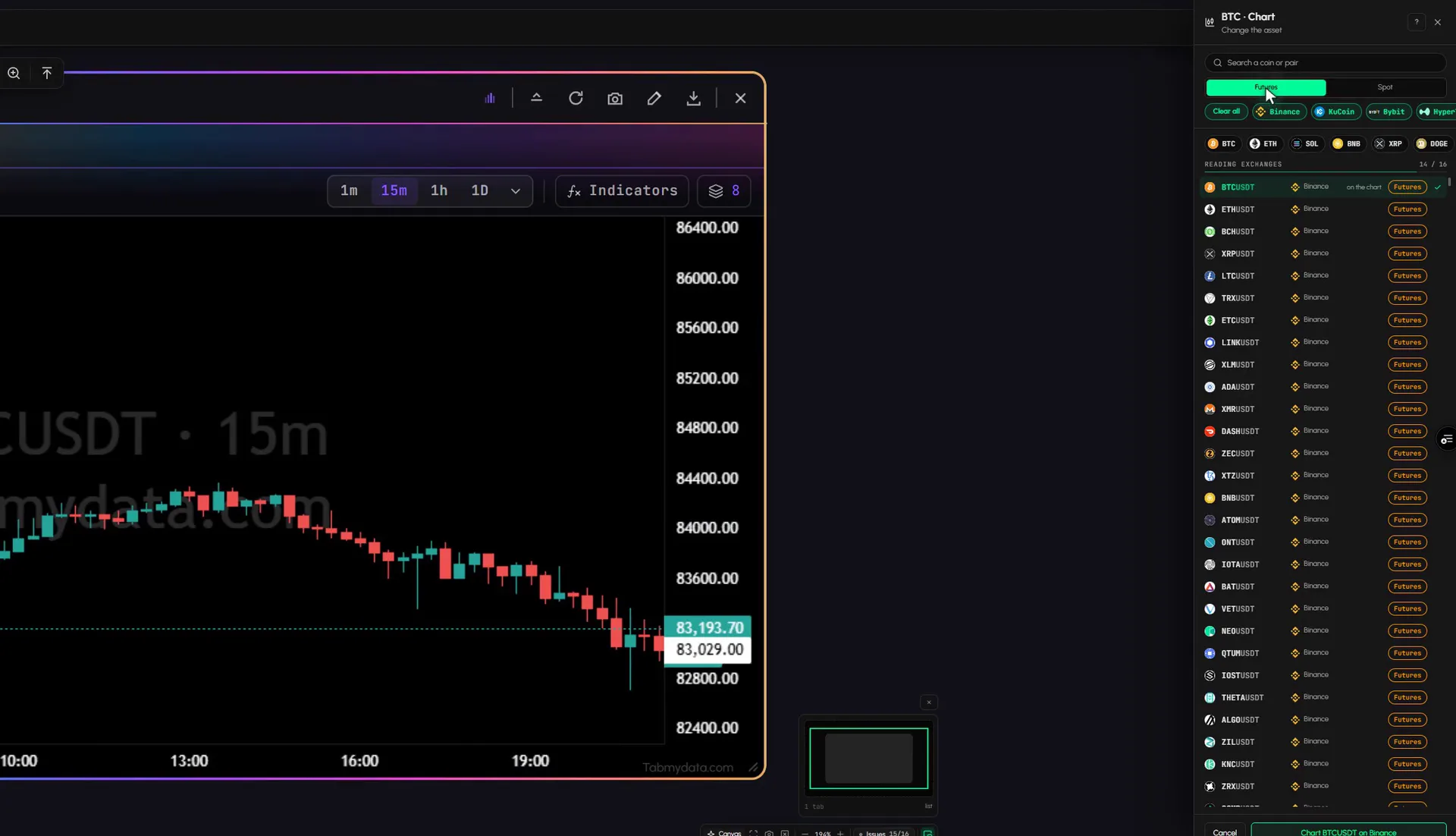
Asset tabs run along the top. Press "+" to add another coin, or open one as its own tab. Each keeps its own coin.
- 07
Draw your analysis
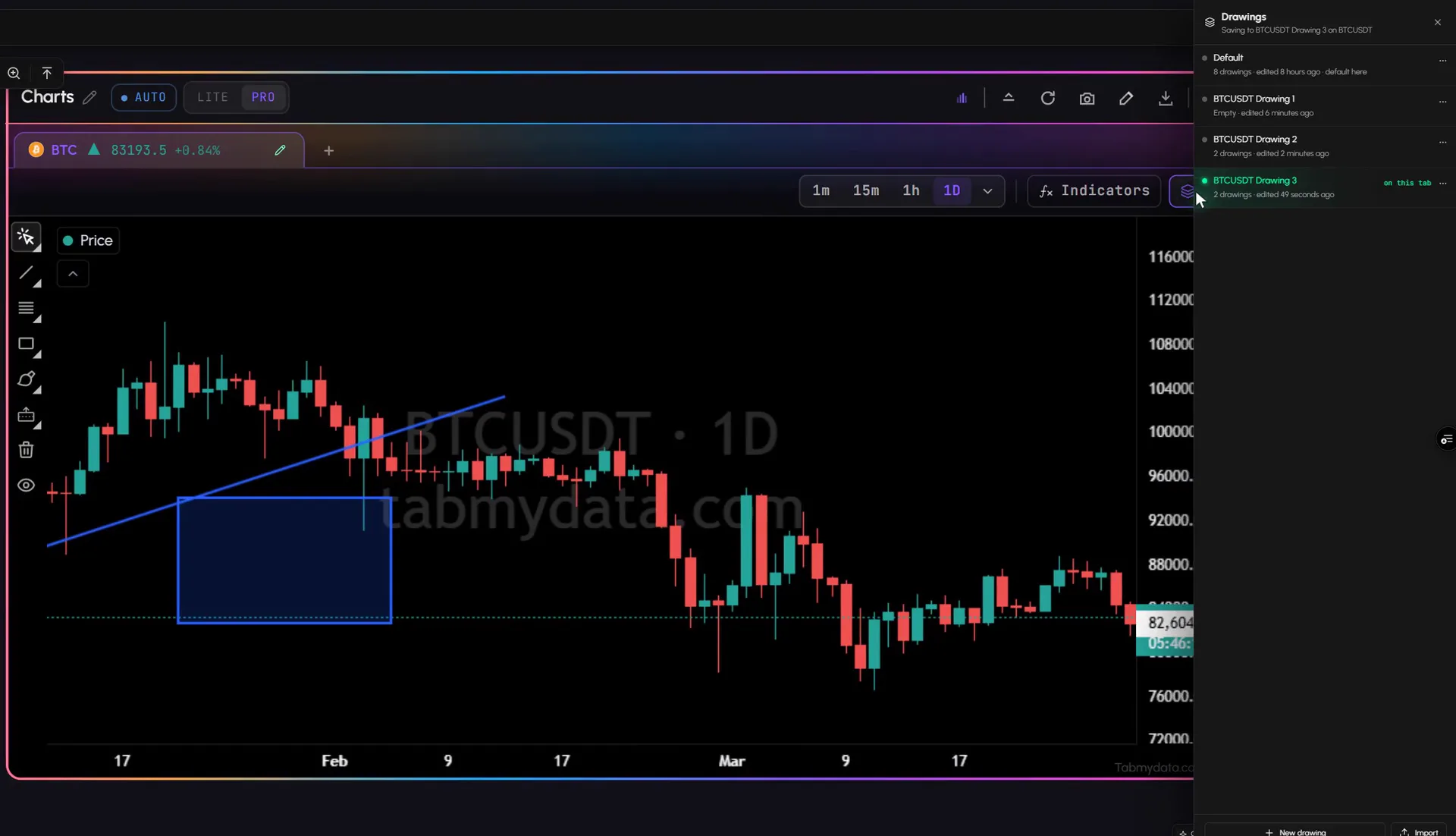
Cursor, Trend Line, Fib Retracement, Rectangle and Brush: draw with your favorite tools and save per symbol, so your analysis is ready the next time you open the coin. The bar also has Clear All and a View/Hide option.
- 08
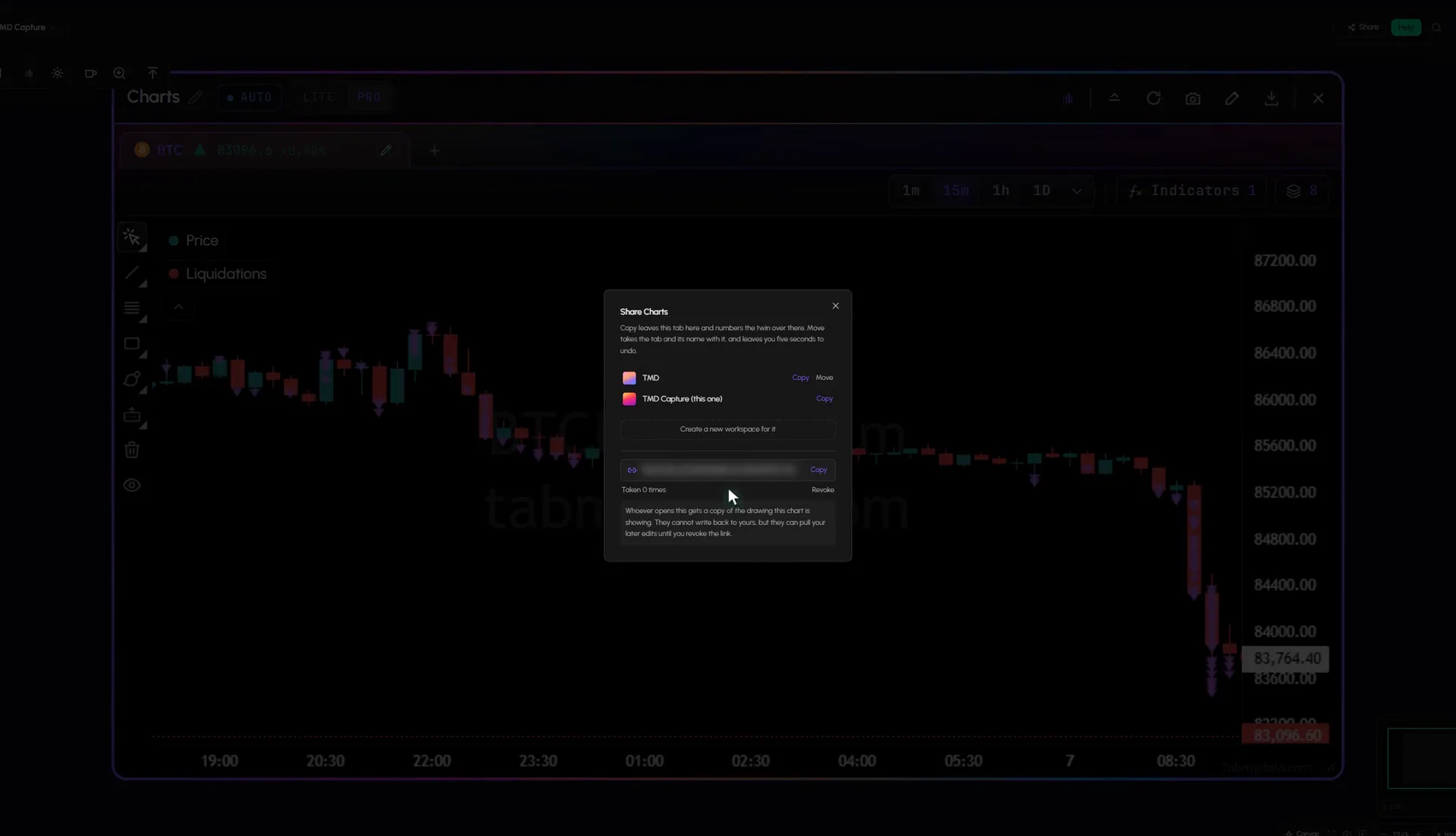
Share a chart
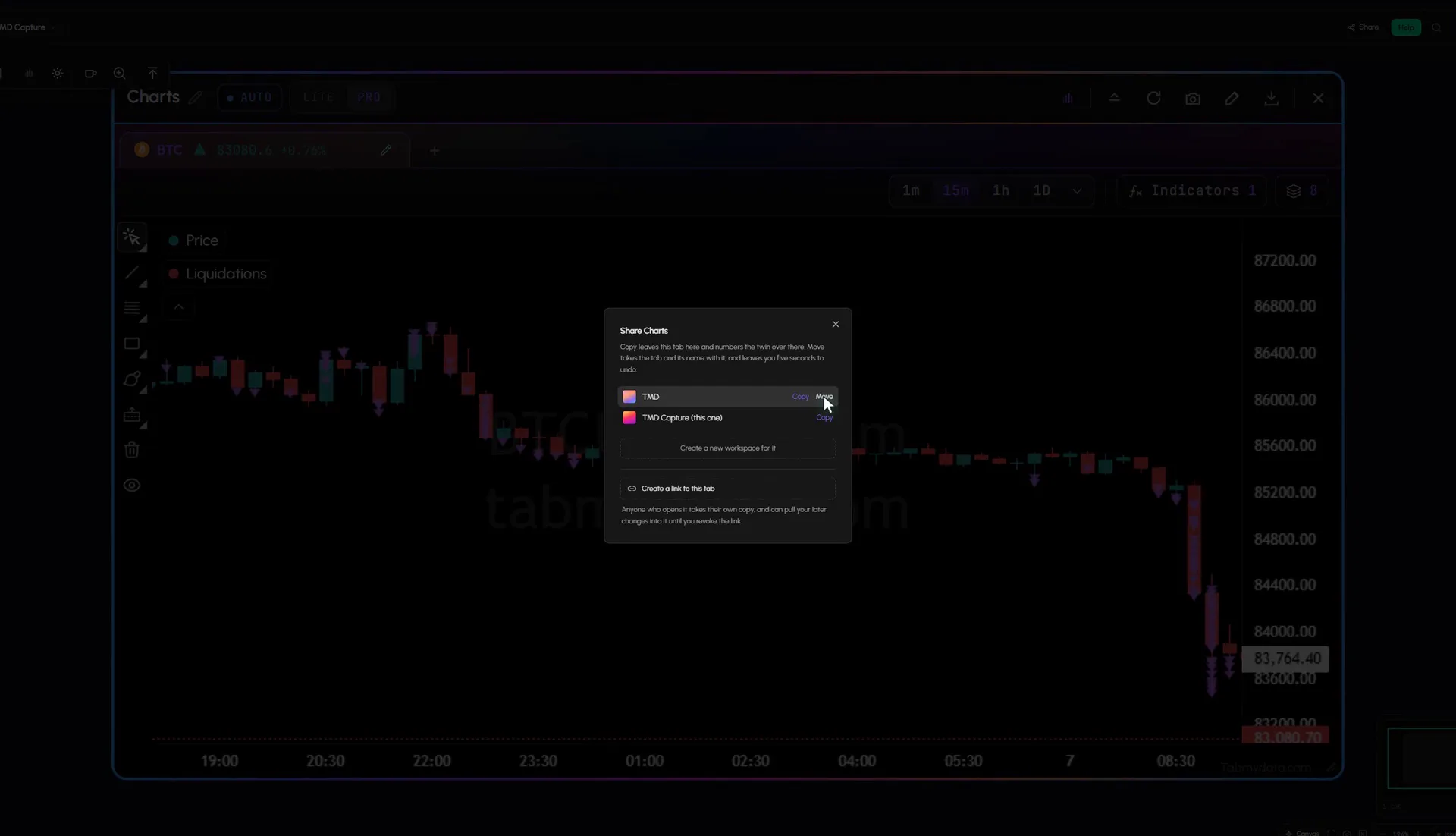
Share the chart in one click. Copy it to any of your workspaces, or create a link and send it to your friends in seconds. Whoever opens it adds the tab to the workspace they pick, and can pull your later changes. You can unshare at any time.
Use cases
How traders use it
- 01
Fast move
liquidations landing on the 1-minute chart.
- 02
Context
an indicator or two under the candles on the 4H chart.
- 03
Shared analysis
you send a friend your chart tab. They add it to their own workspace and can pull your later changes.
Who it's for
- Derivatives traders who read liquidations next to price.
- Short-term traders who watch liquidations landing on a 1-minute chart.
- Traders who share analysis with friends or a team and want to keep it up to date for others.
- Heatmap users who want a chart of the same coin beside the Orderbook Heatmap.
How to use it
- Open a Charts tab and pick a coin, spot or futures.
- Choose a time frame with the buttons or the menu.
- Open Indicators and add Liquidations. Step by step: add liquidations to a chart.
- Add indicators such as EMA, Bollinger Bands, VWAP or Orderbook Profile from the library.
- Open an indicator's gear to set colours, lengths and options.
- Draw on the chart. Save your drawings per symbol.
- Look at the levels. For modeled liquidation levels, switch on the Liquidation Heatmap layer here (it is also its own tab). For resting order-book liquidity, open the Orderbook Heatmap, a separate tab.
Related tools
- Crypto liquidation tracker: the live feed behind the chart's liquidations.
- Liquidation Heatmap: modeled levels, its own tab and an optional layer in Charts.
- Orderbook Heatmap: where resting liquidity sat.
- Workspaces: many charts on one screen.
- Help: how to use the Charts tab.
FAQ
Charts FAQ
How do I see liquidations on a chart?
Open Indicators and add Liquidations. A triangle then marks each forced closure over $10k on price. You can raise the minimum size and choose which exchanges to read.
Which indicators can I add?
Orderbook Profile, EMA, Bollinger Bands, SMA, Volume, RSI and VWAP, plus Liquidations, Events and the Liquidation Heatmap, up to 8 per chart. Step by step: add indicators to a chart.
Is there a free crypto chart with liquidations?
Yes. Tabmydata's Charts tab is free during Alpha. No card needed.
Which coins can I chart?
Any coin with a price on the connected exchanges, spot or futures. Pick from the asset picker, which also lists stocks and commodities.
Where is the liquidation heatmap?
It is an optional layer in the Charts tab, and also its own tab. In Charts, open Indicators and switch on the Liquidation Heatmap layer. The Liquidation Heatmap shows modeled liquidation levels by price, not recorded events.
What happens when I share a chart?
The people you share with add it to a workspace of their choice and can pull your later changes, until you unshare it.
Free during Alpha.
Live candles with liquidations on price, plus indicators and drawings, ALL IN ONE TAB. Free during Alpha.
Sign up free