Feature 1 of 9
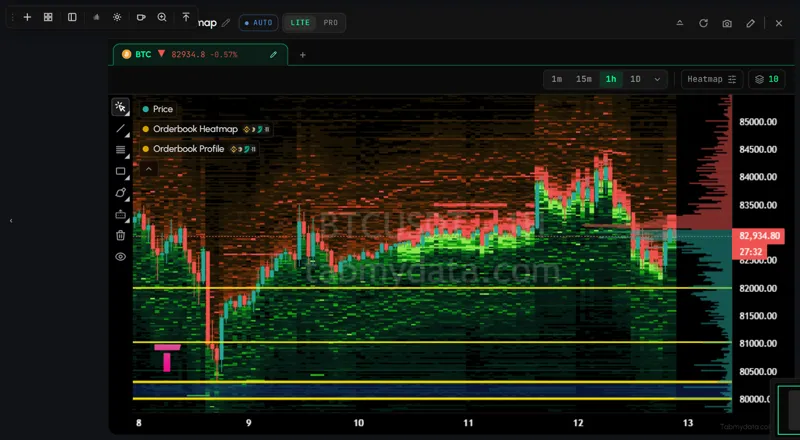
A heatmap with months of history
See where order-book liquidity sat across futures exchanges, how big it was and how it changed, with months of history on crypto, stocks, ETFs and gold.
Overview
Help: What is Tabmydata and how do you use it?
Tabmydata is a crypto market workspace for crypto, stocks, ETFs, gold and oil, built around one liquidity heatmap. You place the tabs you use side by side and save the layout: a liquidity heatmap with months of history, the order book, live liquidations, charts, Hyperliquid wallets, alerts and the macro calendar. 24+ exchange connections. Free during Alpha.
Free during Alpha.
What's happening
A heatmap with months of history
See where order-book liquidity sat across futures exchanges, how big it was and how it changed, with months of history on crypto, stocks, ETFs and gold.
Product tour
Tabmydata is a crypto market workspace for crypto and capital markets: crypto, tokenized stocks, ETFs, gold and oil. Instead of opening a dozen crypto trading tools in a dozen tabs, you place the ones you use side by side, size them your way, and find them as you left them next time. At the center is a liquidity heatmap with months of history: where order-book liquidity sat across futures exchanges, how big it was, and how it changed. Around it sit the order book, live liquidations, charts, Hyperliquid wallets, alerts and the calendar.

Features
The Orderbook Heatmap is a liquidity heatmap across exchanges. It merges order-book depth from the futures exchanges you choose and keeps months of history on 93 instruments: 43 crypto, 44 stocks, ETFs and tokens, and 6 commodities including gold. It shows where liquidity sat and how big.
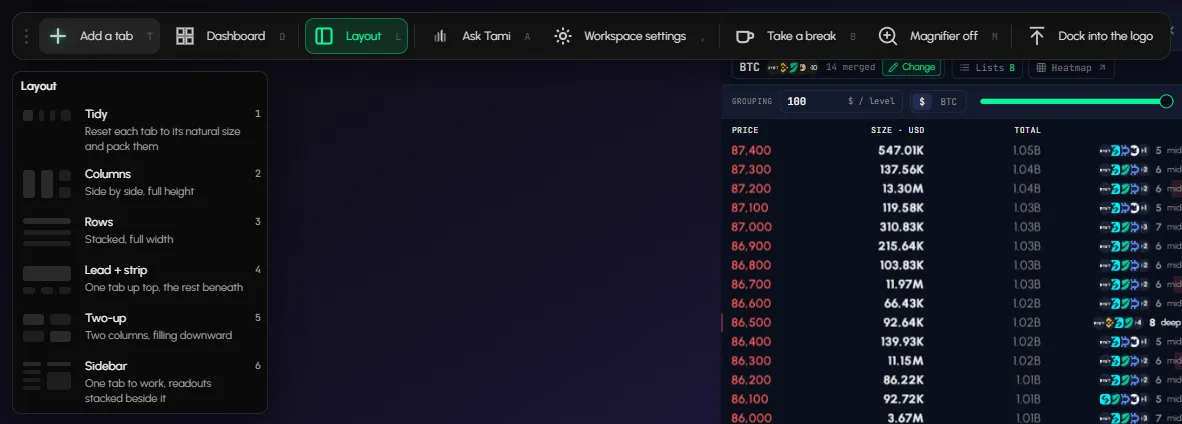
Drag, resize and minimize tabs, and arrange them with Layout presets, in Workspaces. Keep four workspaces per account for separate routines and switch between them from the workspace name in the top bar.
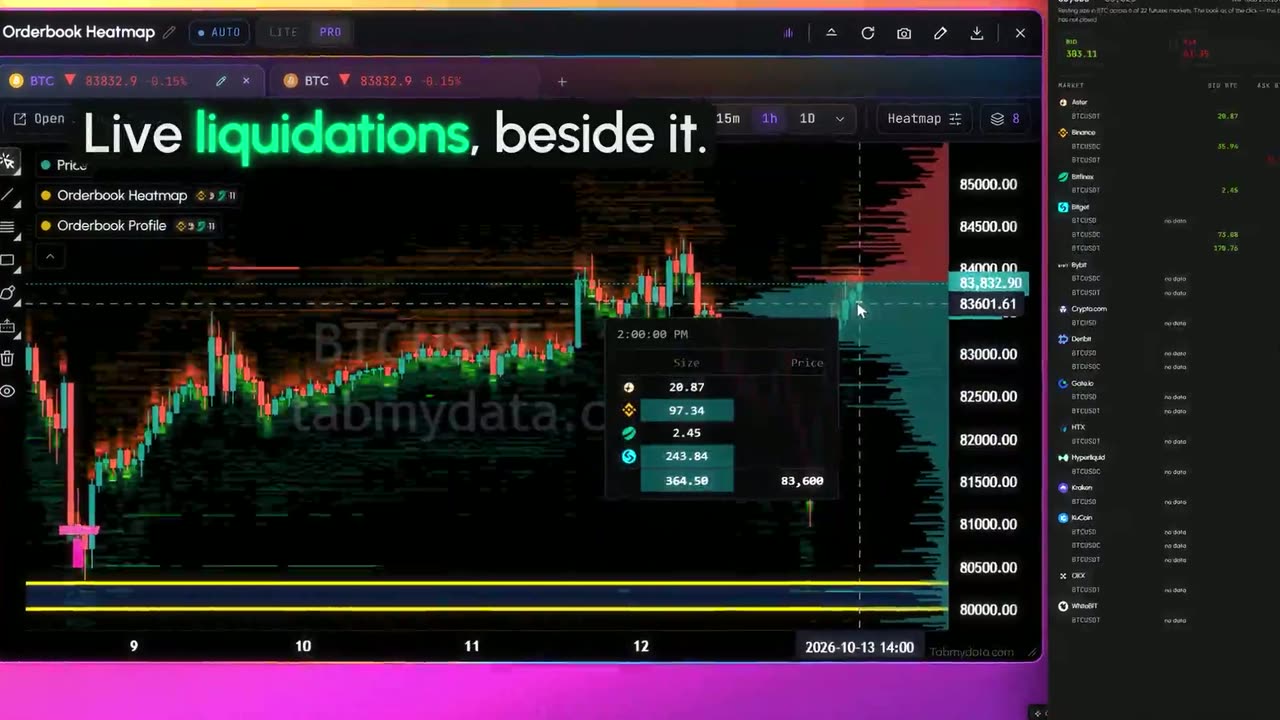
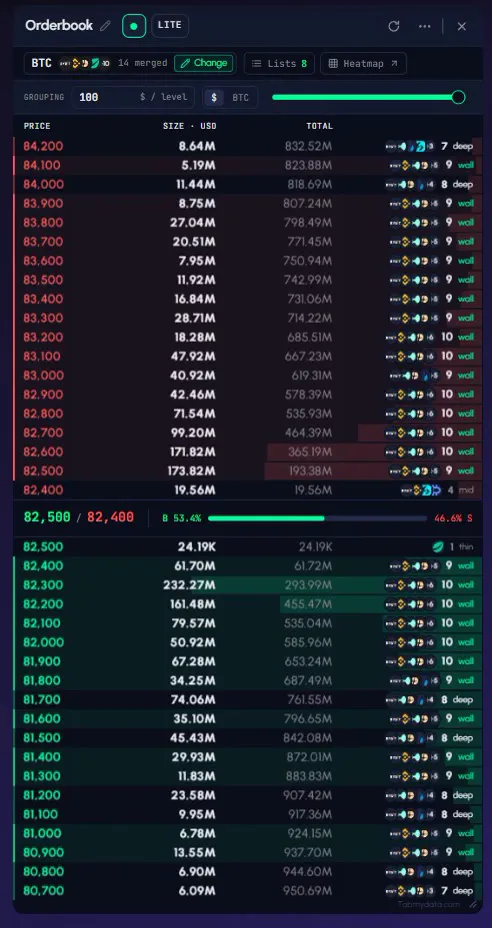
Merge the exchanges you choose into one order book, read the live trades tape and watch live crypto liquidations stream in across futures exchanges. Liquidation totals are a floor, not a total.
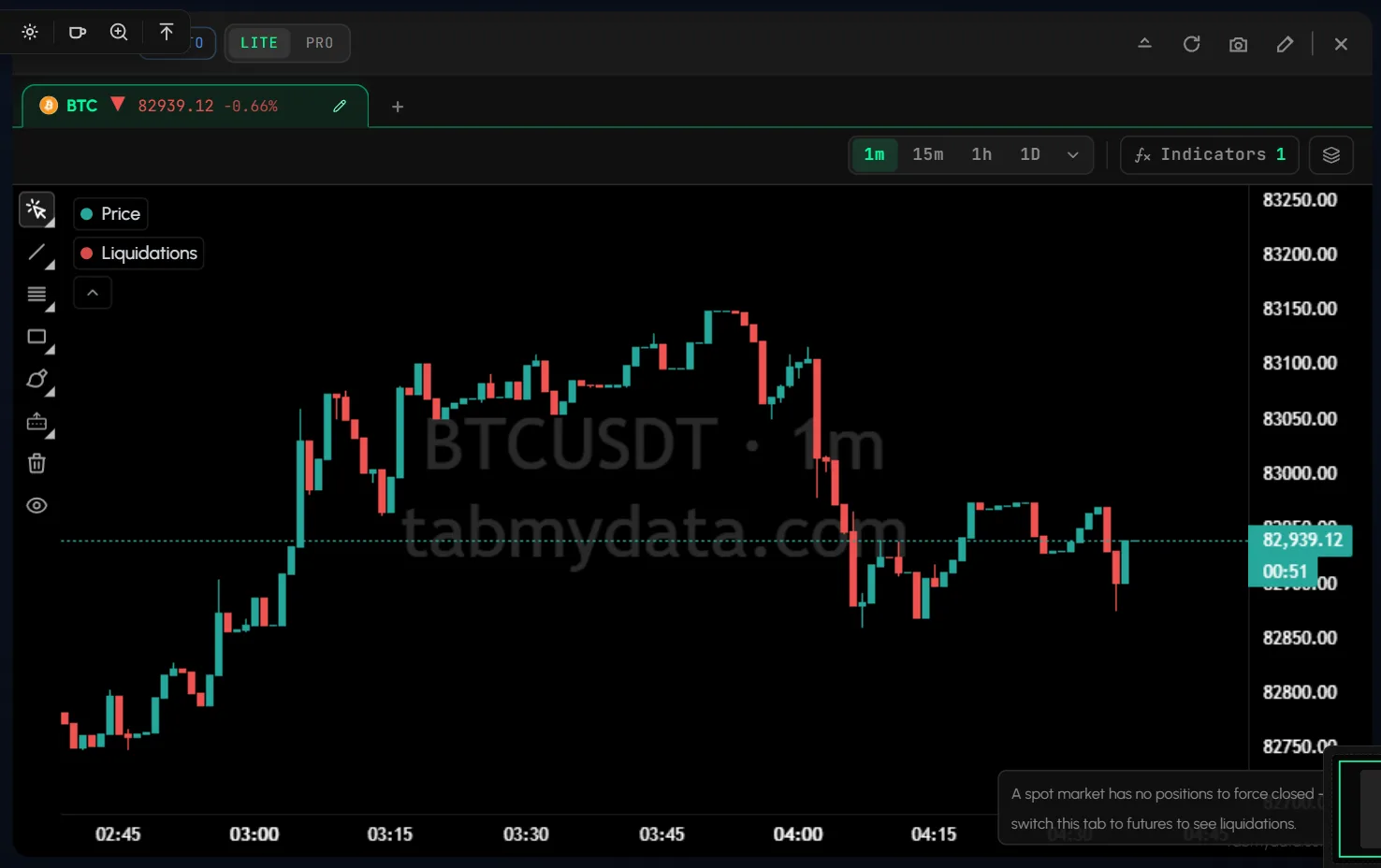
Charts with live liquidations: candles, a library of indicators and drawings saved per symbol, with liquidations landing on the chart.
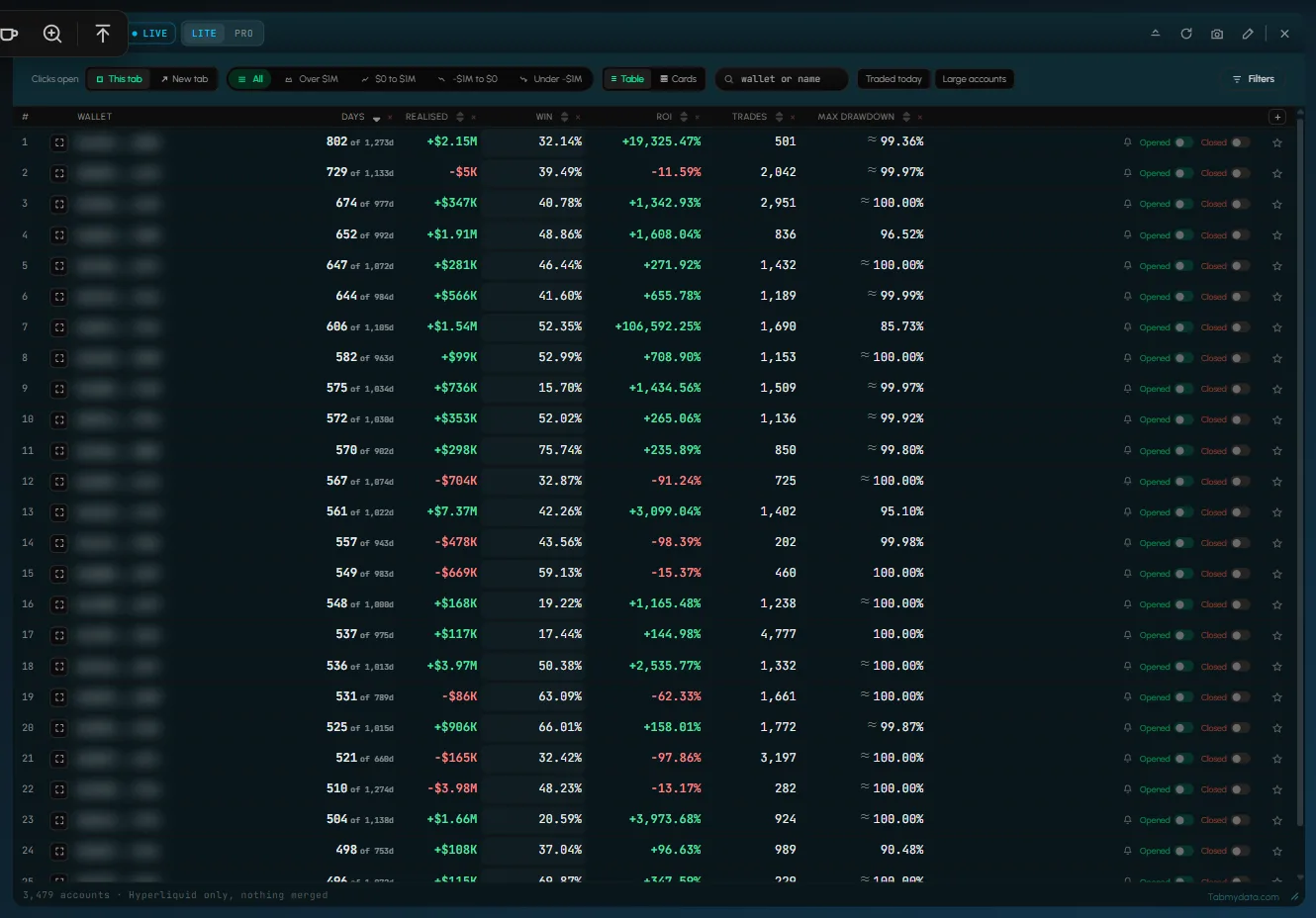
A Hyperliquid whale tracker: sort public accounts by days traded, ROI or drawdown, and open any account for its positions and leverage. Star the ones you care about and hear when they open or close a position.
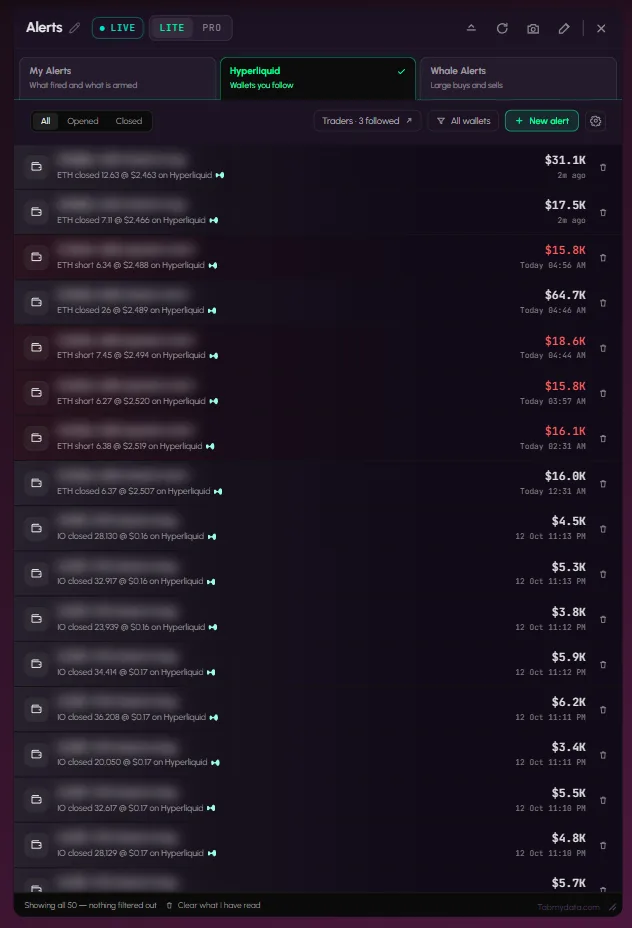
Your own alerts and Hyperliquid wallet alerts in one tab, in the app, by email, by push and in your Discord by webhook. Market-wide alerts come through our public Telegram channel.
The same heatmap runs on tokenized stocks, ETFs and gold as they trade on crypto exchanges. Market Clock shows session hours and the Financial Calendar shows macro releases.
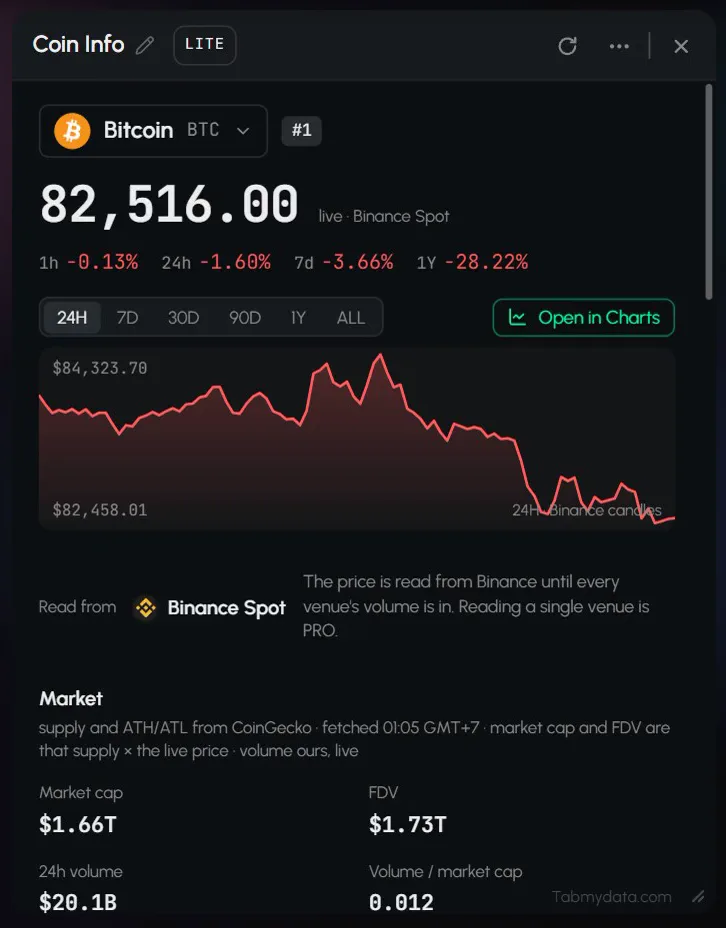
News, Watchlist, Coin Info, Market Heatmap and Fear & Greed sit in the same workspace, so you don't open another site.
One setup flow for picking a coin and exchanges, an Open in menu to send the same coin to another tab, a pause and refresh in every header, and saved lists you can load in one press.
LITE is the default and keeps the controls simple. PRO widens coin selection. Every tab works in both.
Tami, our AI assistant, is coming soon.
Feature 1 of 9
See where order-book liquidity sat across futures exchanges, how big it was and how it changed, with months of history on crypto, stocks, ETFs and gold.
Feature 2 of 9
Merge exchanges into one order book, read the live tape and watch liquidations stream in, side by side.
Feature 3 of 9
Market Clock, the Financial Calendar and News sit in the same workspace as your chart.
Feature 4 of 9
Put tabs side by side, size them, minimize the ones you only glance at. Each workspace opens as you left it.
Feature 5 of 9
Liquidations land on the Charts candles as they happen, beside the live Liquidations feed.
Feature 6 of 9
Browse Hyperliquid accounts in one table and open any account for a breakdown.
Feature 7 of 9
Your own alerts, wallet alerts and whale alerts in one tab, delivered where you choose.
Feature 8 of 9
The same Change panel, Open in menu, pause button and saved lists work in every data tab.

Feature 9 of 9
LITE keeps the controls simple and PRO widens coin selection. Every tab works in both.

Use cases
Orderbook Heatmap on BTC, Liquidations beside it, a chart beside them. The modeled Liquidation Heatmap is its own tab and an optional layer in Charts, for estimated levels. One screen, one workspace.
Market hours for which sessions are open, the economic calendar for today's releases, and the heatmap on SPY or gold.
The Hyperliquid Whale Tracker tab with a handful of starred wallets, alerts set, and the chart of the coin they trade next to it.
Help: Create your first workspaceHelp: What is tabmydata
New here? Read what is Tabmydata.
FAQ
Tabmydata is a market workspace. You arrange live market tabs side by side: a liquidity heatmap with months of history, order book, liquidations, charts, Hyperliquid accounts, alerts, news and more.
A single screen where the tools a trader uses sit together and stay arranged: heatmap, order book, liquidations, charts, wallets and context tabs. You place them, size them and save them as separate workspaces.
Crypto and capital markets. The heatmap stores history on 93 instruments: 43 crypto, 44 stocks, ETFs and tokens, and 6 commodities including gold. Other tabs, like the Orderbook, work live on the coins the exchanges list.
No. Tabmydata shows market data. What you do with it is your decision. It does not give trading signals.
Yes. Tabmydata is free during Alpha. No card needed.
Tabmydata is a crypto market workspace for crypto, stocks, ETFs, gold and oil, built around one liquidity heatmap. You place the tabs you use side by side and save the layout: a liquidity heatmap with months of history, the order book, live liquidations, charts, Hyperliquid wallets, alerts and the macro calendar. 24+ exchange connections. Free during Alpha.
Sign up freeFree during Alpha.
Sign up freeCookie preferences
Choose which cookies we may set. Strictly necessary cookies are always on, because the site cannot work without them. You can change your choice at any time.
Sign-in, security and keeping the site working.
Helps us see how the site is used so we can improve it. Google Analytics.
Used to show relevant ads and measure them. Google Ads and the Facebook and Instagram Pixel. Decline or switch off to opt out of ad "sharing".
Remembers choices such as your theme.
Read the Cookie Policy