Coin Info
Coin Info: market cap, supply and key numbers for any coin
Help: How to check a coin's market cap and supply in Coin Info
Coin Info is a card of crypto coin stats: price, volume, market cap, FDV, supply and all-time high, with project links. Supply and ATH come from CoinGecko, credited. Free during Alpha.
Free during Alpha.
What's happening
Key numbers at once
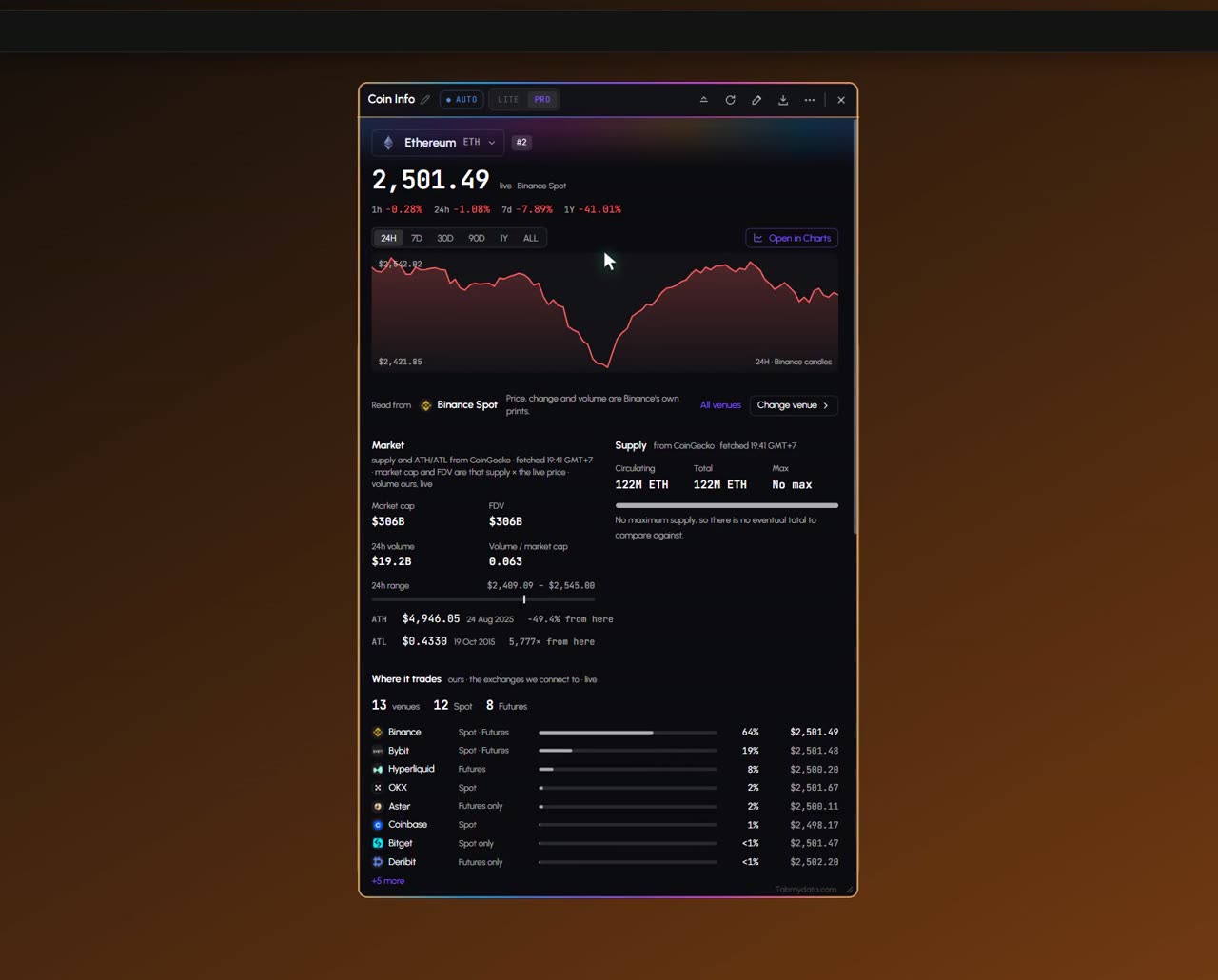
Price, market cap, FDV, volume, supply and all-time high and low for one coin in one card.
Product tour
What you can do in the Coin Info tab
Coin Info puts the facts for one coin in one place: live price and candles, volume, market cap, FDV, supply, all-time high and low, and a list of where the coin trades. Trading data comes from exchanges. Supply and all-time high and low come from CoinGecko, credited in the tab. Jump buttons open the coin in Charts or the Orderbook.
Features
- 01
Key numbers
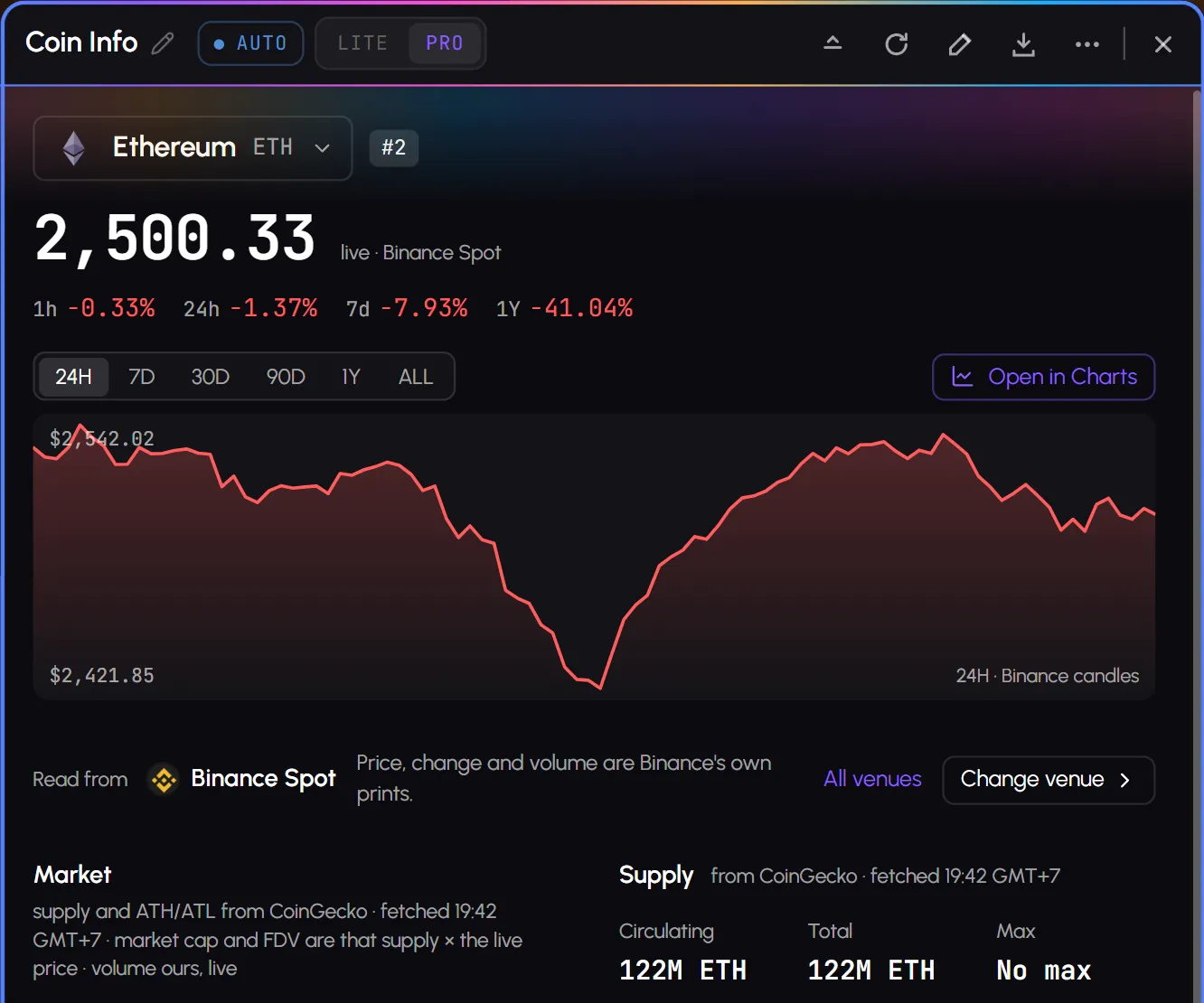
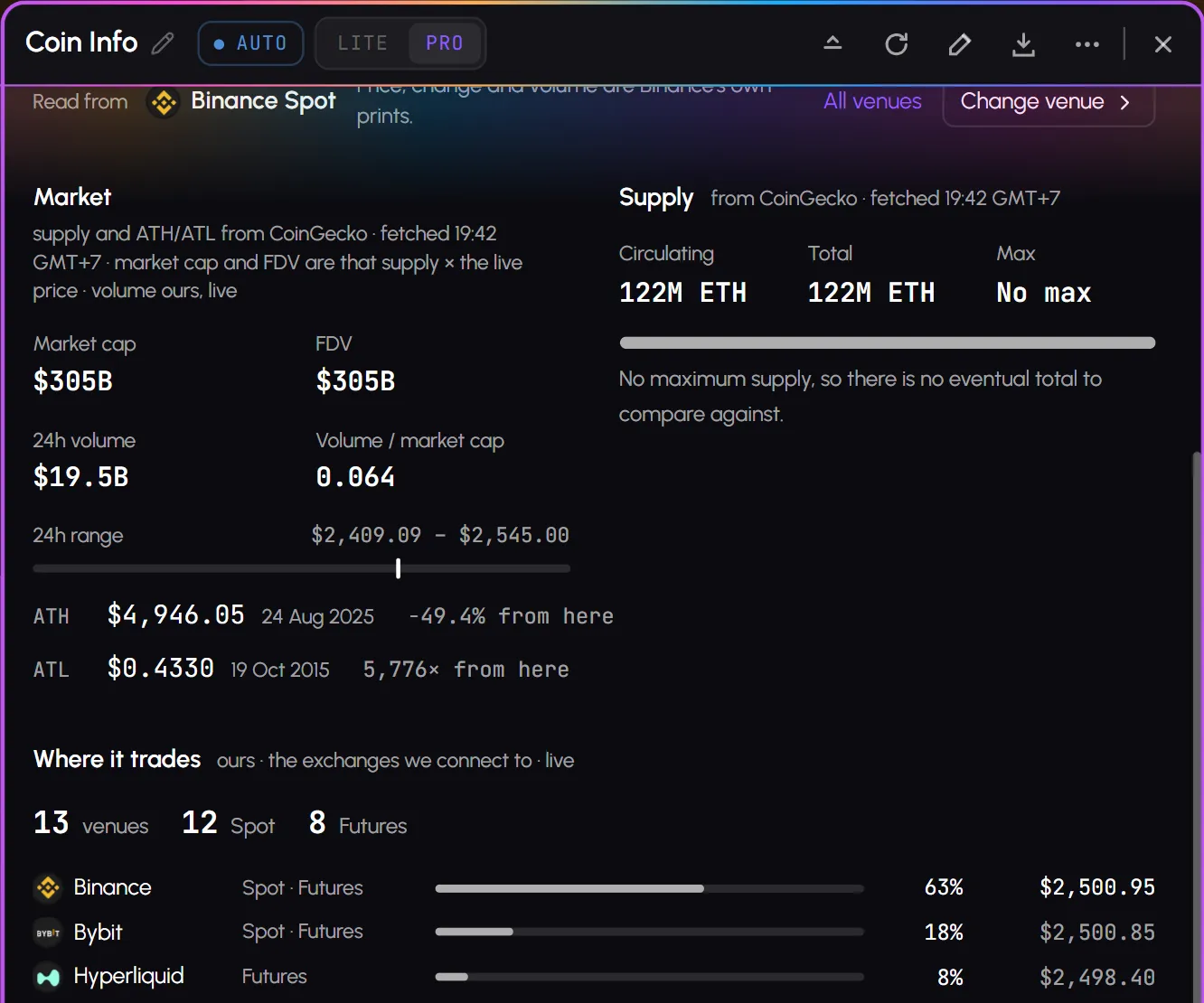
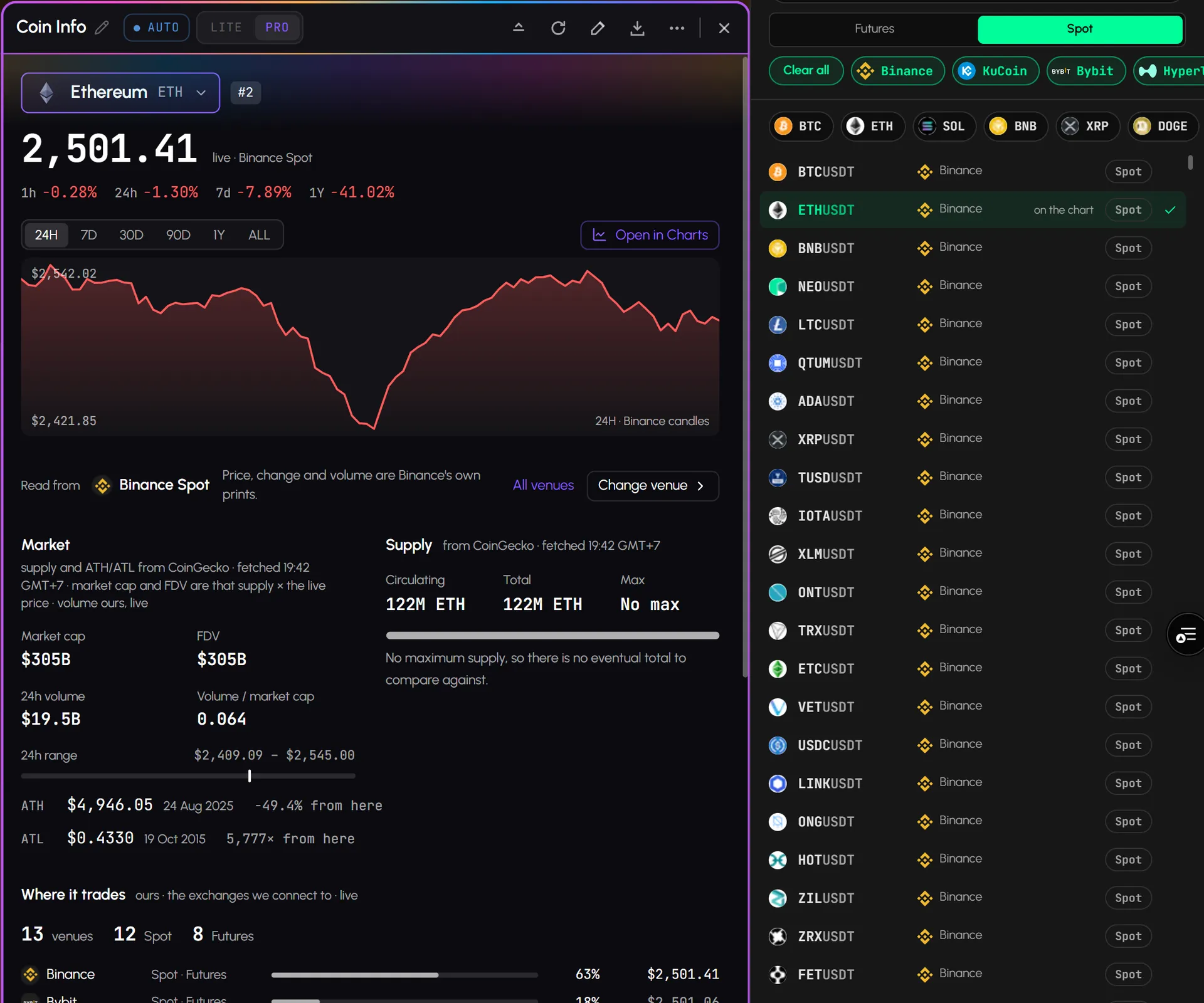
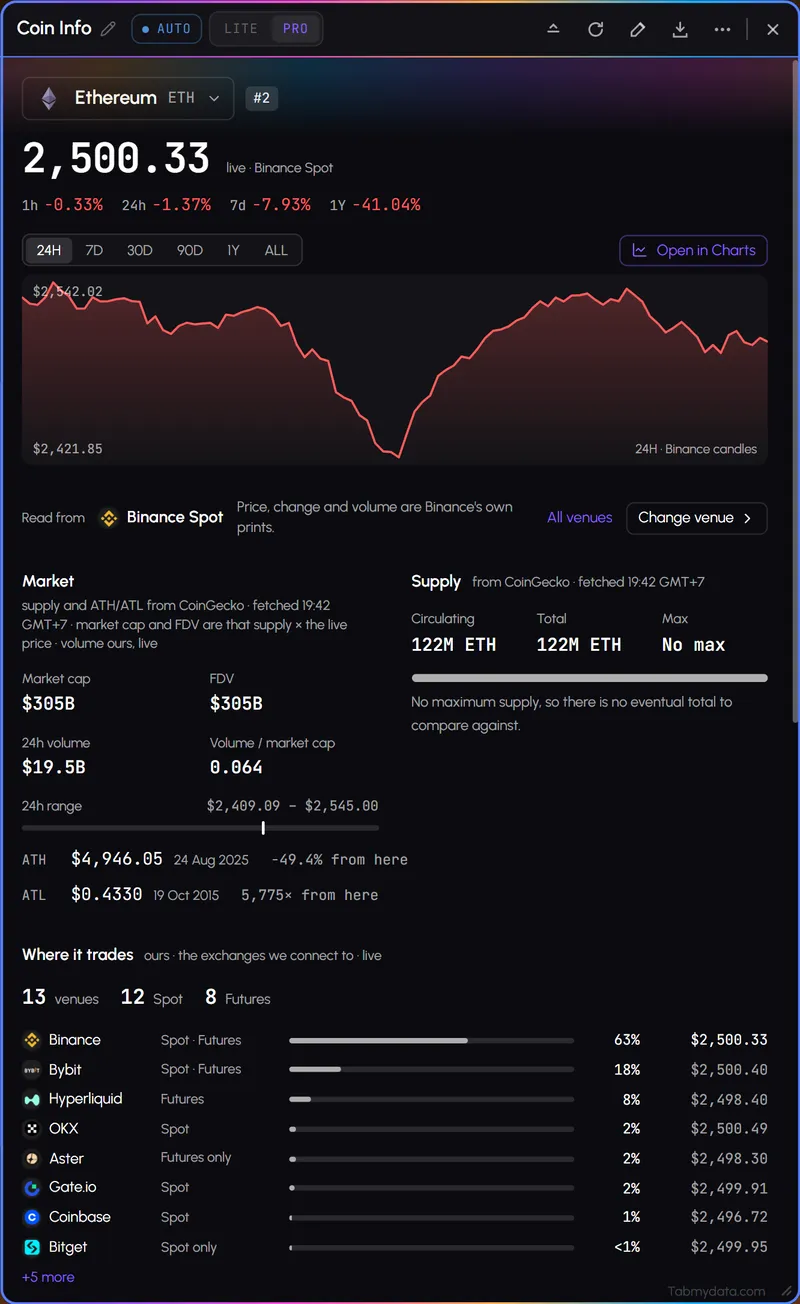
The header has the name, symbol, rank, live price and the change over 1h, 24h, 7d and 1Y. The Market block has market cap, FDV, 24-hour volume, volume against market cap, the 24-hour range, and the all-time high and low with their dates. Market cap and FDV are supply times the live price.
- 02
Supply
Circulating, total and max supply, with a line such as "95.7% of the maximum supply is in circulation".
- 03
Candles and ranges
A price chart for the coin over 24H, 7D, 30D, 90D, 1Y or ALL, with the high and the low. The tab says which market the price is read from.
- 04
Where it trades
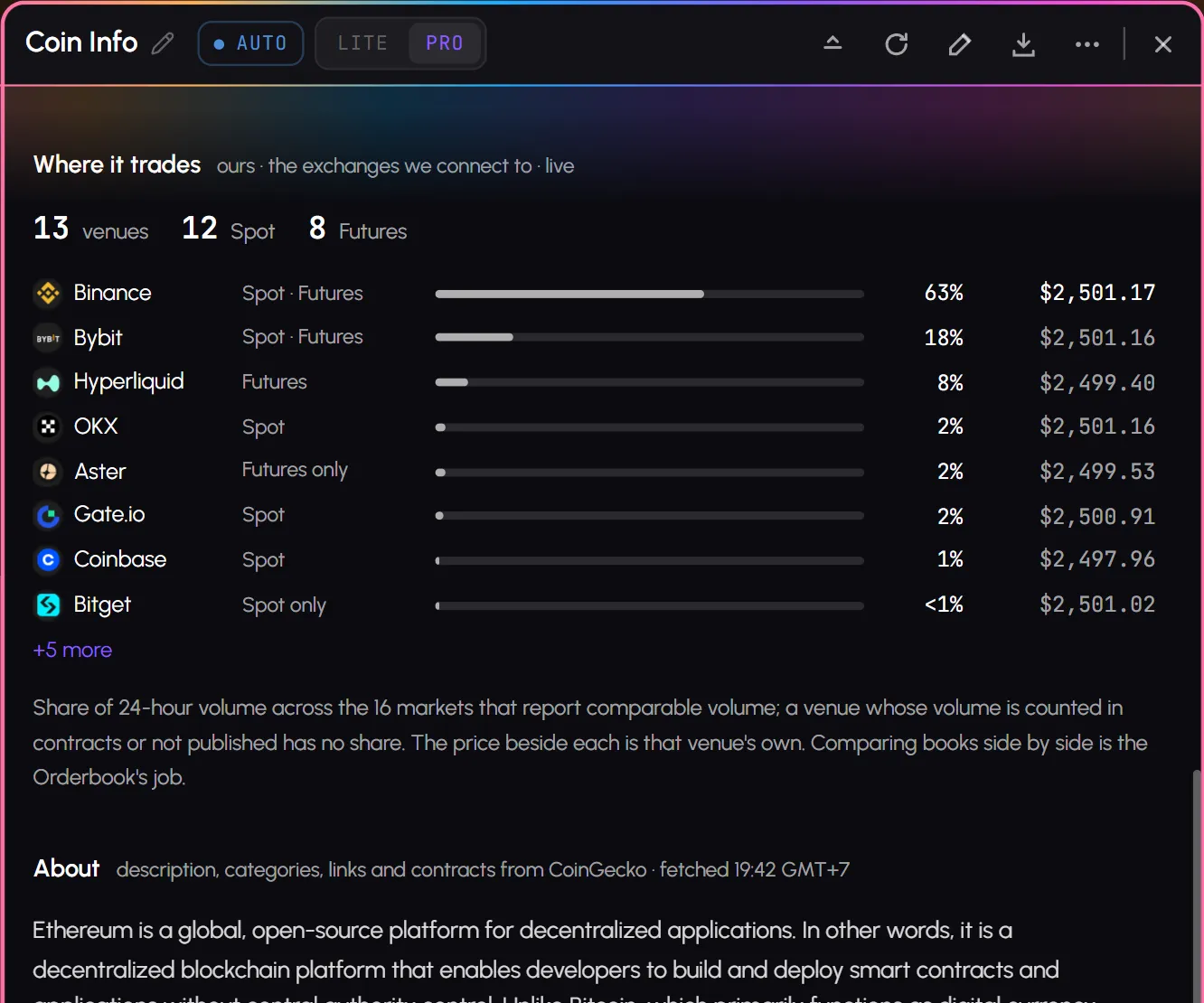
A list of the venues that carry the coin, spot and futures, with each venue's share of 24-hour volume and its own price. You see where the market is before you pick a book to read.
- 05
About and project links
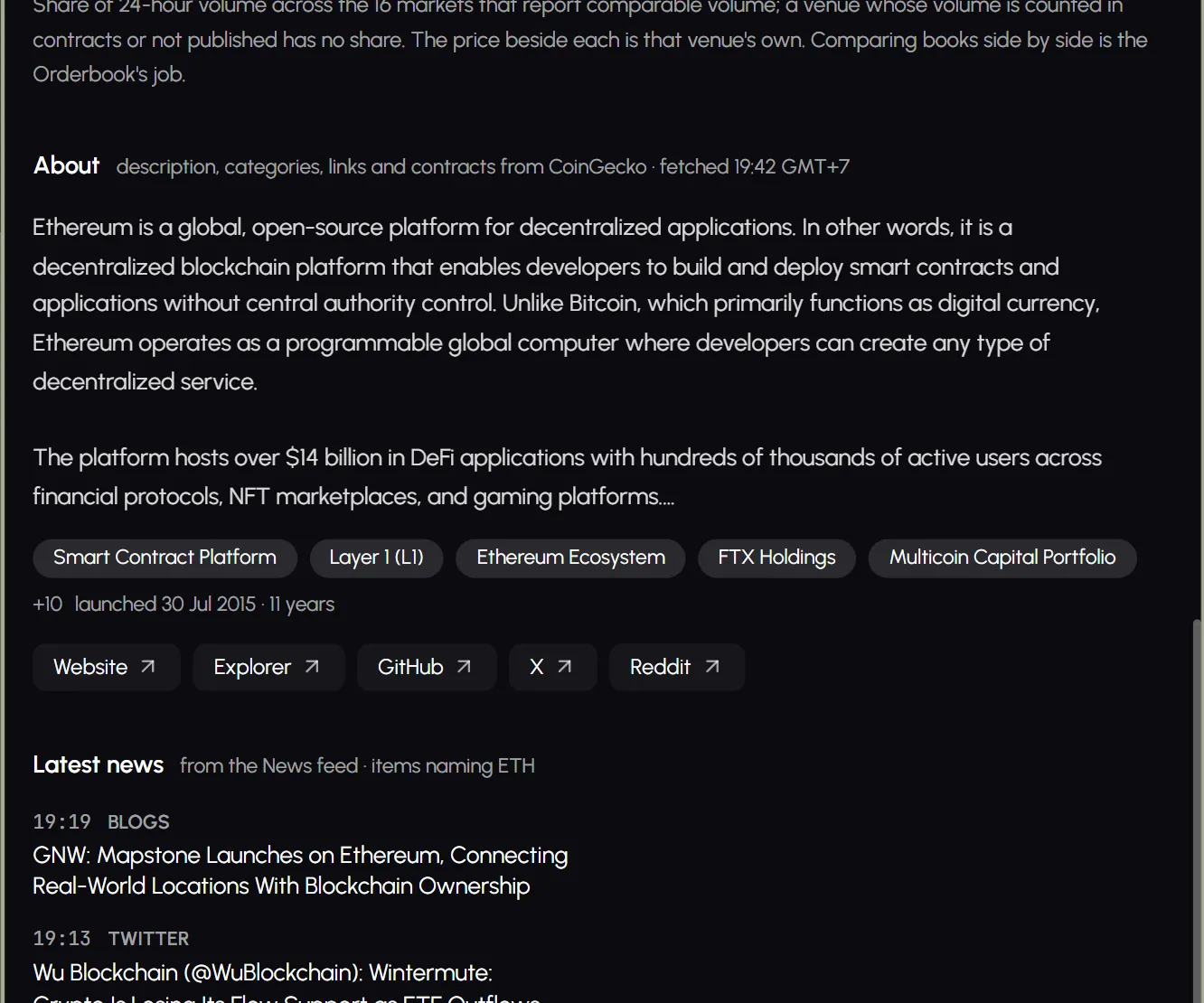
A description of the coin with category chips and the launch date, and link buttons for the Website, Explorer, GitHub, X, Reddit and Forum where the coin has them. They open in a new browser tab.
- 06
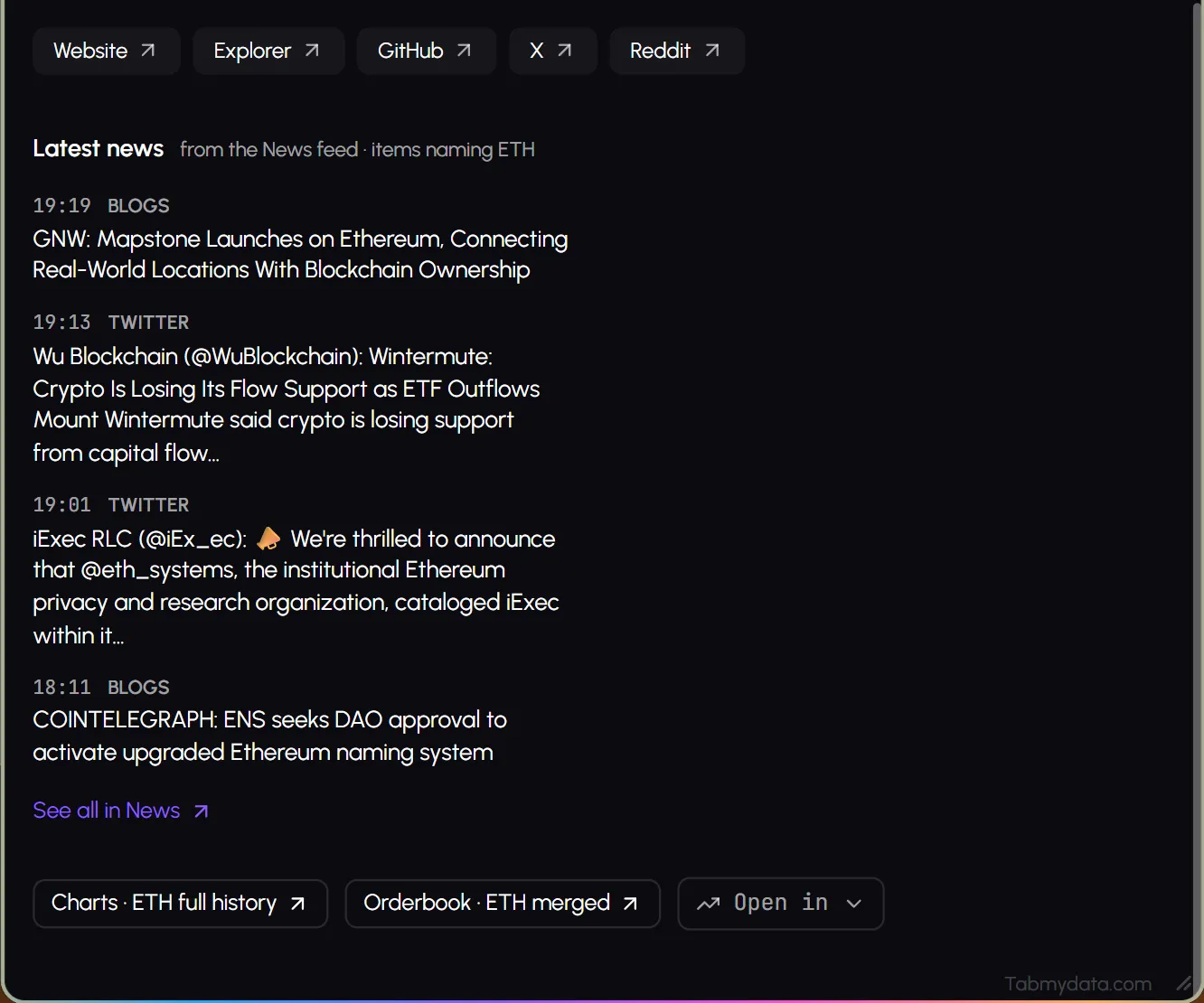
Latest news
The latest stories that name the coin, with "See all in News".
- 07
Jump to other tabs
Jump buttons in the tab open Charts or the Orderbook for the same coin.
- 08
Contract addresses
For token coins, the About block also lists the contract address on each chain the coin runs on. Coins with their own chain, such as BTC and ETH, have no contract list.
Use cases
How traders use it
- 01
A new coin
Check supply and market cap before charting a coin you haven't traded.
- 02
Where is the market
Check which venues carry the coin and in what share, then open the order book.
- 03
Next to the chart
Keep Coin Info beside the chart so the basics stay in view during a session.
Who it's for
- Traders checking a new coin who want supply and market cap before they chart it.
- Traders who want the basics in view during a session, docked next to a chart.
- Researchers who want to see which venues carry a coin.
How to use it
- Open the Coin Info tab and press the coin button to pick a coin from the tiles.
- Read the key stats: price, change, volume, market cap, FDV and supply. Step by step: how to check a coin's market cap and supply.
- Check Where it trades to see the venues, spot and futures.
- Open Charts or the Orderbook for the same coin.
- Dock it beside a chart so the basics stay in view.
- Check the news. Read the latest stories on the coin, or open them all in News.
Related tools
- Charts, Live Trades and Liquidation tracker: the data tabs for the same coin.
- Watchlist: the coins you follow.
- Market Heatmap: the market on one screen.
- News: the headlines that name the coin.
- Help: how to check a coin's market cap and supply.
FAQ
Coin Info FAQ
Where does the data come from?
Trading data comes from exchanges. Supply and all-time high and low come from CoinGecko, credited in the tab. Market cap and FDV are calculated from supply and the live price.
Which numbers does it show?
Price, change, volume, market cap, FDV, the 24-hour range, all-time high and low, and circulating, total and max supply. See how to check a coin's market cap and supply.
What is the difference between circulating, total and max supply?
Circulating supply is what is in the market now, total supply is all coins created less any burned, and max supply is the cap, where a coin has one. The Supply block shows all three, and says "No max" for a coin without a cap, such as ETH.
Where can I see how much of a coin trades on each exchange?
In the Where it trades list. It names the venues that carry the coin, spot and futures, with each venue's share of 24-hour volume and its own price.
Can I open a project's website or explorer?
The About block has link buttons for the project's Website, Explorer, GitHub, X, Reddit and Forum where they exist. They open in a new browser tab.
Is Coin Info free?
Yes. Tabmydata is free during Alpha. Sign up with no card needed.
Free during Alpha.
Coin Info is a card of crypto coin stats: price, volume, market cap, FDV, supply and all-time high, with project links. Supply and ATH come from CoinGecko, credited. Free during Alpha.
Sign up free