Getting Started
What is Tabmydata and how do you use it?
Tabmydata is a market workspace: Orderbook Heatmap and Liquidation Heatmap, order book, liquidations, charts and the Hyperliquid Whale Tracker tab side by side. You arrange them on one canvas.
On this page
Tabmydata is a market workspace built around heatmaps of resting depth across exchanges (the Orderbook Heatmap) and modeled liquidation levels (the Liquidation Heatmap). Next to it you place live liquidations, the order book, live trades and Hyperliquid account tracking. You arrange the tabs on one screen and keep the layout. Tabmydata connects to 24+ exchanges across the platform.
See the market workspace overview, the Orderbook Heatmap across exchanges and Workspaces.
What can you do with Tabmydata?
- Read liquidity over time. The Orderbook Heatmap draws resting depth over time on top of the candles, across the exchanges you pick.
- Watch the book and the tape. The Orderbook merges the venues you choose into one book; Trades shows each print with its venue and side.
- Follow forced closes. Liquidations shows them as they hit, sized and sided.
- Chart it. The Charts tab holds your indicators per tab, with indicators such as Liquidations; the Liquidation Heatmap is its own tab and is also available as a Charts indicator.
- Follow Hyperliquid accounts. The Hyperliquid Whale Tracker tab shows the venue's top traders, top positions and single accounts.
- Keep context beside the data. News, Calendar, Market Clock, Fear & Greed, Watchlist, Coin Info and the Heatmap (the whole market by size and move).
- Get told. Alerts: personal alerts in the app, by email and push, and to your Discord by webhook. Market-wide alerts come through our public Telegram channel.
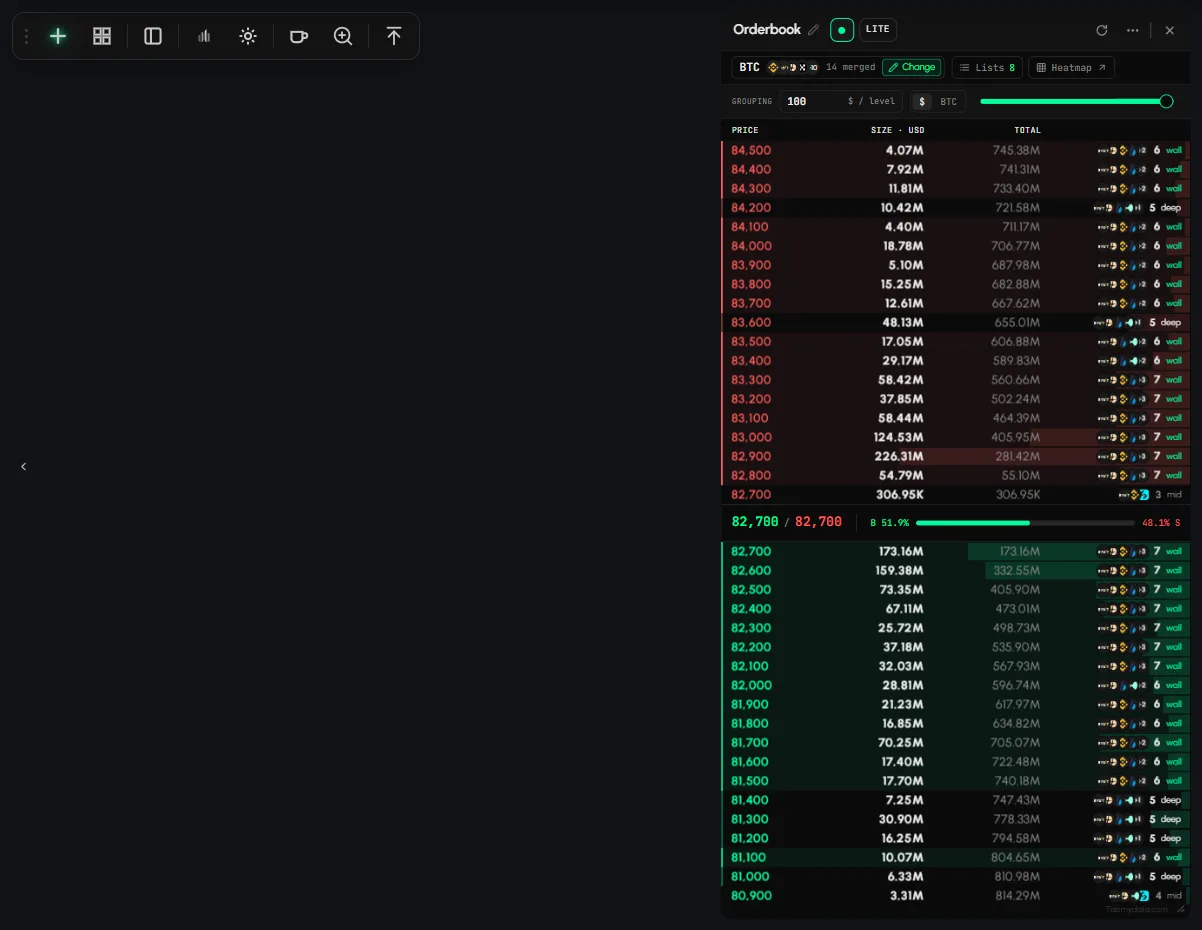
How does a workspace work?
- Sign up and open a workspace (each one keeps its own tabs and layout).
- Click + on the tool rail, or press T, and pick a tab from Add a tab.
- Drag a tab by its title bar and resize it from the bottom-right corner until the layout fits your routine. The Layout button on the rail arranges open tabs for you.
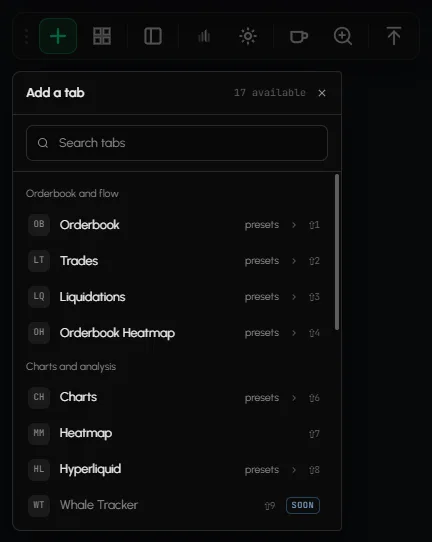
Want to look first? Open the demo workspace. Edits there are temporary; sign up to keep your work. Then start here: Create your first workspace.
Who is Tabmydata for?
Traders who read the market through liquidity: crypto and derivatives traders, and people who follow what large Hyperliquid accounts hold.
Frequently asked questions
How many exchanges does Tabmydata connect to?
24+ exchange connections across the platform. Each tab shows the exchanges available for the coin you pick.
What do I need to get started?
An email address, a Google account or a wallet. After sign-up you add tabs and pick your coins.
Is Tabmydata free?
Sign-up is free.
Does Tabmydata tell me what to trade?
No. Tabmydata shows market data. Decisions are yours.
What is coming next?
Tami, an AI assistant inside the tabs, is coming soon. See What's new.