Market Clock
Market hours clock: which markets are open, right now
Help: How to set your time zone
Learn: Crypto Trading Glossary
The Market Clock puts your market hours and trading sessions on one line: which markets are open now and when the next one opens. Set a reminder before an open in the Alerts tab. Free during Alpha.
Free during Alpha.
Product tour
What you can do in the Market Clock tab
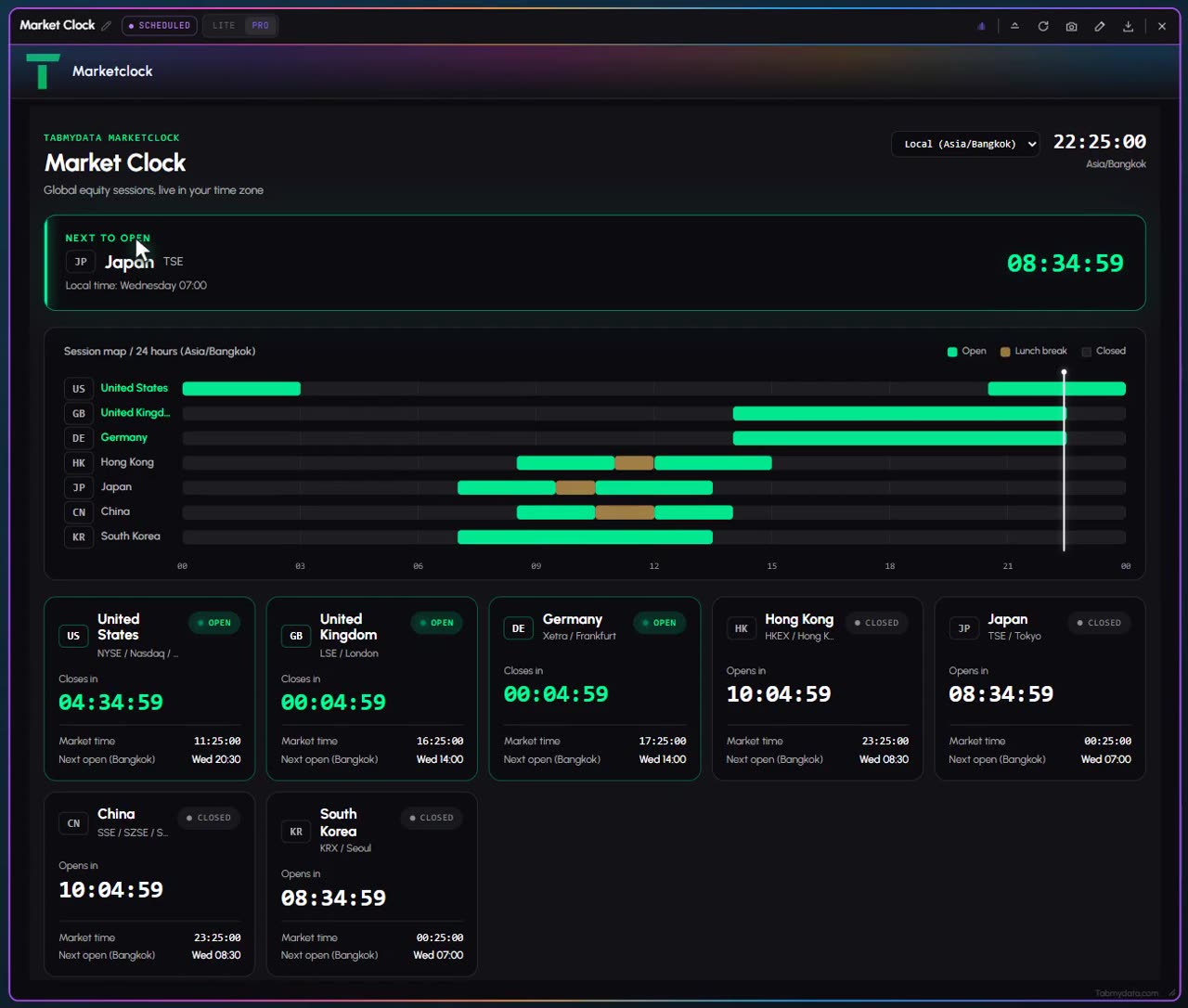
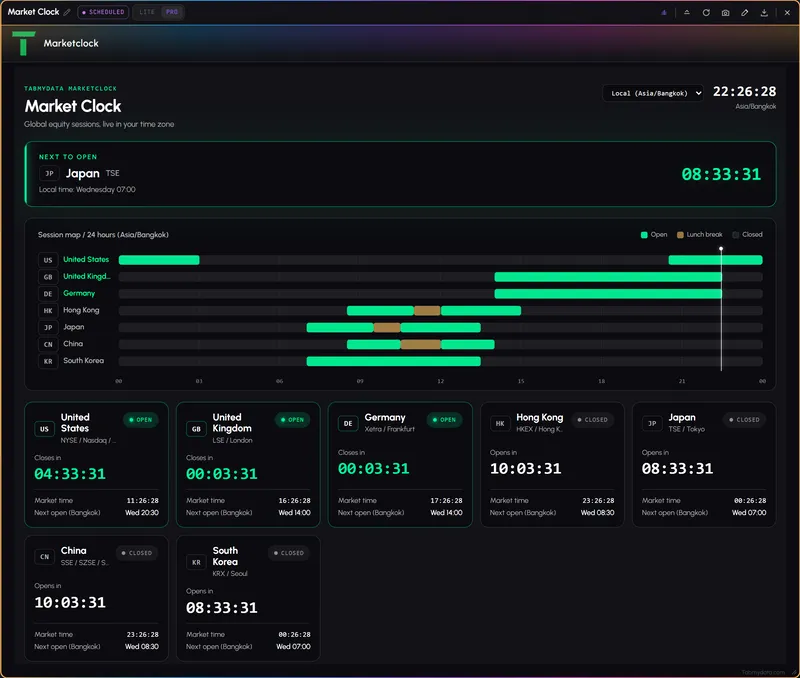
Market Clock is a market hours clock. It shows which of the world's stock markets are open now, where market sessions overlap and when the next open arrives, all in the time zone you pick. A live clock, a "next to open" block, a 24-hour session map and one card per market sit in one tab, beside your chart. Think of it as a stock market clock for crypto traders. For a reminder before a session opens or closes, set one in the Alerts tab.
Features
- 01
Session map
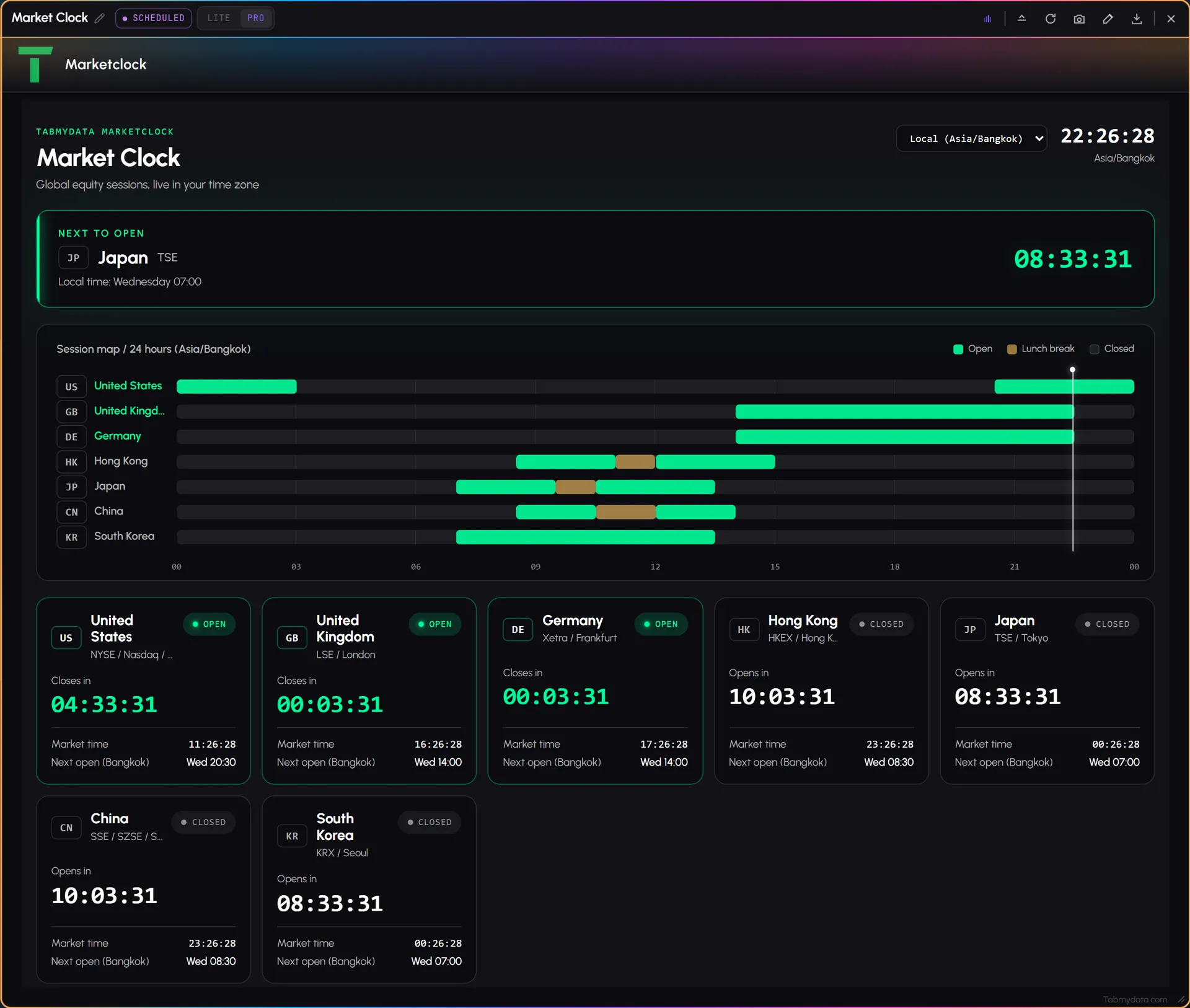
Seven markets on one 24-hour axis (United States, United Kingdom, Germany, Hong Kong, Japan, China and South Korea), coloured Open, Lunch break or Closed, with a marker for now. You see what is open and what overlaps at a glance.
- 02
Next to open
One block names the next market to open, with the open time in your zone and a countdown.
- 03
A card for every market
Each market has its own card: Open or Closed, Closes in or Opens in, the market's own time and its next open in your zone.
- 04
Your time zone
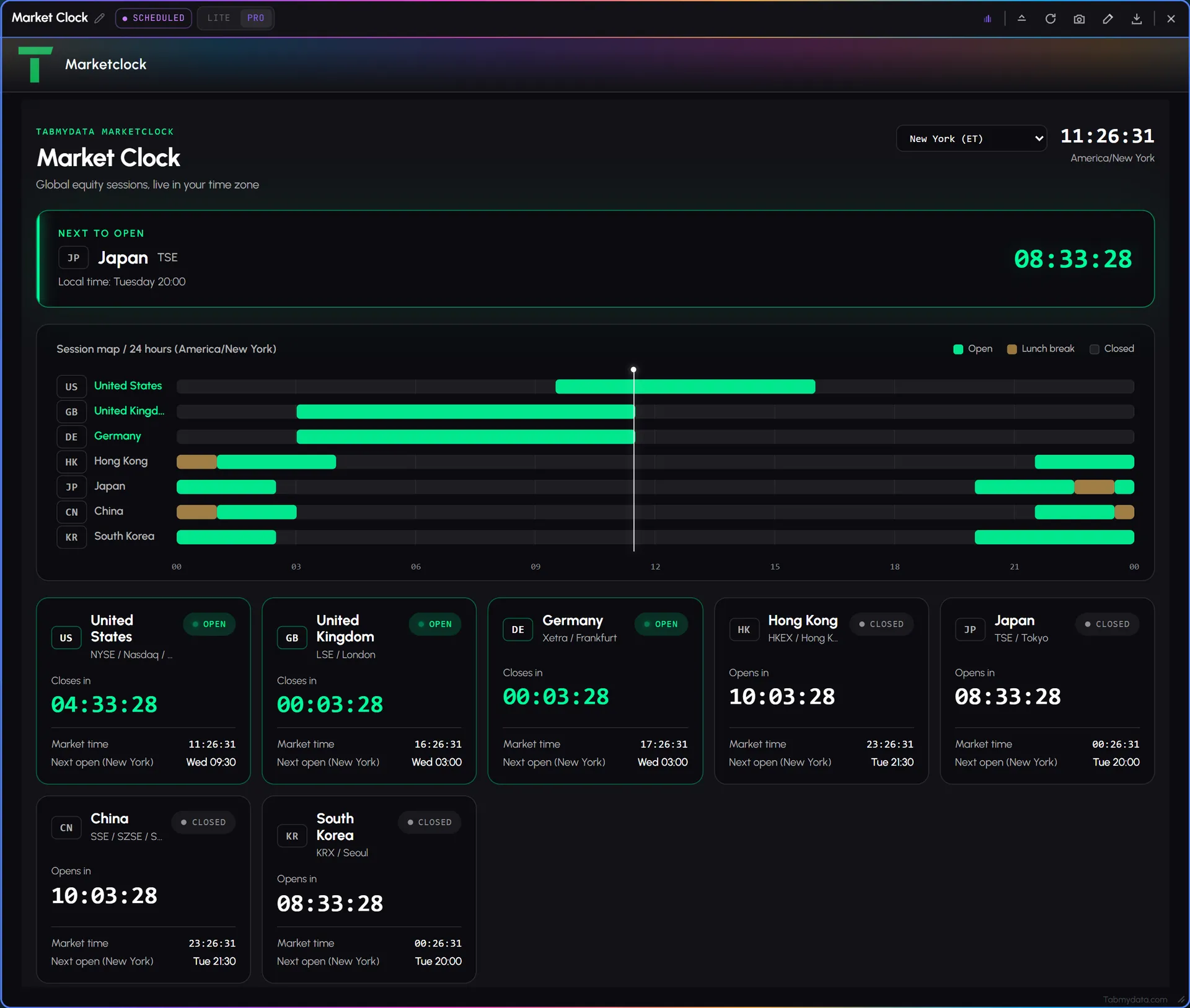
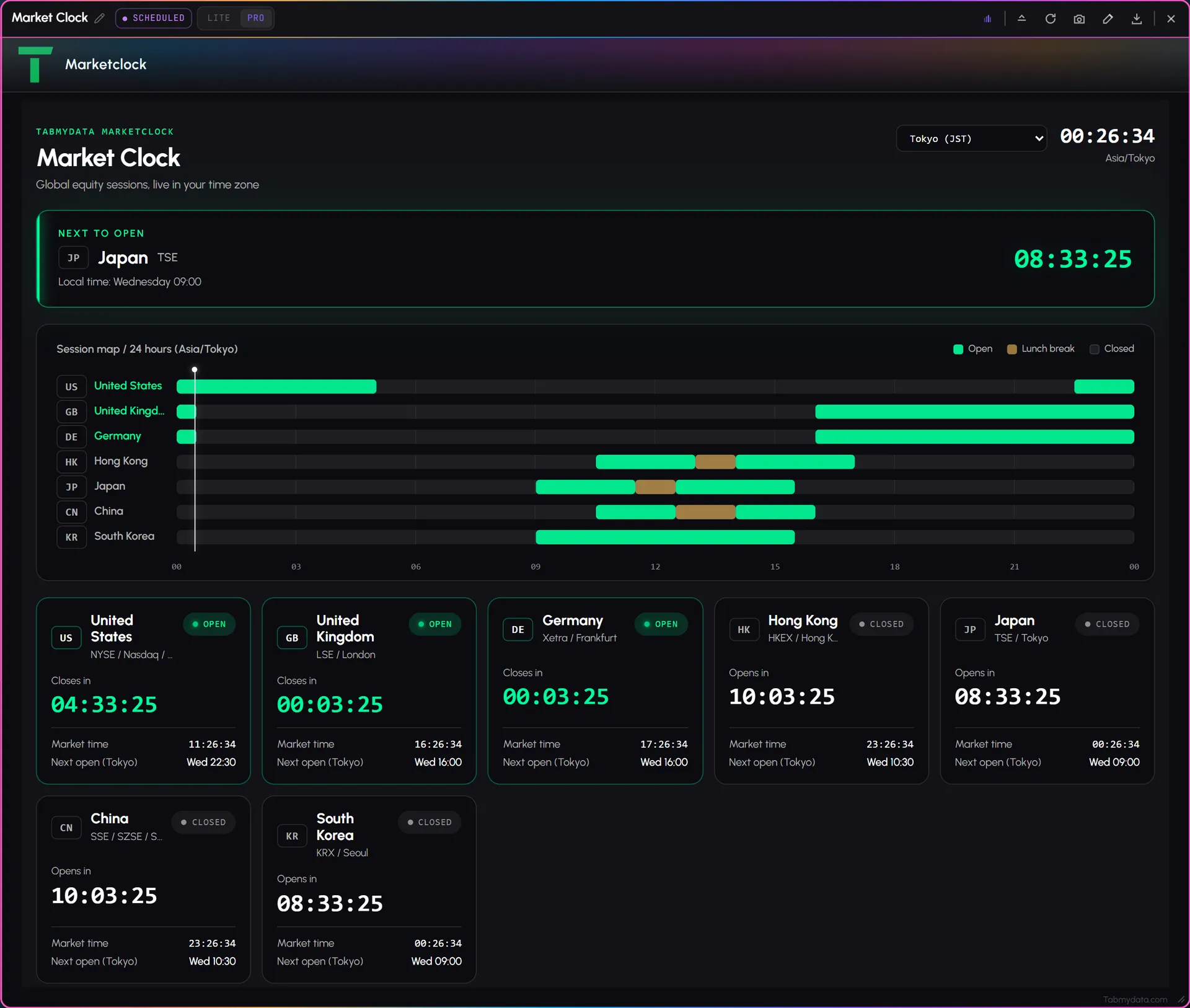
The Display timezone dropdown has Local, which is your browser's zone, plus 18 cities from New York and London to Dubai, Mumbai, Tokyo and Sydney. The clock and every time in the tab follow it. The choice is per tab.
- 05
Live clock
A large live clock in the zone you picked.
- 06
A reminder through Alerts
Press New alert in the Alerts tab and choose "Before a session opens or closes". You pick your sessions and the lead time. Nothing is armed until you arm it.
Use cases
How traders use it
- 01
Stock tokens around the US open
Check the countdown to the US open before the session starts. See the tokenized stocks list.
- 02
Session overlaps
Check which sessions overlap right now before a European afternoon session.
- 03
One time for everything
Switch the clock to your own city and read every market in it.
A stock market clock for crypto traders
Crypto trades around the clock. Stocks, ETFs and gold do not. If you watch tokenized stocks or gold in the same workspace, the hours of the underlying markets shape your day. Market Clock puts those hours next to your chart, so you do not convert time zones in your head. Read it before the US open, or before a European afternoon session.
Trading sessions, in your time zone
The session map draws the seven markets on one 24-hour axis, coloured Open, Lunch break or Closed, with a marker for now. Switch the Display timezone between Local and 18 cities and every bar shifts with it. The choice is per tab. Because the bars share one axis, trading sessions that overlap line up vertically, and you can see which are open at the same time without any maths.
Who it's for
- Crypto traders who also follow stocks or stock tokens and want to know when those markets open.
- Traders who watch gold or stock tokens around the US open. See the gold liquidity heatmap.
- Anyone who works across time zones and wants every time in their own.
How to use it
- Open the Market Clock tab to see which markets are open now.
- Pick your time zone. Choose Local or a city from the dropdown. See how to change your time zone.
- Read the sessions. See when each market opens and closes and which sessions are open at the same time.
- Check Next to open for the market that opens next and its countdown. Step by step: which markets are open now.
- Pair it with the calendar. Open the economic calendar to see which releases land during the day.
- Set a reminder from the Alerts tab if you want to hear before a session opens or closes.
Related tools
- Financial Calendar: the day's scheduled releases.
- Orderbook Heatmap: months of history on tokenized stocks, ETFs and gold.
- Tokenized stocks, ETFs and gold and gold liquidity heatmap: the instruments behind the sessions.
- Alerts: the session reminder.
- Help: which markets are open now.
FAQ
Market Clock FAQ
What are world market hours, and which markets are open right now?
The hours when each country's stock market is open for regular trading. Market Clock shows seven of them on one axis, with Open, Lunch break and Closed states, in the time zone you pick, so you see which are open now.
Which time zone does it use?
The one you pick in the tab: Local, or one of 18 cities. Each Market Clock tab keeps its own choice. See which markets are open now and how to change your time zone.
When do the London and New York sessions overlap?
Open Market Clock and read the session map. The United Kingdom and United States bars sit on one 24-hour axis in your time zone, so the stretch where both read Open is the overlap.
Why would a crypto trader use a stock market clock?
Crypto trades around the clock, including weekends; stock markets keep set hours, and their sessions shape the day. The clock shows when those markets open and close, in your time, next to the Orderbook Heatmap on tokenized stocks and gold.
How do I get a reminder before a session?
The reminder is an alert you arm in the Alerts tab, where you choose your sessions and the lead time. Nothing is armed until you arm it.
Is Market Clock free?
Yes. Tabmydata is free during Alpha. Sign up with no card needed.
Free during Alpha.
The Market Clock puts your market hours and trading sessions on one line: which markets are open now and when the next one opens. Set a reminder before an open in the Alerts tab. Free during Alpha.
Sign up free