First 10 minutes

Goal: Go from a new account to a workspace with live data on the screen.
Time: 10 minutes
- What is Tabmydata? (1 min)
- Create an account (2 min)
- Set up your first workspace (3 min)
- Find your way around a workspace (2 min)
- Choose coins and exchanges in a tab (2 min)
Reading the order flow

Goal: Put the order book, the trades and the liquidations side by side and read them together.
Time: 18 minutes
- How to use the Orderbook tab (3 min)
- How to use the Trades tab (3 min)
- How to track live liquidations (2 min)
- How to use the Orderbook Heatmap (3 min)
- How to use the Liquidation Heatmap (3 min)
- Save and load coin lists (2 min)
- Open details in the side panel (2 min)
Alerts setup
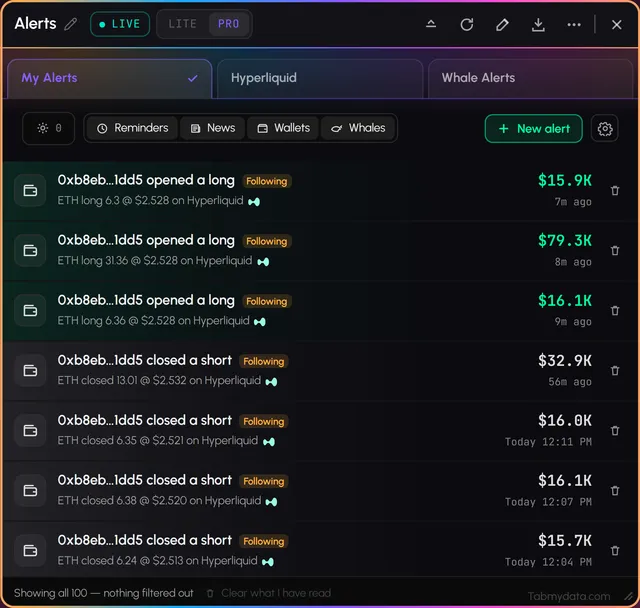
Goal: Get the alerts you care about, on the channel you read first.
Time: 14 minutes
- Choose how alerts reach you (3 min)
- Follow Hyperliquid wallets and get alerts (3 min)
- Use Hyperliquid whale alerts (2 min)
- Use the Alerts tab (2 min)
- Read and clear your notifications (2 min)
- Choose which notifications you get (2 min)
Customise your workspace
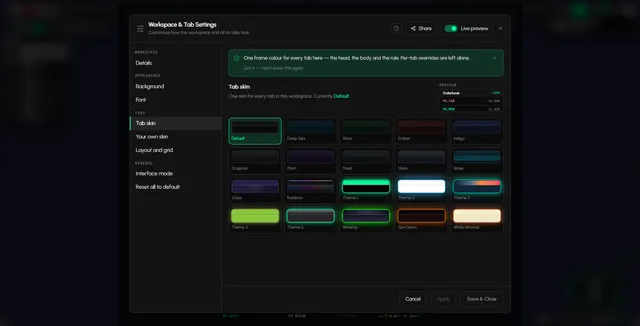
Goal: Make the workspace look and behave the way you work.
Time: 16 minutes
- Move, resize, rename and pause a tab (3 min)
- Arrange tabs in your workspace (2 min)
- Change tab skins and colours (3 min)
- Change your workspace background (3 min)
- Use the Magnifier (1 min)
- Switch between LITE and PRO (2 min)
- Set your time zone (2 min)
Market context and sentiment
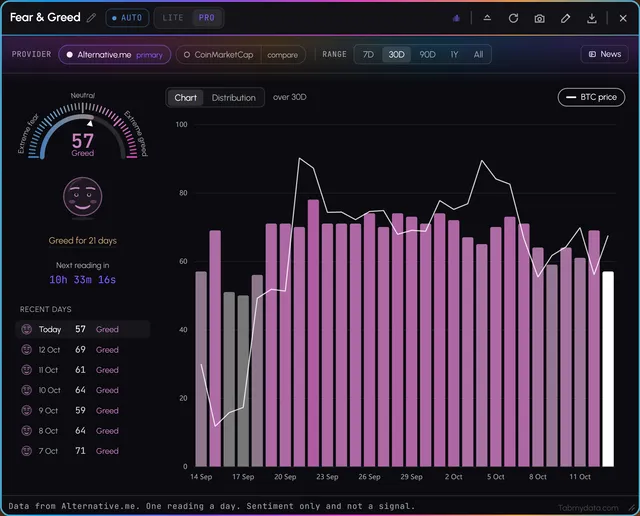
Goal: Add the macro and sentiment tabs around your chart.
Time: 15 minutes
- How to use the Chart tab (4 min)
- How to use the Market Heatmap (2 min)
- How to use the Fear & Greed tab (2 min)
- How to use the Calendar tab (3 min)
- How to use the Market Clock (2 min)
- How to use the News tab (2 min)
Not on a path?

Every guide is in the Help Center. If you cannot find one, ask us.