Workspaces & Tabs
How to use the News tab
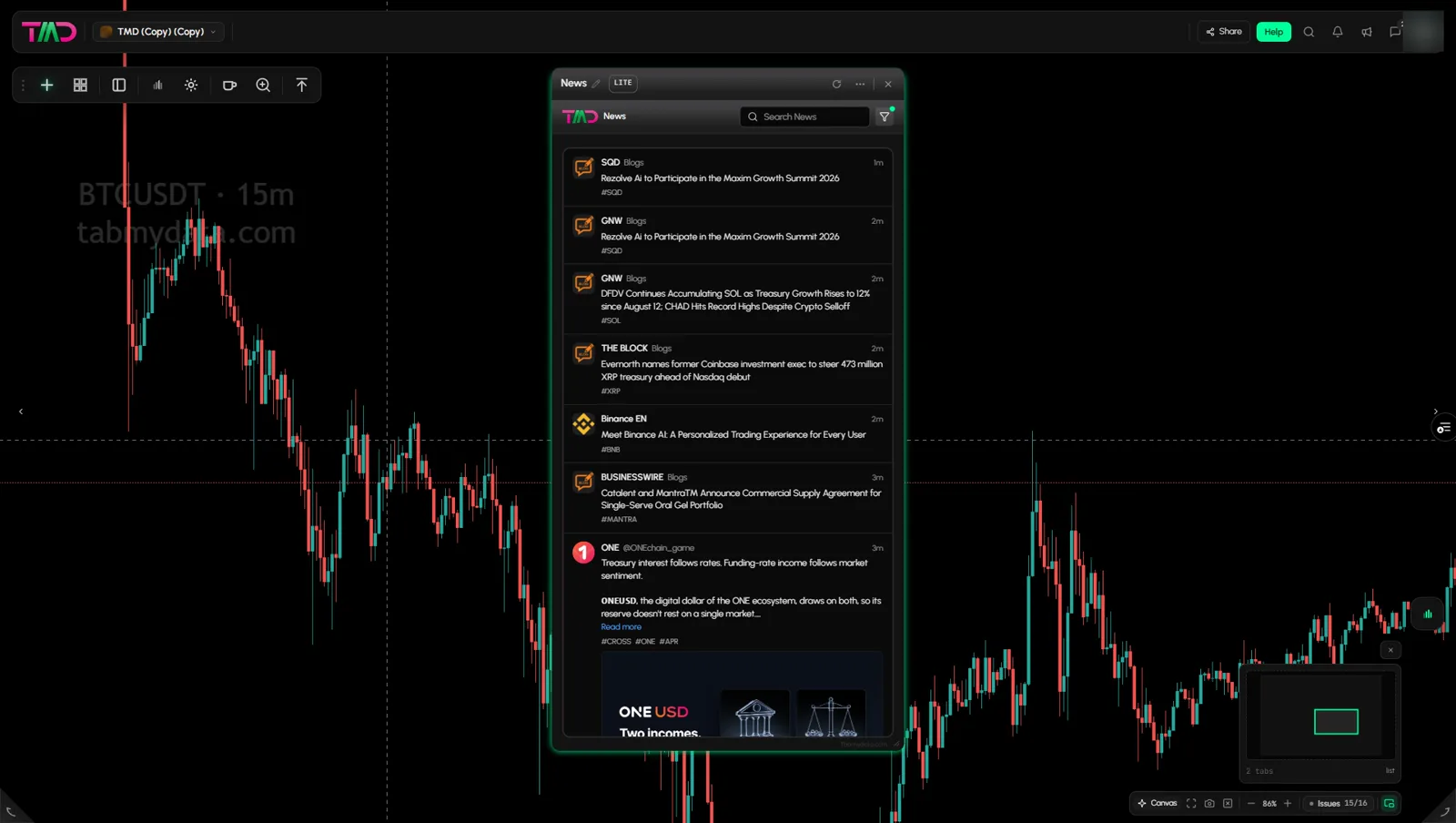
The News tab in Tabmydata is a live crypto news feed, newest first, that you can place next to a chart. Each story names its source, and you choose which of the 14 source feeds you see. You can search the feed by typing a coin name, but there is no coin filter.
On this page
Product overview: news aggregation.
What you can do
- Read a live feed with the source named on every story.
- Search the feed.
- Switch source feeds on and off.
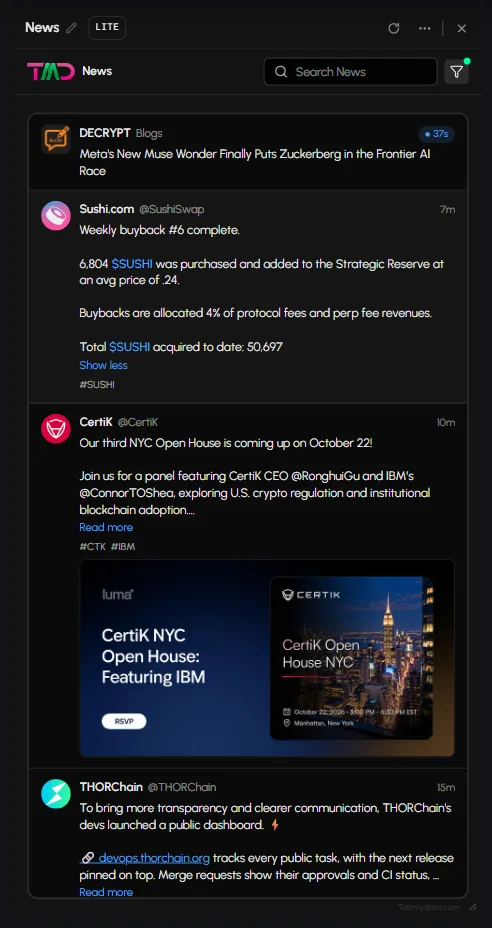
- Expand a story in place with Read more.
- Spot the coins a story mentions from its ticker chips.
How to add the News tab
- Click + (Add a tab) on the tool rail.
- Open News and events and click News (shortcut Alt+4).
How to read the feed
Each story shows the source avatar and name, a tag (such as Blogs or an account name), its age (such as "1m"), the headline and #TICKER chips. Posts from X accounts can show images. Links inside a post open the linked page.
How to read more
Click Read more. The full text expands inside the feed.
How do I find news about one coin?
- Type the coin's name or ticker in Search News above the feed.
- The feed narrows as you type.
- Clear the box to see everything again.
The tab has no coin filter. Ticker chips on a story are labels, so clicking one does nothing. For one coin's latest stories without searching, open the Coin Info tab: its Latest news block lists up to four stories that name the coin.
How do I filter the news by source?
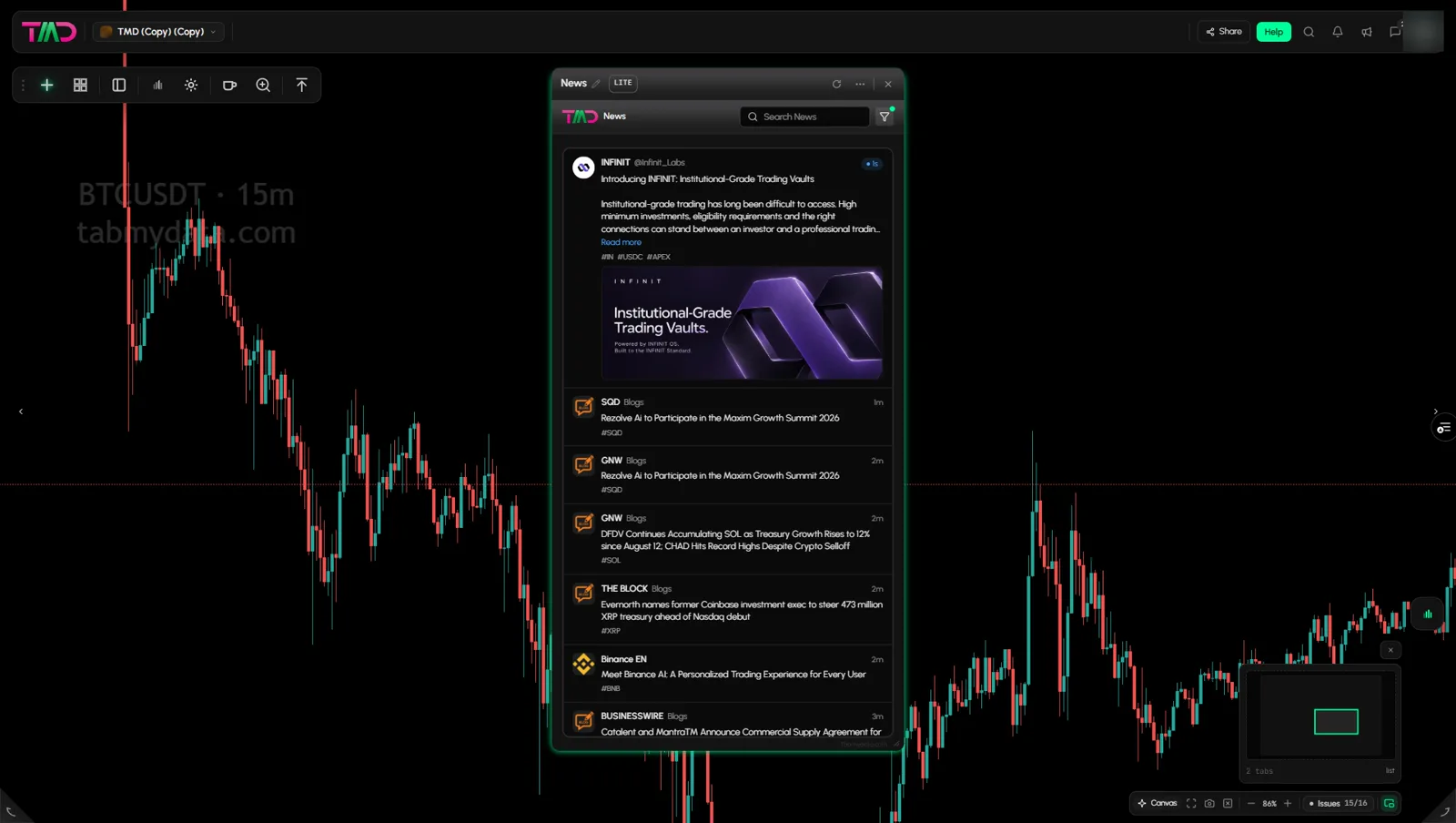
- Click the funnel button. A green dot shows a filter is on.
- Filter by source lists switches for the 14 feeds: Binance, Upbit, Coinbase, Bithumb, Blogs, Bloomberg, US Gov, Terminal, X, Telegram, Scrapers, Arkham, Proposals and Leaderboard.
- Switch feeds on or off. All turns every feed on. Clear turns them all off.
Tip: the funnel only filters by source. If a source posts too much, switch just that feed off.
Tab controls
The header has Refresh, LITE | PRO, More and Close. See Tab controls.
Settings
The source selection belongs to the tab.
States
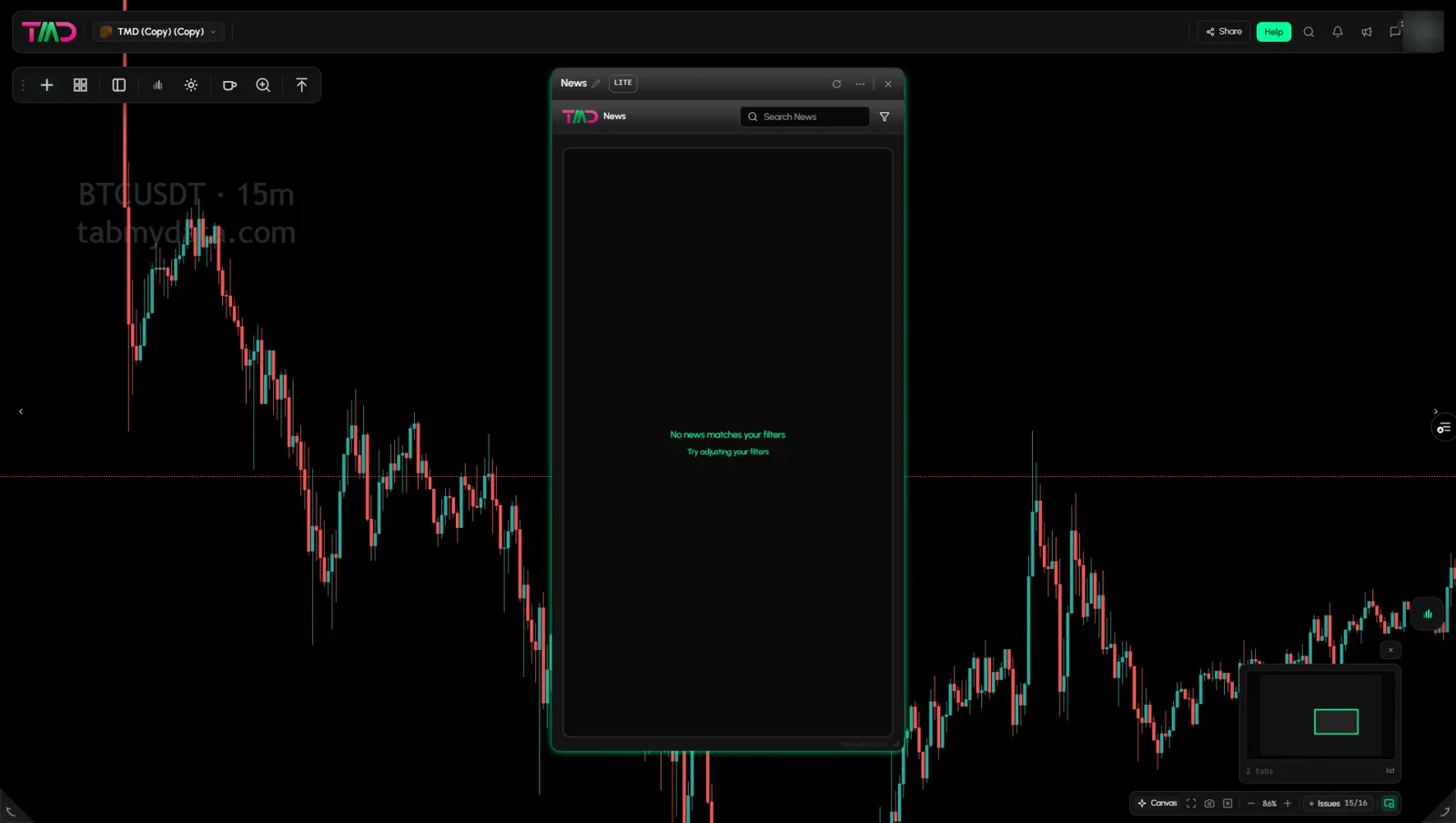
When no story matches, the feed says "No news matches your filters" and "Try adjusting your filters". Turn a source back on or clear the search.
Frequently asked questions
Can I filter news by coin?
Not with a filter. The filter works by source. Stories show ticker chips for the coins they mention, and the chips are labels: a click does nothing. To find a coin, type its name in Search News.
How many sources are there?
14 source feeds today: Binance, Upbit, Coinbase, Bithumb, Blogs, Bloomberg, US Gov, Terminal, X, Telegram, Scrapers, Arkham, Proposals and Leaderboard.
Is the crypto news feed free?
Tabmydata is free during Alpha. The News tab is part of it.
Can I open the News tab from another tab?
Yes. The Fear & Greed tab has a News button that opens a News tab beside it, and the Coin Info tab has See all in News.
Does the feed rank or summarise stories?
No. Stories appear as they land, newest first.
Does a story tell me what to do?
No. It is the headline and its source.