Workspaces & Tabs
How to create a workspace and move around it
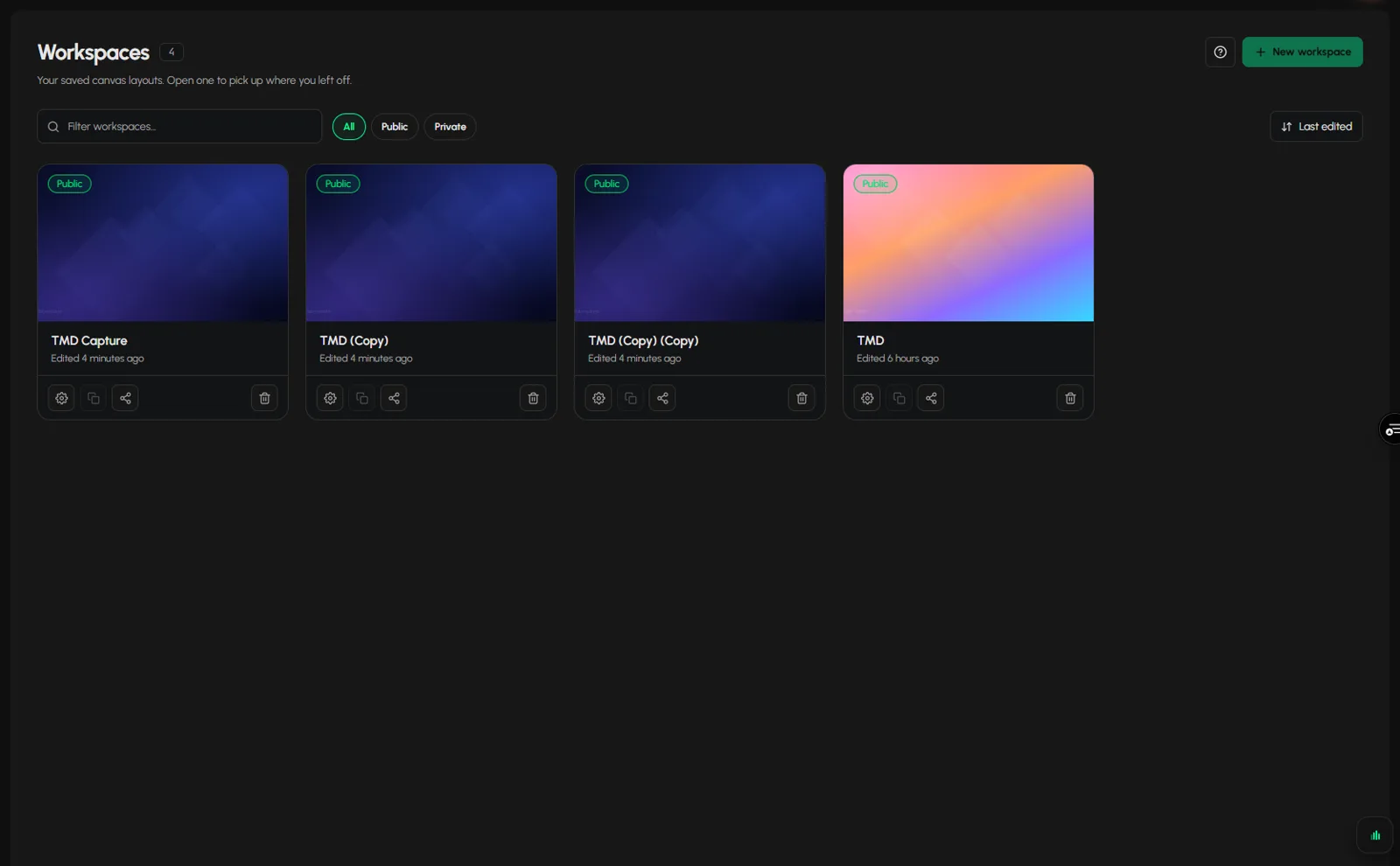
To create a workspace in Tabmydata, open the Dashboard or the Workspaces list and click New workspace. A workspace is a saved canvas where your tabs sit side by side. Add tabs, then move around with pan, zoom, Fit every tab in view and the minimap. Keep one workspace for each routine.
On this page
- What you can do
- How do I create a workspace?
- How do I start from an empty canvas or a desk?
- How do I pan the canvas?
- How do I zoom the canvas?
- How do I fit every tab in view?
- How do I find a tab with the minimap?
- How to take a screenshot of the whole workspace
- How to close all tabs
- How do I read the exchange status chip?
- Frequently asked questions
- Related
What you can do
- Create a new workspace from the Dashboard or the Workspaces list.
- Start from an empty canvas or from a ready-made desk.
- Add tabs and arrange them.
- Pan and zoom the canvas, fit every tab in view and use the minimap to find a tab.
- Take a screenshot of the whole workspace, or close all tabs at once.
- Read the feed health of your tabs in the status strip.
How do I create a workspace?
- Open the Dashboard or Workspaces in the sidebar.
- Click New workspace (top right) or the dashed New workspace tile.
- The new workspace opens. Add tabs with Add a tab or start from a desk (next section).
From inside a workspace, the workspace switcher in the header (the chip with the workspace name) also has a New workspace button with a count such as "4/4".
You can have 4 workspaces per account. When you reach 4, the New workspace button is disabled and reads "Maximum 4 workspaces reached", and the dashed tile is greyed out. Delete one to free a slot. See Manage your workspaces.
How do I start from an empty canvas or a desk?
An empty canvas shows an Add a tab button and the line Or start from a ready-made desk.
- Click Add a tab to pick tabs one by one. See Use the tool rail.
- Or click a desk, such as BTC depth or Events and news. See Start the tutorial.
How do I pan the canvas?
The canvas is larger than your screen. To move it, click the arrows at the left and right edges of the canvas, marked PAN. This moves the canvas, not the tabs. The Keyboard shortcuts panel also lists the arrow keys for panning. See Search and keyboard shortcuts.
How do I zoom the canvas?
- In the bottom bar, click - or + to zoom out or in. Each click changes the zoom by about 20%, and the canvas zooms up to 200%. The percentage shows the current zoom.
- Or turn the mouse wheel over empty canvas, or hold Ctrl and turn it. Aim at an empty spot, not at a tab: over a tab, the wheel scrolls the tab where its content scrolls.
- Press 0 to reset the zoom to 100%. It is the only zoom key.
How do I fit every tab in view?
- In the bottom bar, click Fit every tab in view.
- The canvas zooms and moves so every open tab is on screen.
How do I find a tab with the minimap?
The minimap sits at the bottom right and shows all your tabs as small boxes with a frame for what you see now.
- Read the count under the minimap, for example "11 tabs".
- Click a box, or click list and pick a tab by name. The canvas moves to it.
- To hide the minimap, click Hide the minimap in the bottom bar. The button then reads Show the minimap. Click it to bring the minimap back.
How to take a screenshot of the whole workspace
- Click Fit every tab in view first if you want every tab in the picture.
- Click Screenshot workspace in the bottom bar (the camera icon).
A Captured image dialog opens with Copy to clipboard and Download. See Share a tab or workspace.
How to close all tabs
- Click Close all tabs in the bottom bar.
- A box asks "Clear all tabs?" and warns that this closes all open tabs and removes any unsaved work. Click Yes to continue or Cancel to stay.
- After Yes, the canvas empties at once. There is no Undo for Close all tabs. The canvas then reads "An empty canvas for <workspace name>" with five ready-made desks to start from.
Closing a single tab is different: it shows "<Tab> closed" with Undo.
How do I read the exchange status chip?
At the bottom left you see a status chip with two numbers, for example Issues "15/16" (or "Live 16/16" when everything is up). Its tooltip reads "Exchange status", for example "Partial outage". Next to it you see the number of tabs and a list link.
- The numbers show how many of the connected exchanges are available.
- Click the chip to open a list of exchanges, each marked Available or Unavailable, with a Refresh button.
- Click list next to the tab count to see your open tabs by name.
For fixes, see Data not loading.
Frequently asked questions
How many workspaces can I create?
4 per account. At 4, the New workspace button is disabled.
Does a new workspace copy my tabs?
No. To make a copy of an existing workspace, use Duplicate on its card in the workspace list. See Manage your workspaces.
How do I get back to the Dashboard?
Click the logo, click Return back on the tool rail, or press D.
I lost a tab off screen. How do I find it?
Click Fit every tab in view, or open the minimap list.
Can I undo Close all tabs?
No. Confirm with care. One tab closed by its x can be undone.
How do I set up a crypto trading dashboard with many charts on one screen?
Create a workspace, add a few tabs (for example Charts, Orderbook and Liquidations) with Add a tab, and arrange them side by side with Arrange. See Arrange tabs.