Getting Started
How to start the tutorial and replay the hints
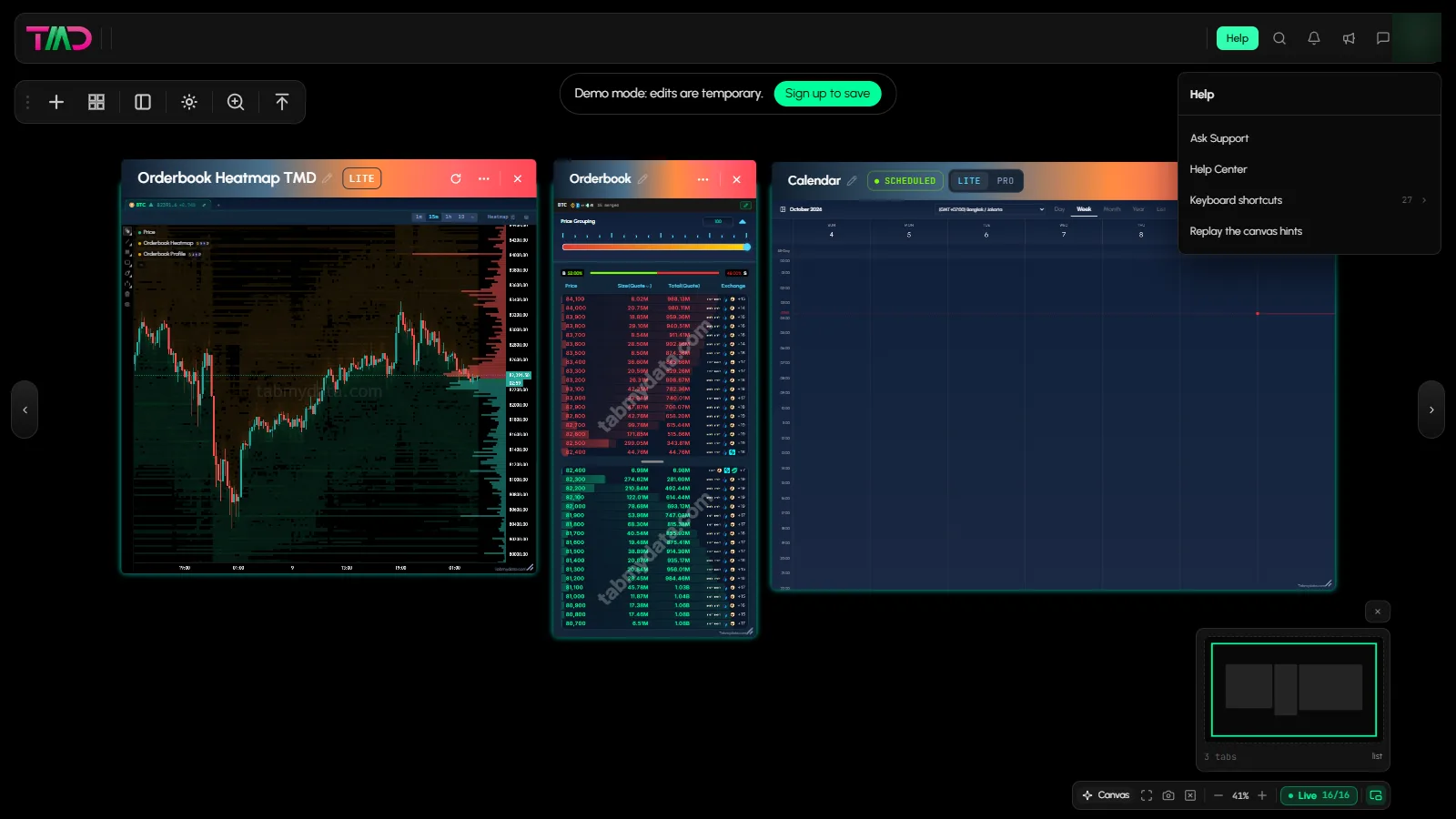
Tabmydata has three ways to learn the canvas: a guided tutorial, hints on the canvas and ready-made desks. To replay the hints, open Help in a workspace and choose Replay the canvas hints. You can start any of them again whenever you want.
On this page
What you can do
- Start the guided tutorial of the workspace.
- Replay the canvas hints you already dismissed.
- Start an empty workspace from a ready-made desk.
- Dismiss a tip for good with "Got it - don't show this again".
How do I start the guided tutorial?
- Open Workspaces in the sidebar.
- Click Start tutorial on the list page.
- Follow the steps on screen. The tour you get from Replay the canvas hints is described below.
How do I replay the canvas hints?
- In a workspace, click Help in the top bar.
- Choose Replay the canvas hints.
- A tour of 5 steps runs on the canvas:
- Move around: the arrow keys pan the canvas, the folded corners turn the page, and Shift with the arrows moves between workspaces.
- Open a tab: the Add a tab catalogue groups the tabs.
- The tab's own row: rename the tab, use the switch to pause its feed, find the seven actions, and drag the corner to resize.
- The top bar: the step covers the top bar. See Sidebar and top bar for what it holds.
- Make it yourself: the gear opens Workspace settings, which includes LITE and PRO.
- Each step has Don't show again.
How do I dismiss a tip?
Tips appear as an info banner, for example at the top of a section in Workspace & Tab Settings. Click Got it - don't show this again to hide it. Use Replay the canvas hints if you want canvas hints back.
How do I start from a ready-made desk?
A desk is a set of tabs that opens already arranged. You can pick one on an empty canvas or in Workspace & Tab Settings.
- On an empty canvas, find Or start from a ready-made desk. Or open Workspace settings, then Layout and grid.
- Pick a desk:
- BTC depth: Orderbook, Trades, Liquidations.
- One chart, wide: Charts, Orderbook Heatmap, Watchlist, Coin Info.
- ETH swing: Charts, Watchlist, Orderbook, Coin Info.
- Events and news: News, Calendar, Market Clock.
- Sentiment scan: Heatmap, Fear & Greed, Hyperliquid Whale Tracker.
- The tabs open and arrange themselves. Tabs you already have open are kept.
How achievements fit in
As you visit pages, Tabmydata unlocks badges and shows a short pop-up. See Badges and achievements.
Frequently asked questions
Where is the tutorial button?
On the Workspaces list page, top area: Start tutorial.
I closed a hint by mistake. Can I get it back?
Yes. Open Help in a workspace and choose Replay the canvas hints.
Do desks replace my tabs?
No. Your open tabs are kept.