Workspaces & Tabs
How to change tab skins and colours
Apply a skin to one tab or the whole workspace, set your own colours, and change the font and text size.
On this page
Appearance settings change how tabs look, never the data in them. You can style a single tab, or set the look for every tab in the workspace.
How to open the appearance settings for one tab
- Click the pencil icon in the tab's title bar, or open More (...) and choose Edit appearance.
- A side panel opens with three tabs: Tab Color, Tab Skin and Font.
Changes made here apply to this tab only. The footer shows Workspace: inherited or This tab: overridden.
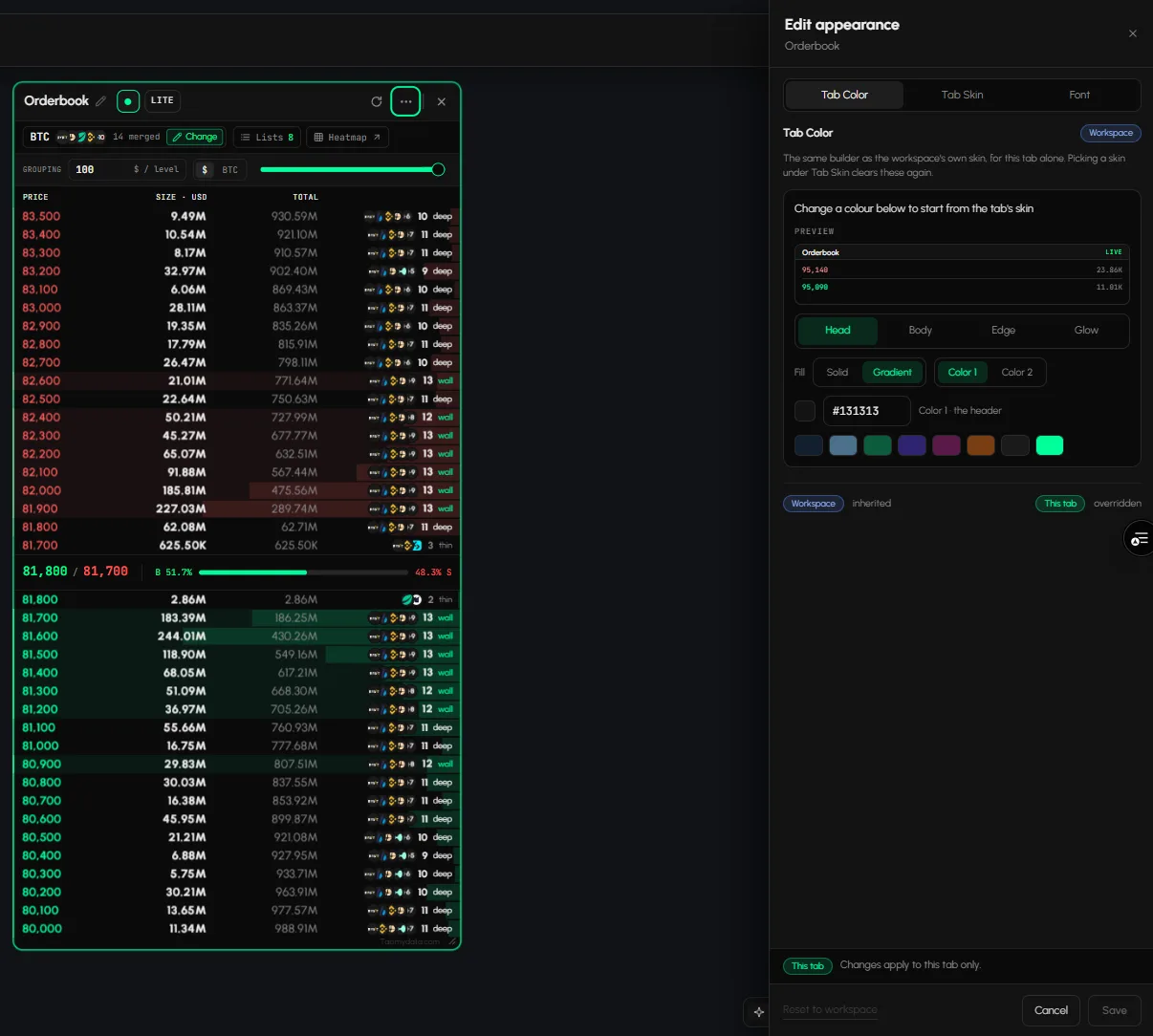
How to apply a skin to one tab
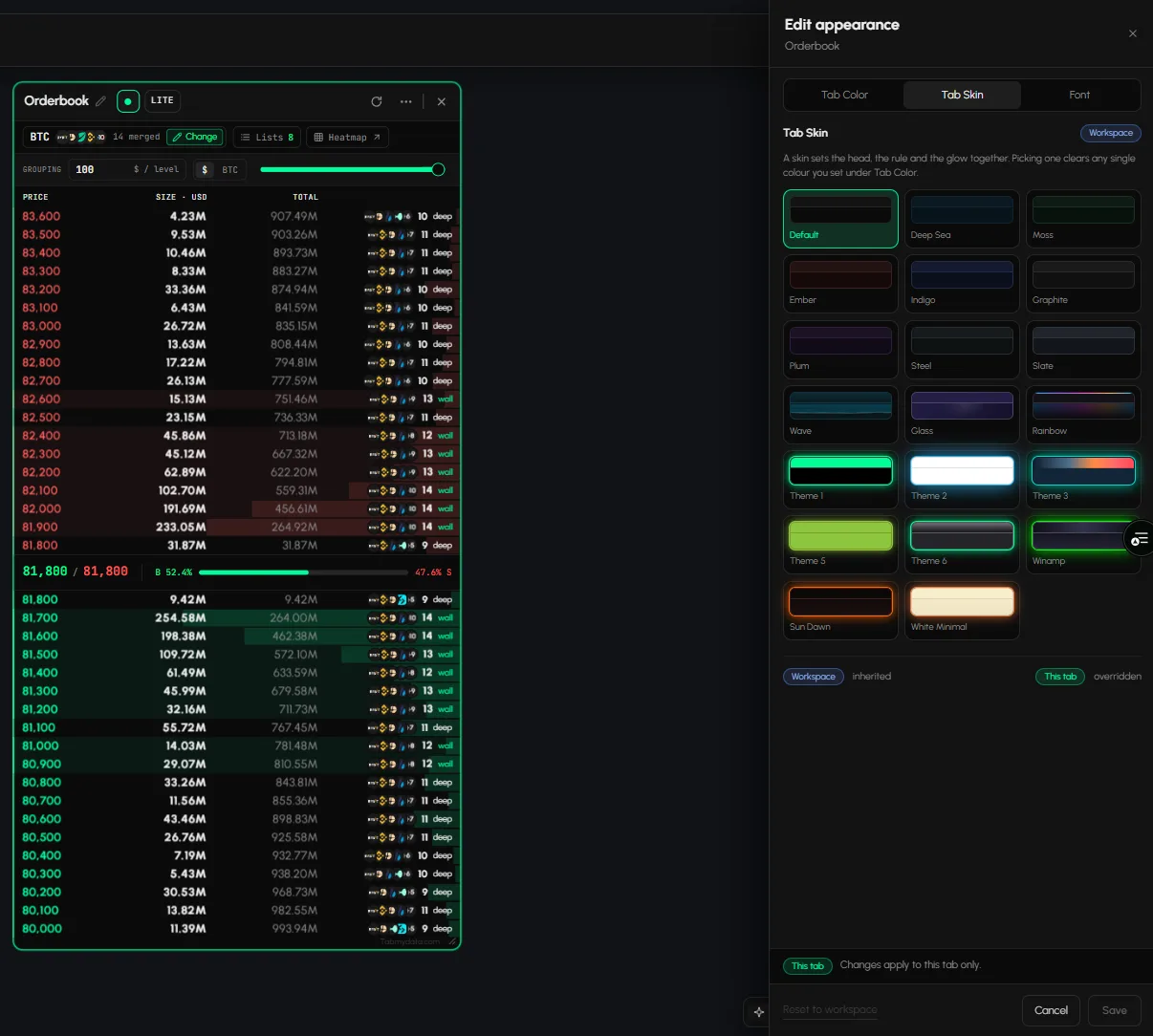
- In Edit appearance, open Tab Skin.
- Click a skin. Picking one clears any single colours you set under Tab Color.
- Click Save.
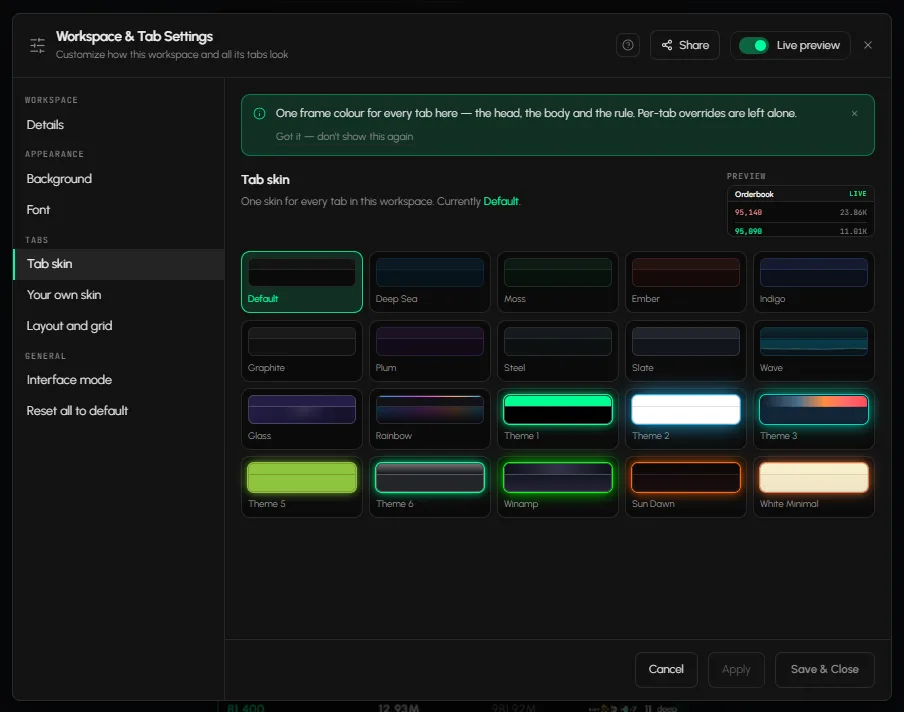
Skins include Default, Deep Sea, Moss, Ember, Indigo, Graphite, Plum, Steel, Slate, Wave, Glass, Rainbow, Winamp, Sun Dawn and White Minimal.
How to set your own colours for one tab
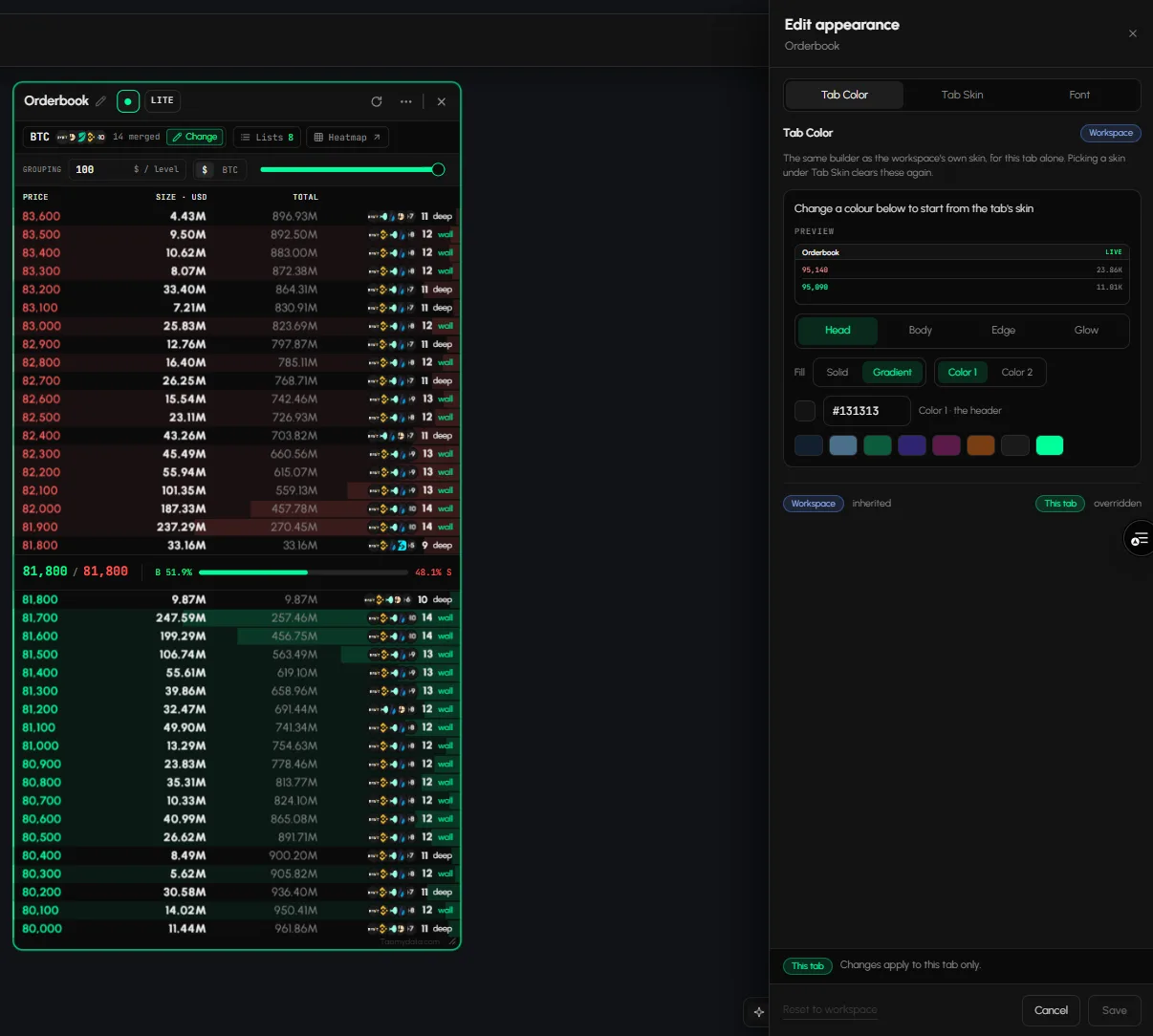
- In Edit appearance, open Tab Color ("Your own colours, on this tab only").
- Pick a part to colour: Head, Body, Edge or Glow.
- Choose Solid or Gradient. For a gradient, set Color 1 and Color 2.
- Type a hex code or click a swatch. The live preview updates as you go.
- Click Save.
How to change the font and text size for one tab
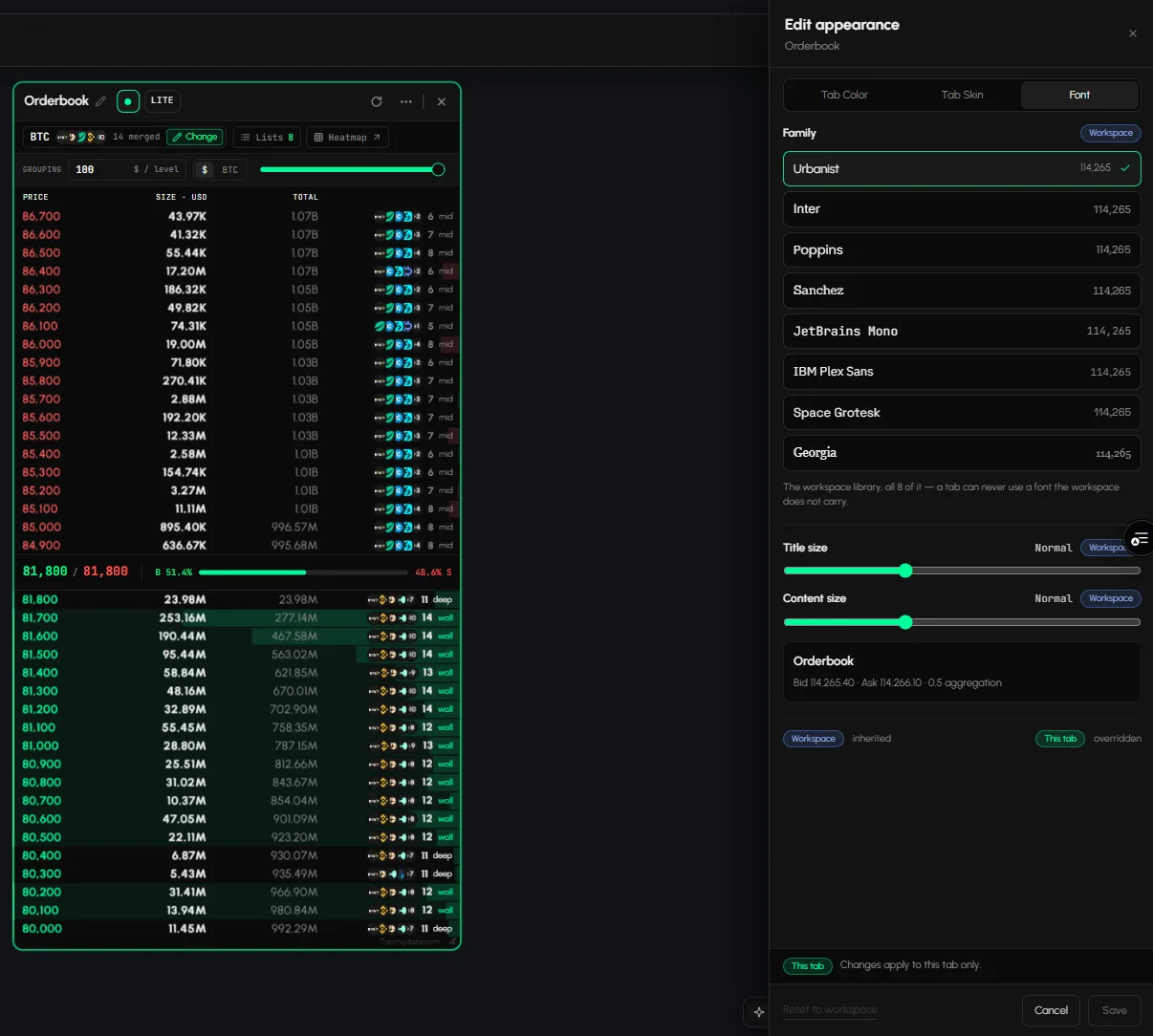
- In Edit appearance, open Font.
- Pick a Family from the workspace library.
- Set Title size and Content size.
- Click Save.
How to reset a tab to the workspace look
Click Reset to workspace in the Edit appearance footer. The tab goes back to the skin and font set for the workspace.
How to style every tab in the workspace
- Click Canvas appearance in the bottom bar. The Workspace & Tab Settings dialog opens.
- Open Tab skin and click a skin. It applies to every tab in the workspace. If some tabs have their own skin, click Clear overrides.
- Open Your own skin to build one: Head, Body, Edge and Glow, each solid or gradient.
- Open Font to set the workspace font, Font size and Content font size. New tabs inherit it.
- Click Apply, or Save & Close.
Turn on Live preview to see changes on the canvas as you make them.
Frequently asked questions
Can I change the colour of a single tab?
Yes. Open Edit appearance from that tab's menu, then Tab Color.
Do skins apply to one tab or all tabs?
Both. Edit appearance styles one tab. Tab skin in Workspace & Tab Settings styles every tab in the workspace.
Can I make the text in a tab bigger?
Yes. Set Content size in the tab's Font panel, or Content font size for the whole workspace.