Filter chips (visual): All, Workspace, Orderbook and flow, Charts and analysis, Market data, Alerts
Alpha
Release label: Alpha
Every tab is rebuilt in the same frame, with one setup panel for data tabs, a tool rail, saved lists and new ways to arrange your workspace.
Highlights
- A new Orderbook Heatmap, with the Orderbook Profile beside it.
- A Change panel that replaces "Select Assets" in the data tabs.
- A tool rail and ready-made layouts.
- Market Clock, a new tab.
- A reworked Alerts panel: personal alerts in the app, by email, by push and to your Discord by webhook.
Workspace
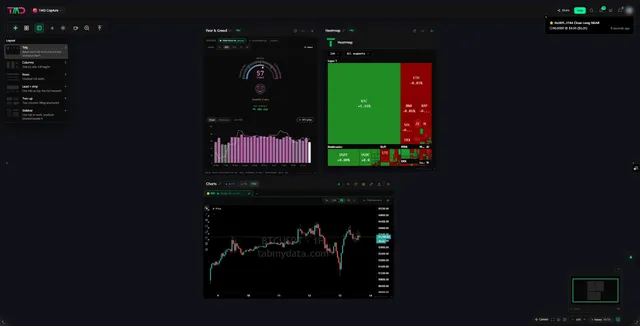
- Tool rail. Add a tab, return back, arrange tabs, open workspace settings and use the magnifier from one rail. Tool rail guide
- Layouts. Tidy, Columns, Rows, Lead and strip, Two-up and Sidebar arrange the tabs you have open. Nothing is closed. Arrange tabs
- Ready-made desks. Start from a set of tabs already chosen: BTC depth, One chart wide, ETH swing, Events and news, Sentiment scan.
- One tab frame. Rename a tab, move it, resize it from the corner, minimise it, take a screenshot of it. Tab controls
- Bottom bar. Fit every tab in view, screenshot the workspace, zoom, a minimap and a tab list.
- Search and keyboard shortcuts from the top bar. Search and shortcuts
- Public workspace switch in workspace settings, with a card name, description and cover image.
Make it yours
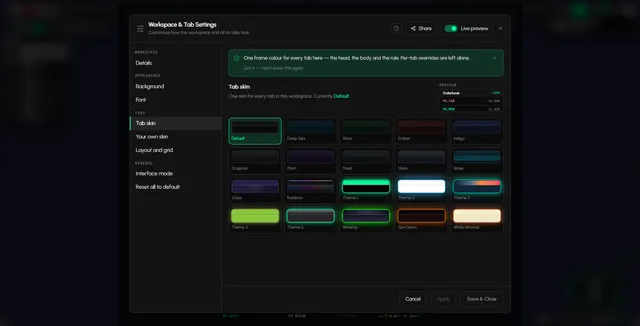
- Canvas appearance. Backgrounds from uploads, living backgrounds that drift slowly, or a solid colour or gradient. A timer can change the background for you. Backgrounds
- Tab skins and your own skin. One skin for every tab, or colours for one tab only. Skins and colours
- Fonts and sizes for the workspace and for each tab.
Orderbook Heatmap (was "Liquidity Heatmap")

- New name. The Liquidity Heatmap is now the Orderbook Heatmap. Guide
- Orderbook Profile. Resting size by price level as bars beside the chart, Live or summed over 4H, 1D, 3D or 1W.
- Field settings. Set the tooltip, the size unit, the sensitivity scale and which exchanges are merged into the picture.
- Draw on it with the same drawing tools as Charts.
Orderbook
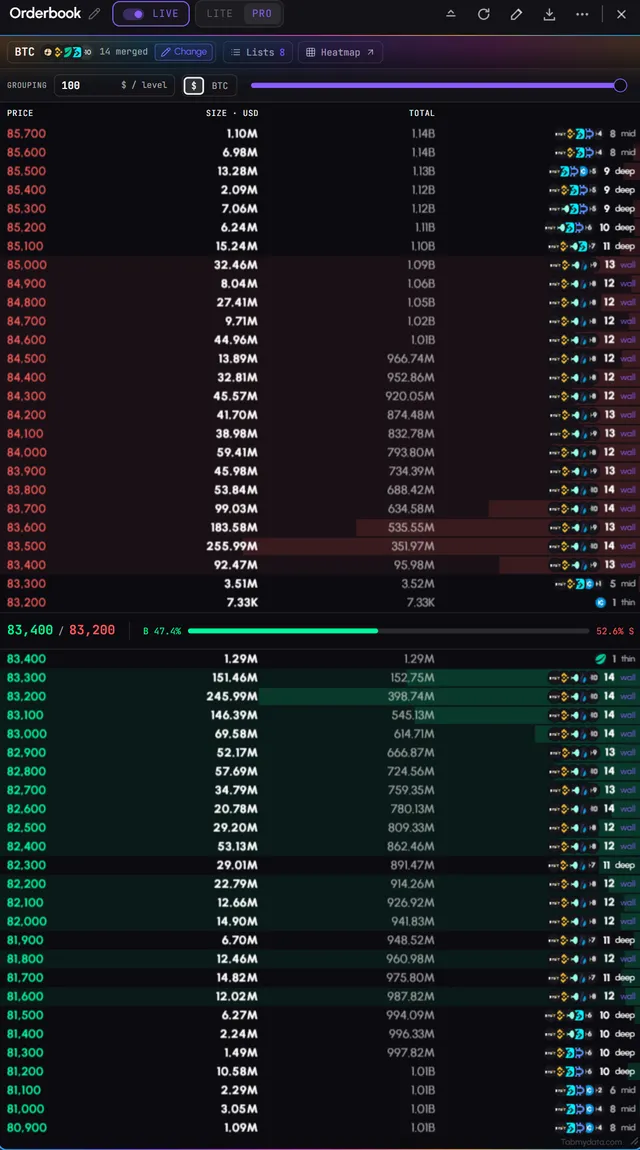
- The Change panel. Pick the coin, review the markets that go into the book, then apply. How to
- Saved lists. Keep a selection as a named list and load the same book in one tap. Saved lists
- Price grouping with a slider and a custom value, and a buy and sell share bar.
Charts
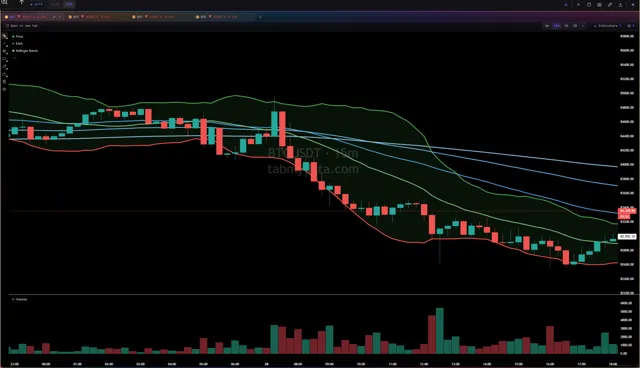
- Indicators panel. Search for a layer by name or by what it answers. Orderbook Profile, EMA, Bollinger Bands, SMA, Volume, RSI and VWAP, plus Liquidations and Events on the same scale. Chart guide
- Drawings are saved per symbol, and you can rename, swap and keep them.
- Settings per layer. Switch a layer off without losing what you set.
Liquidation Heatmap
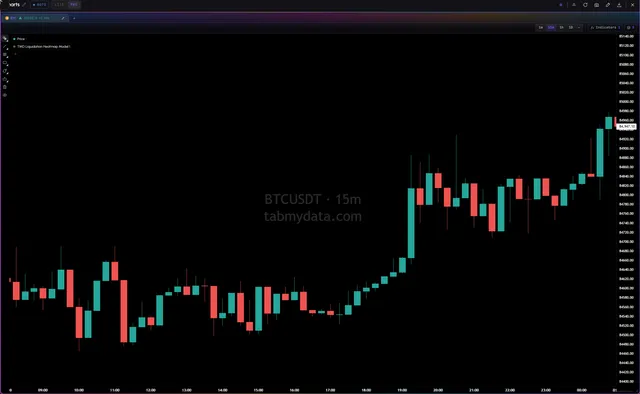
- Modeled liquidation levels by price over time, its own product and tab, also available as a Charts indicator. Labeled as modeled. Not real orders and not a forecast. Guide | Liquidation Heatmap page
- New: Liquidity heatmap vs liquidation heatmap, a short guide to the difference.
Live Trades and Liquidations
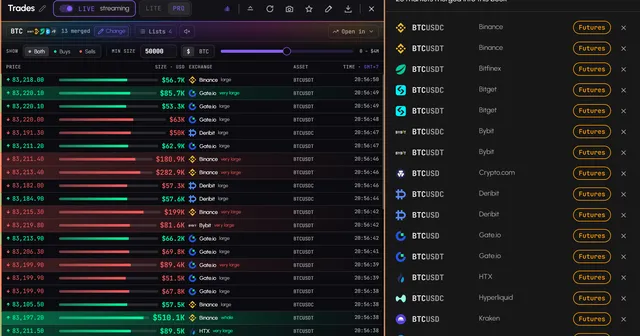
- Pause and resume a tab's feed.
- Size filter in quote or base units, so the large prints stand out. Trades | Liquidations
Hyperliquid Whale Tracker
- Top traders, top positions and a full view of any single account. Favourite the accounts you follow and get an alert when one opens or closes a position. Hyperliquid guide
Alerts
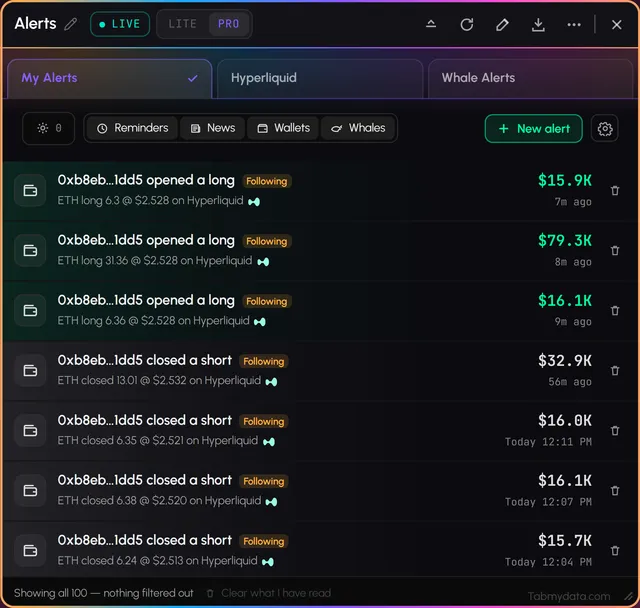
- Alert rules panel. Choose a minimum size for whale fills and how your personal alerts reach you: in-app feed, sound, popup, email, push, or a Discord webhook. Alert settings
- Alerts tab. Every alert in one place, newest first, with unread counts. Alerts tab
- Telegram channel. Market-wide alerts for everyone, in our public Telegram channel. It does not send personal alerts. Join on Telegram (opens in a new tab)
Market data and context
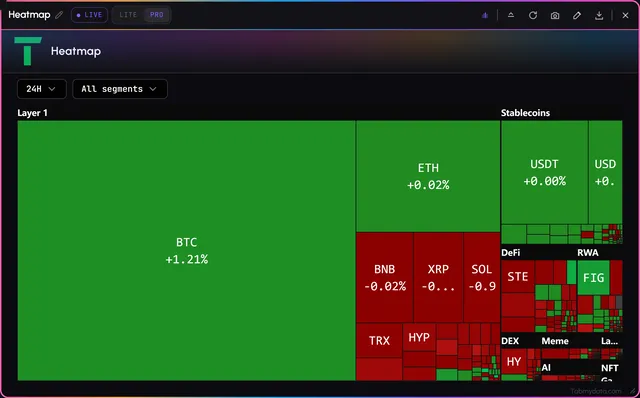
- Market Heatmap (the Heatmap tab). The market as tiles sized by market size and coloured by change, grouped by segment, over 1H, 24H, 7D or 30D. Market Heatmap
- Market Clock (new). Global equity sessions on one timeline in your time zone, with a "next to open" card. Market Clock
- Calendar. Day, Week, Month, Year and List views, your own events beside economic releases, filtered by impact and currency. Calendar
- Fear & Greed. Switch the provider, read the gauge, the chart over BTC price and the table from yesterday back to last year. Fear & Greed
- News. Filter the feed by source. News
- Coin Info. Market cap, fully diluted valuation, volume and supply with the live price on top. Coin Info
Coming soon
- Tami, an AI assistant inside the tabs, is coming soon.
Updates elsewhere
Short updates and conversations happen on Discord (opens in a new tab) first, and on Telegram (opens in a new tab), X (opens in a new tab) and YouTube (opens in a new tab).
Open a workspace. Free during Alpha.