Workspaces & Tabs
How to use the tool rail
The Tabmydata tool rail (also called the toolbar) holds the actions you use most: add a tab, return to the Dashboard, arrange the layout, take a break, open workspace settings and use the Magnifier. To add a tab, click + on the rail or press T.
On this page
It sits at the top left of your workspace as a row of icons. Hover it and the rail expands: each icon shows its name and shortcut key.
What you can do
- Add a tab from the Add a tab panel, with a preview and ready-made presets.
- Arrange the open tabs in one click.
- Start a 15-minute break.
- Open the settings of the workspace.
- Turn on the Magnifier.
- Go back to the Dashboard, or fold the rail into the logo.

How do I add a tab to my workspace?
- Click + (Add a tab) at the start of the rail, or press T.
- The panel opens with a Search tabs box and groups:
- Orderbook and flow: Orderbook, Trades, Liquidations, Orderbook Heatmap.
- Charts and analysis: Charts, Heatmap, Hyperliquid Whale Tracker.
- Market data: Watchlist, Fear & Greed, Coin Info.
- News and events: News, Calendar, YouTube, Market Clock.
- Tools: Alerts, Cards (a list of card providers, not a canvas tab).
- Hover an entry. The preview card shows what the tab does, Ready-made presets (coins and exchanges already chosen), Why it helps, a link to the help page of that tab and an Add button.
- Click the tab, or its Add button. It lands on the canvas, ready to move.
Presets exist on Orderbook, Trades, Liquidations, Orderbook Heatmap, Charts and Hyperliquid Whale Tracker.
Which keys add a tab?
| Tab | Key |
|---|---|
| Orderbook | Shift+1 |
| Trades | Shift+2 |
| Liquidations | Shift+3 |
| Orderbook Heatmap | Shift+4 |
| Charts | Shift+6 |
| Heatmap | Shift+7 |
| Hyperliquid Whale Tracker | Shift+8 |
| Watchlist | Alt+1 |
| Coin Info | Alt+2 |
| Fear & Greed | Alt+3 |
| News | Alt+4 |
| Calendar | Alt+5 |
| Market Clock | Alt+6 |
| YouTube | Alt+7 |
| Alerts | Alt+8 |
The full list of shortcuts is in Search and keyboard shortcuts.
What do the other rail buttons do?
- Return back (D): back to the Dashboard. A box asks you to confirm. See Dashboard tour.
- Arrange (L): "Arrange the open tabs": Tidy (1), Columns (2), Rows (3), Lead + strip (4), Two-up (5) or Sidebar (6). The menu stays open after you pick, and nothing is closed. See Arrange tabs.
- Take a break (B): opens "Take a 15-minute break". Tabs stop updating for 15 minutes and alerts keep arriving silently. Click Start, or Not now. See Take a break.
- Workspace settings (gear, key ,): background, fonts, skins, layout and mode for this workspace. See Workspace settings.
- Magnifier (M): a lens that enlarges what is under it. It switches on and off. See Magnifier.
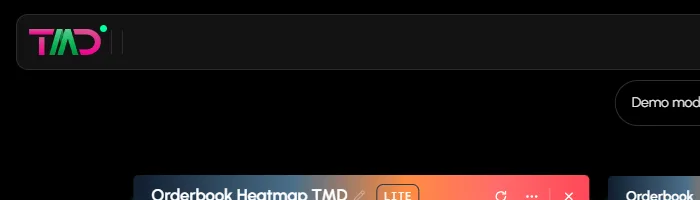
- Dock the rail into the TMD logo: hides the rail (below).
The top bar of a workspace also has Share this workspace and Leave this workspace. See Share a tab or workspace.
How do I hide (dock) the rail?
- Click Dock the rail into the TMD logo. The rail folds into the logo.
- To bring it back, click the logo ("Open the docked rail").
Frequently asked questions
Where is the tools bar in Tabmydata?
It is the tool rail at the top left of the workspace.
How do I add a tab to my workspace?
Click + on the tool rail or press T, search, and click the tab.
Can I hide the tool rail?
Yes. Dock it into the logo, and click the logo to open it again.
Do tab shortcuts work for every tab?
Every tab you can add has a key, except Cards.
Does the Arrange menu close my tabs?
No. It only moves and resizes them.
Does a break stop my alerts?
No. Alerts keep arriving silently during a break.