Fear & Greed
Crypto Fear & Greed Index: the mood, with its history
Help: How to read the crypto Fear and Greed Index in the Fear & Greed tab
The crypto Fear & Greed Index puts the market's mood on one scale, next to your chart, with its history. Readings come from credited providers, including CoinMarketCap and Alternative.me. Sentiment only, not a signal. Free during Alpha.
Free during Alpha.
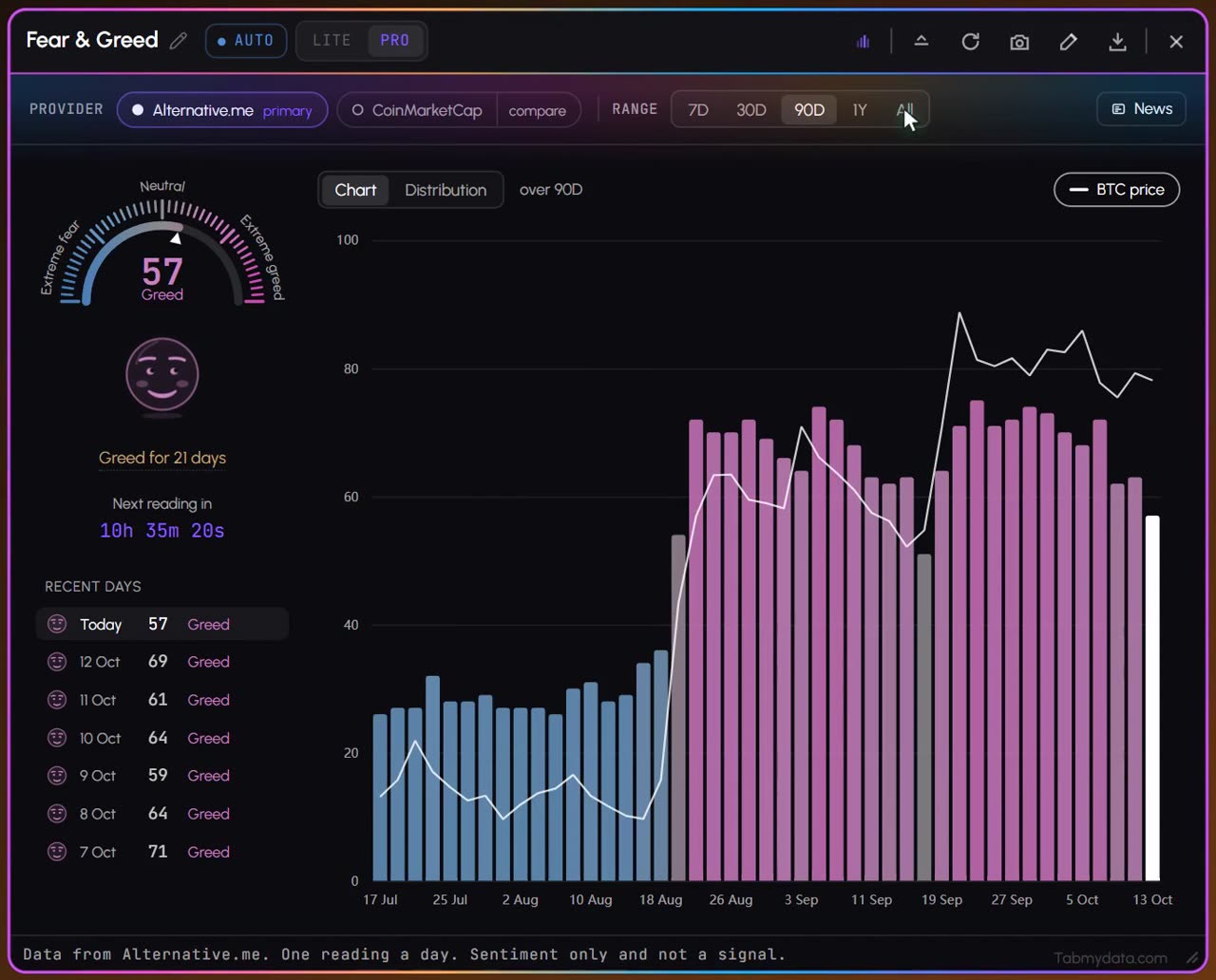
What's happening
Today's reading, with history
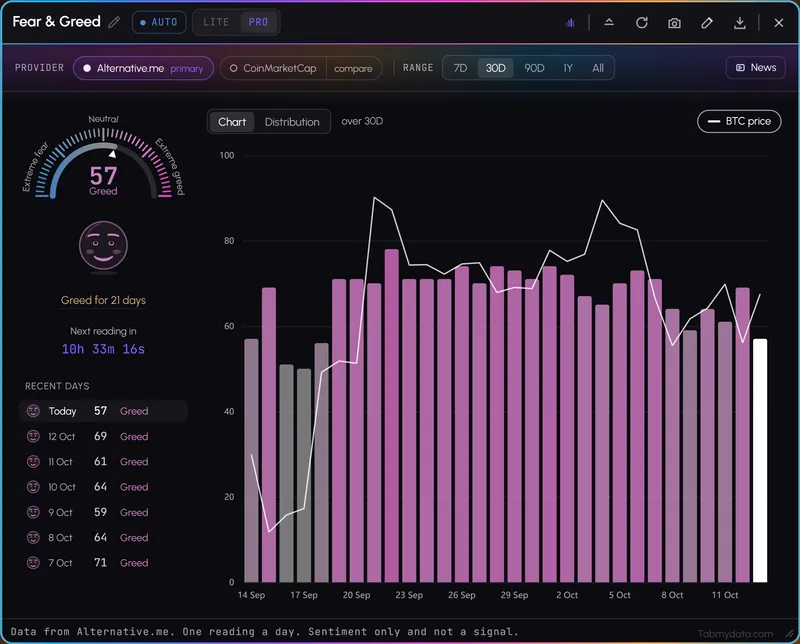
A dial with today's reading, how long the zone has lasted and the history chart beneath.
Product tour
What you can do in the Fear & Greed tab
Fear & Greed shows the crypto sentiment index on a dial from Extreme Fear to Extreme Greed, with its history. The index comes from credited providers, including CoinMarketCap and Alternative.me, and you can compare one against the other. It updates once a day. Keep it in your workspace beside your chart, so a mood check takes a glance.
Features
- 01
Today's reading
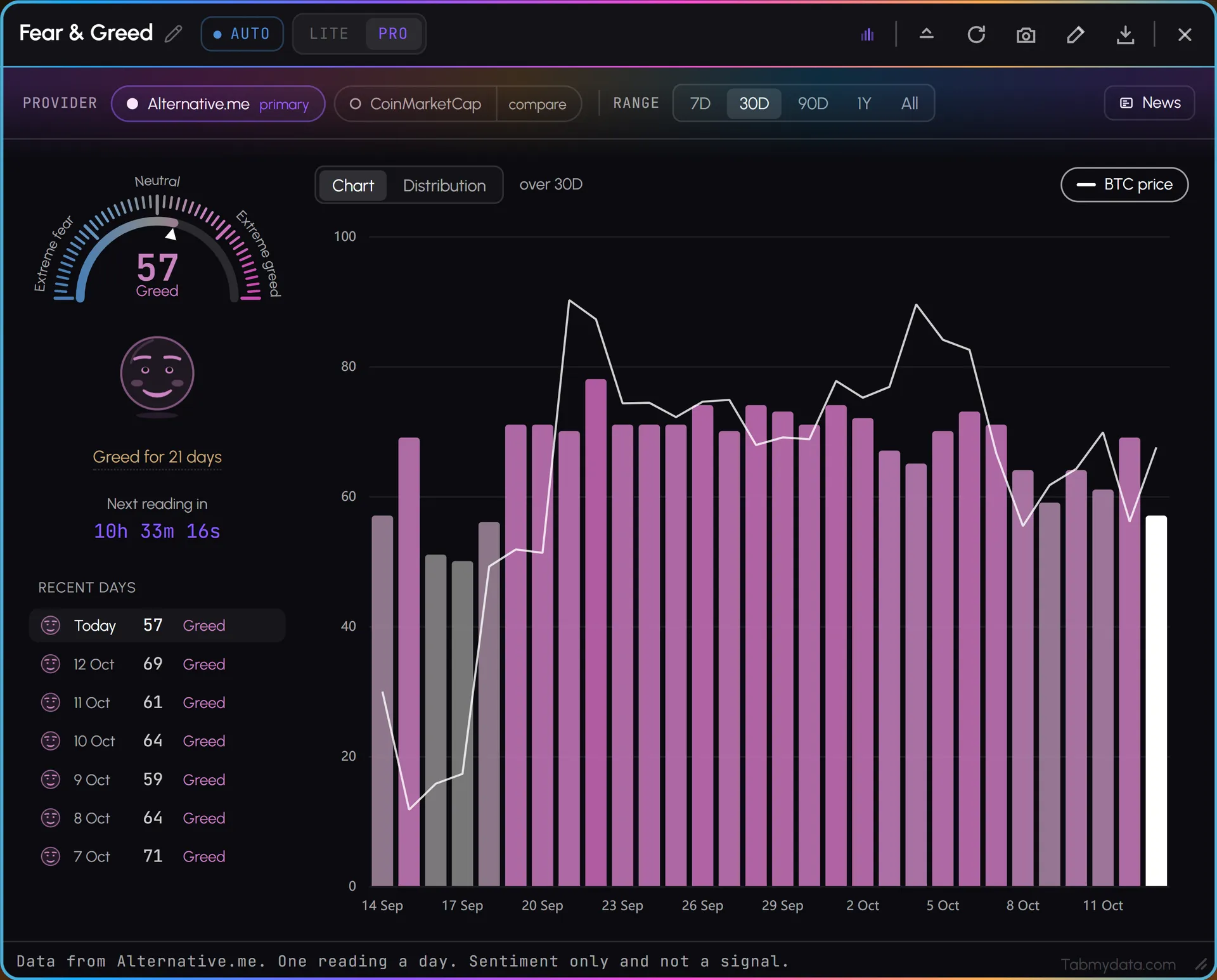
A dial with a pointer, the value and its label, such as 69 Greed, how many days the current zone has lasted, and a countdown to the next reading. There is one reading a day.
- 02
Providers, compared
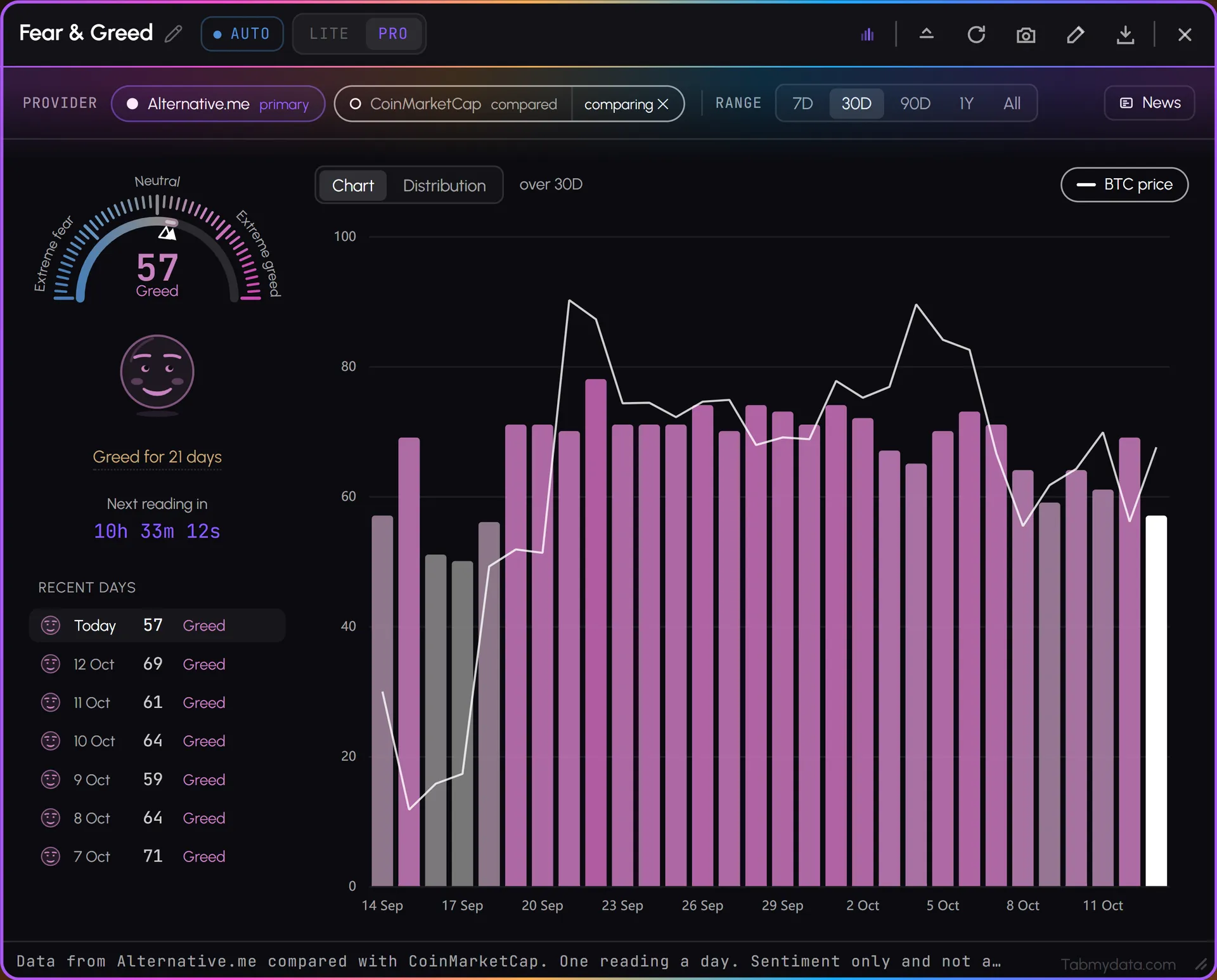
Pick a primary provider and press compare on the second. A hollow pointer on the dial marks the other provider's reading. One comparison at a time.
- 03
Time ranges
Switch the history between 7D, 30D, 90D, 1Y and All, which is every reading on record.
- 04
Chart and Distribution
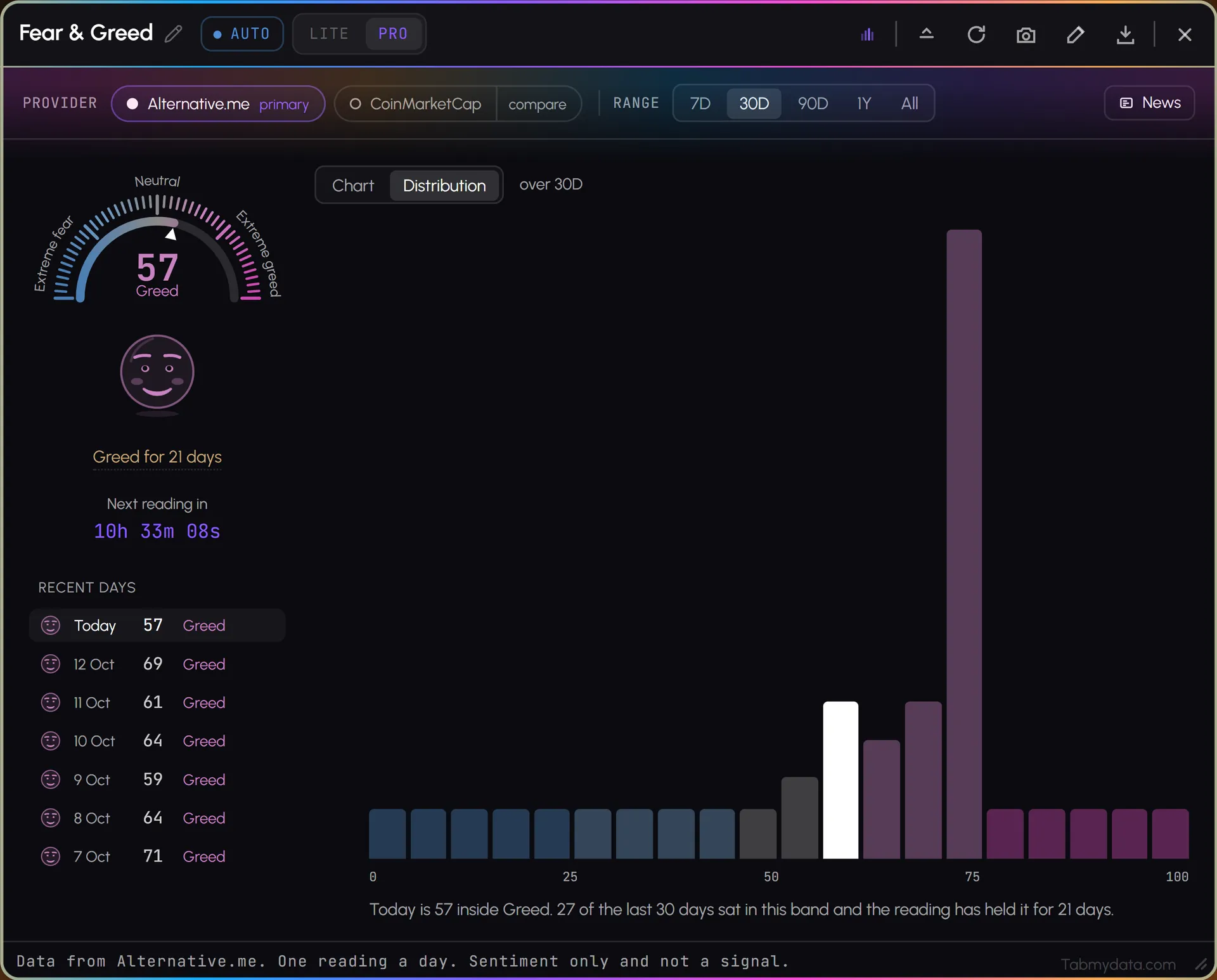
Read the history as a line over time, with a hover readout of the date, the BTC price, and the index value and label. Or switch to Distribution: 20 bands from 0 to 100 show how many days in the range the index held each one, with a sentence that places today in its band.
- 05
BTC price overlay
The BTC price switch puts the BTC price line on the same chart, so you see sentiment and price together.
- 06
News beside the reading
The News button opens a News tab next to this one.
- 07
Credit and footnote
The provider is named in the tab. The footer says it plainly: one reading a day, sentiment only and not a signal.
Use cases
How traders use it
- 01
A mood check
Glance at the dial before a session, then at the market heatmap to see which coins moved.
- 02
Today vs the recent past
Compare today's reading with the last few weeks on the history chart.
- 03
When providers disagree
Switch on the comparison to see both readings at once.
Who it's for
- Traders who check market mood before a session.
- Traders who like context and keep sentiment beside the chart and the Orderbook Heatmap.
- Anyone new to the index who wants the reading, its history and its sources in one place.
How to use it
- Open the Fear & Greed tab and read the dial.
- Check the history chart to compare today with earlier readings, and change the range.
- Compare providers. Pick a primary and compare it with a second.
- Note the credit. The provider is named in the tab.
- Dock it beside a chart, so sentiment and price sit on one screen.
- Add the market map to see which coins moved. See how to read the Fear & Greed Index.
Related tools
- News: crypto news beside the reading.
- Market Heatmap: a crypto market heatmap beside the mood.
- Orderbook Heatmap: liquidity beside sentiment.
- Financial Calendar: scheduled releases beside the reading.
- Help: how to read the Fear & Greed Index.
FAQ
Fear & Greed FAQ
What is the crypto Fear & Greed Index?
A sentiment reading on a scale from Extreme Fear to Extreme Greed, shown on a dial with its history.
Where does the index come from?
From credited providers, including CoinMarketCap and Alternative.me. Tabmydata shows their readings; it does not calculate its own. Make one the primary and press compare to see the other provider's reading on the same dial.
Where can I find Fear & Greed Index historical data?
In the history chart. Switch the range between 7D, 30D, 90D, 1Y and All, which is every reading on record, and hover the line for the date, the BTC price and the index value. The Distribution view shows how long each band held. See how to read the Fear & Greed Index.
How do you read the Fear & Greed Index?
Read where the pointer sits between Extreme Fear and Extreme Greed, then compare with the history chart or the distribution. It is a sentiment reading, not a signal and not a measure of what price will do. The tab says so itself: sentiment only. How you use it is your decision.
Is there a bitcoin Fear & Greed Index?
The tab shows the crypto Fear & Greed Index from its providers, and the BTC price switch puts the bitcoin price line on the same chart so you can read both. It does not calculate a separate bitcoin-only index.
Is the Fear & Greed Index free in Tabmydata?
Yes. Tabmydata is free during Alpha. Sign up with no card needed.
Free during Alpha.
The crypto Fear & Greed Index puts the market's mood on one scale, next to your chart, with its history. Readings come from credited providers, including CoinMarketCap and Alternative.me. Sentiment only, not a signal. Free during Alpha.
Sign up freeFear & Greed data: alternative.me/crypto/fear-and-greed-index/ and coinmarketcap.com/charts/fear-and-greed-index/