Alerts
Crypto alerts, all in one tab
Help: How to set up crypto alerts
Crypto alerts in Tabmydata come from three sub-tabs, My Alerts, Hyperliquid and Whale Alerts, and you set them from any tab. Choose how each reaches you: in the app, by email, push or a Discord webhook. Free during Alpha.
Free during Alpha.
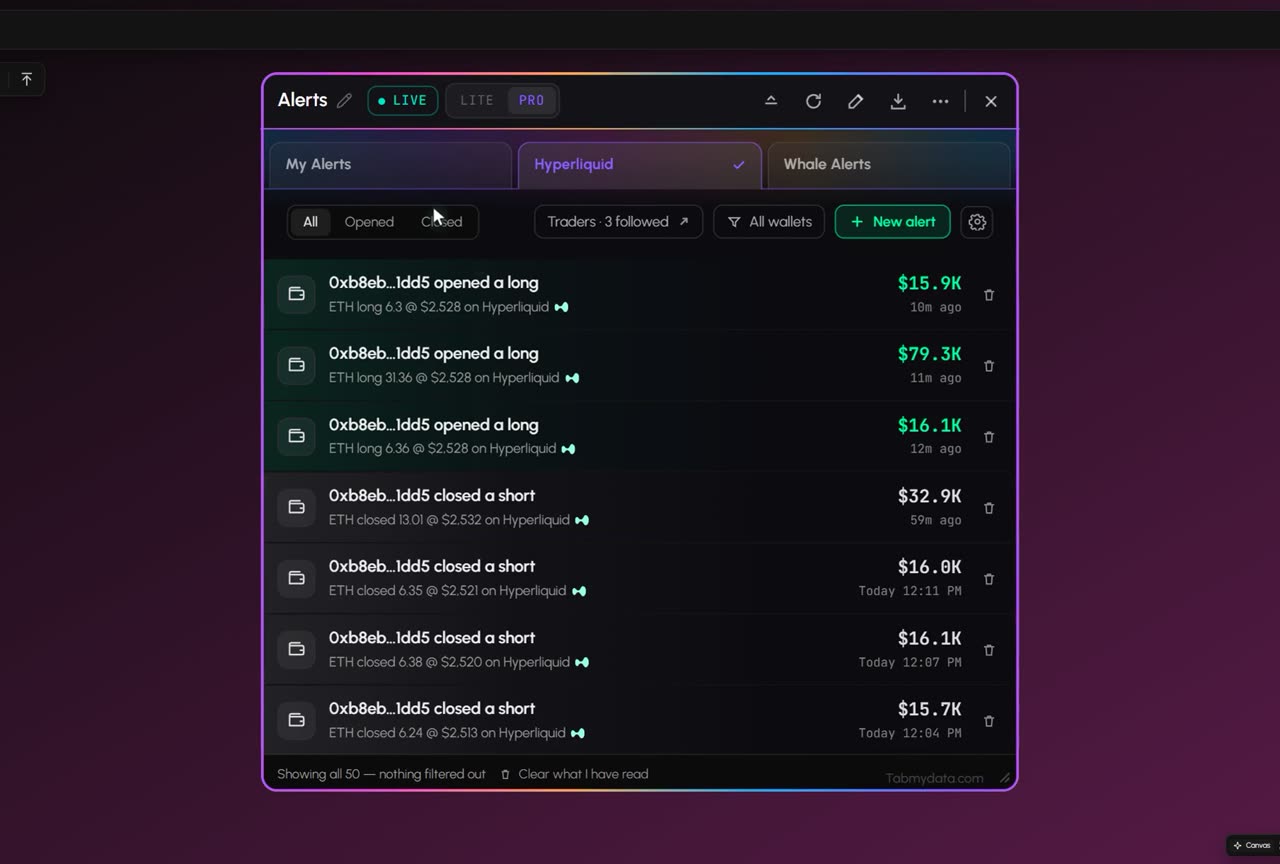
Product tour
What you can do in the Alerts tab
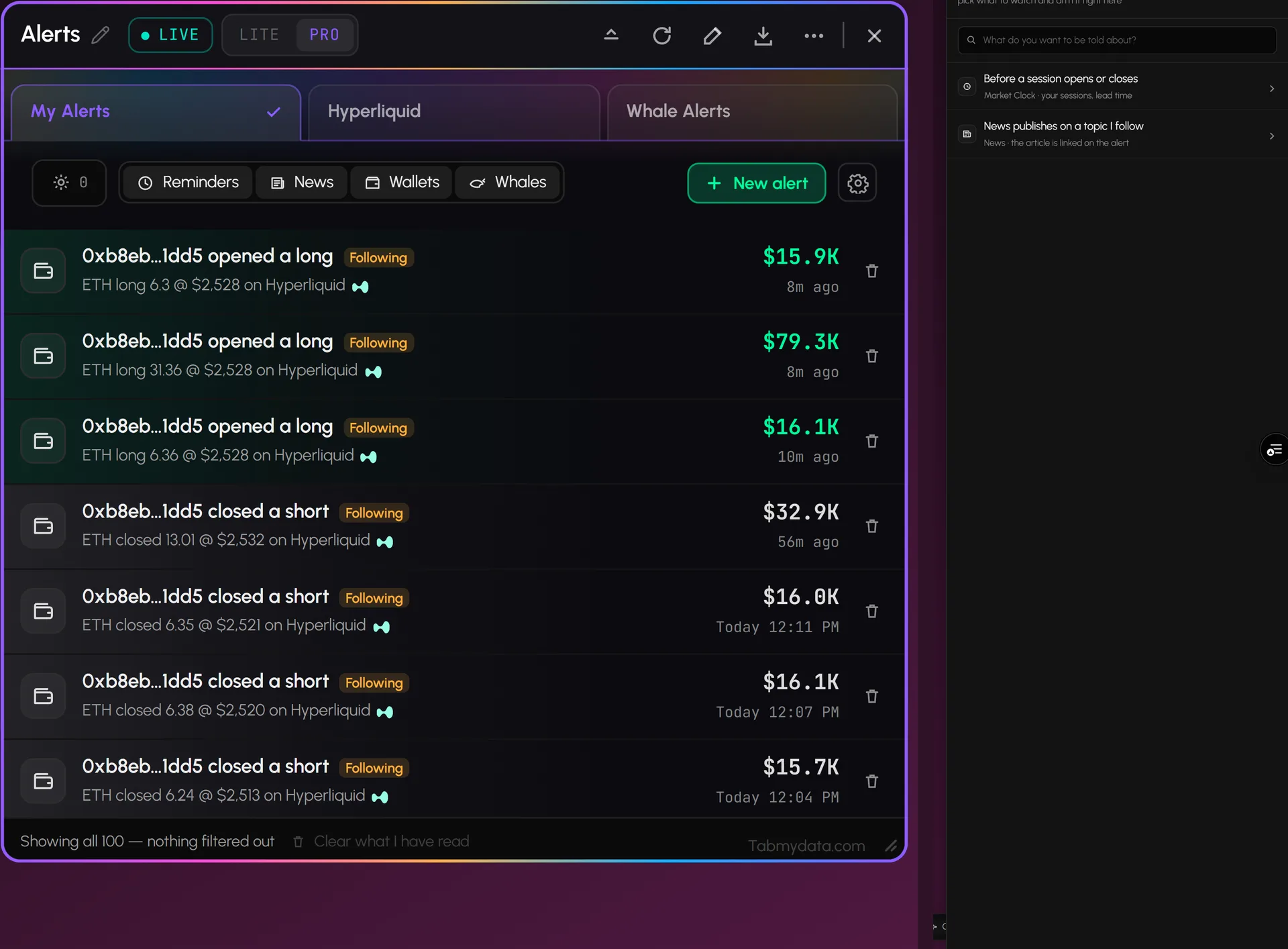
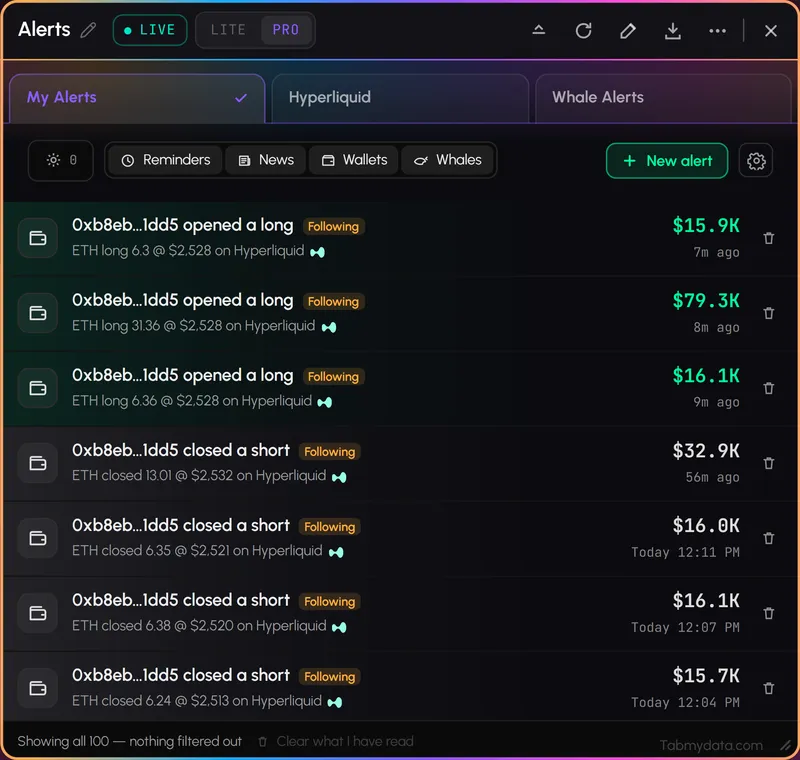
Alerts keeps every alert in one tab, in three sub-tabs: My Alerts shows what fired and what is armed, Hyperliquid holds the wallets you follow, and Whale Alerts lists large buys and sells. Press New alert, choose where it reaches you, and step away from the screen. Nothing is armed until you arm it. Alerts can be delayed or fail, so treat them as a tap on the shoulder, not a trigger.
Features
- 01
Three sub-tabs
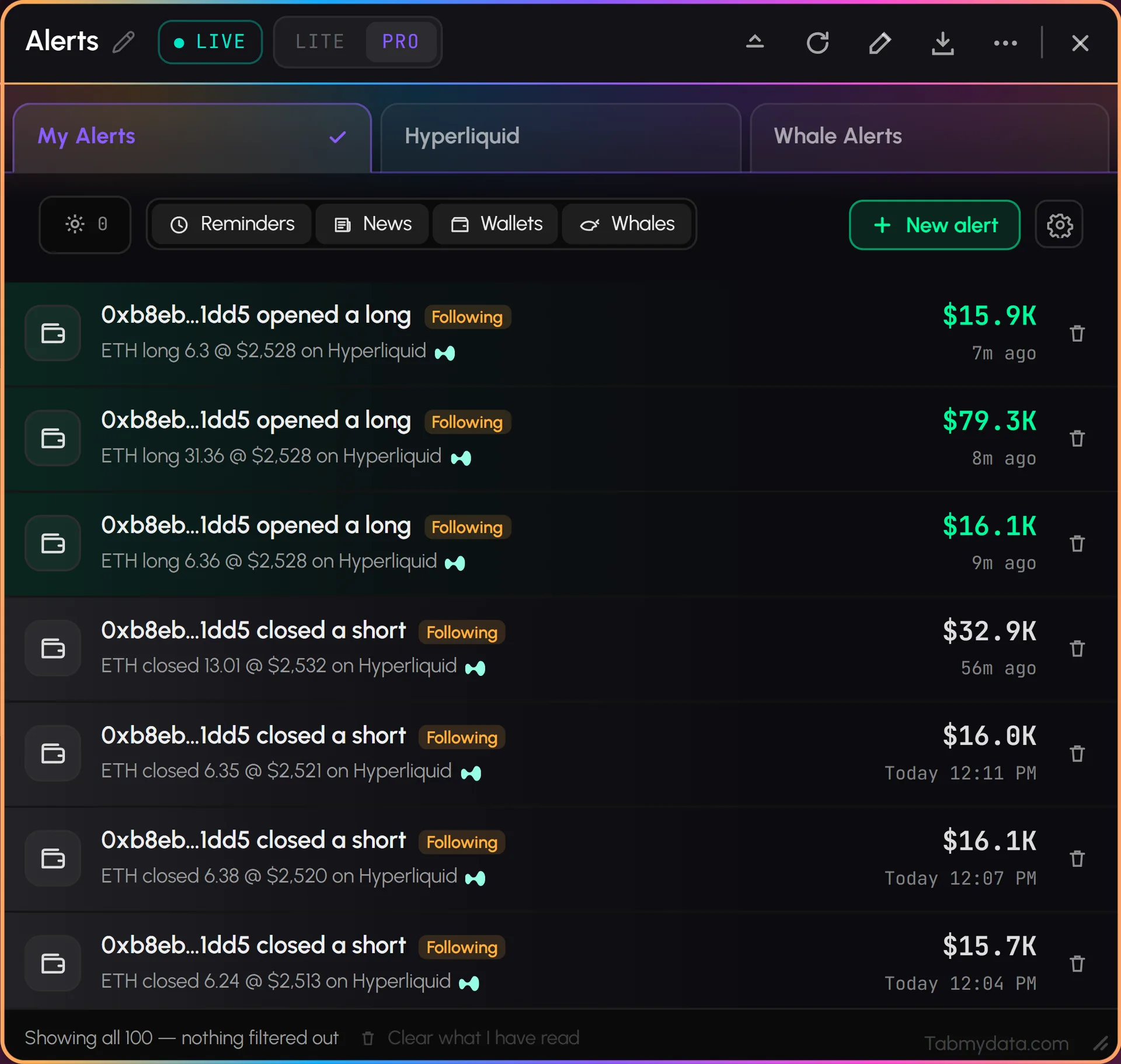
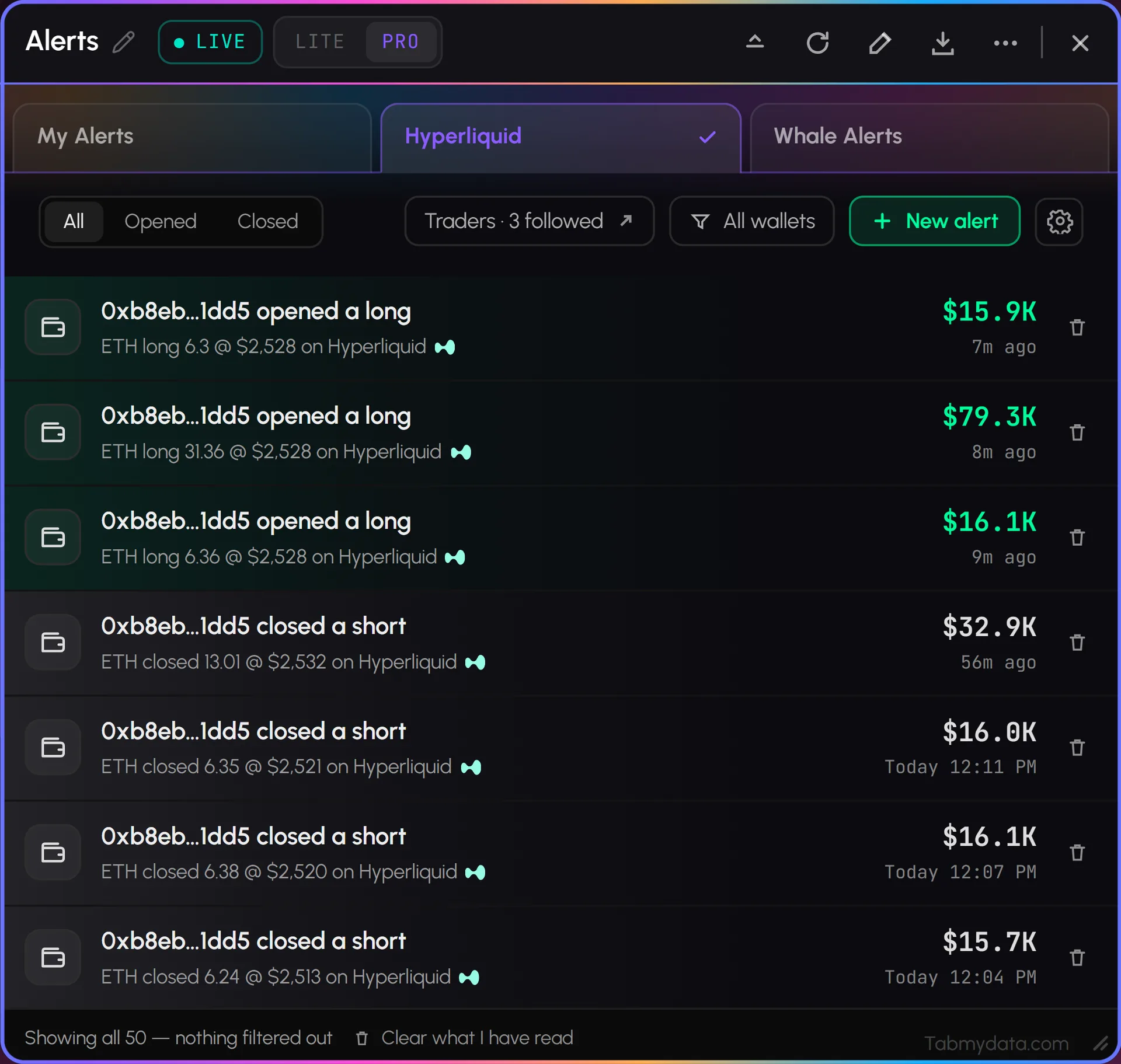
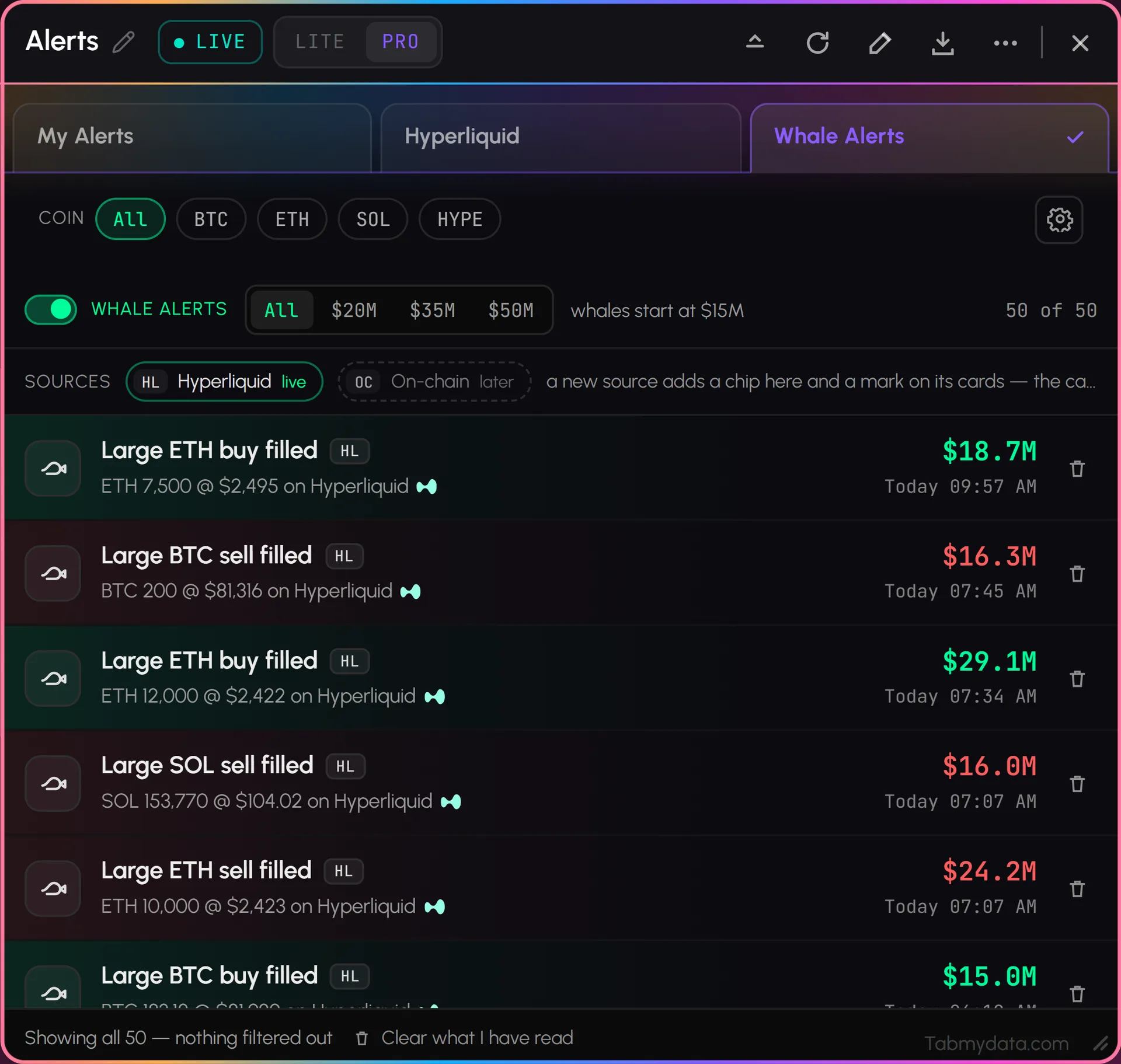
My Alerts for what fired and what is armed. Hyperliquid for the wallets you follow, with a filter for All, Opened or Closed and a count of the traders you follow. Whale Alerts for large buys and sells on Hyperliquid. Chips in My Alerts show or hide reminders, news, wallets and whales. The tab remembers the sub-tab you used last.
- 02
New alert
Press New alert and pick what to watch. You can pick a reminder before a market session opens or closes (from Market Clock, with your sessions and lead time), a heads-up when News publishes on a topic you follow, and you can set a price alert for a coin. The search box filters the trigger list as you type. It does not read free text. Cancel any alert from its card.
- 03
Hyperliquid wallet alerts
Follow a public Hyperliquid wallet in the Hyperliquid whale tracker and hear when it opens or closes a position. The feed shows each move with the coin, the size and the time.
- 04
Whale alerts
Switch Whale Alerts on, pick a coin (All, BTC, ETH, SOL or HYPE) and a minimum size, and large buys and sells on Hyperliquid land in the tab. "Batch the small ones" groups the smaller ones into a digest every 5 minutes, 15 minutes or an hour.
- 05
Delivery where you are
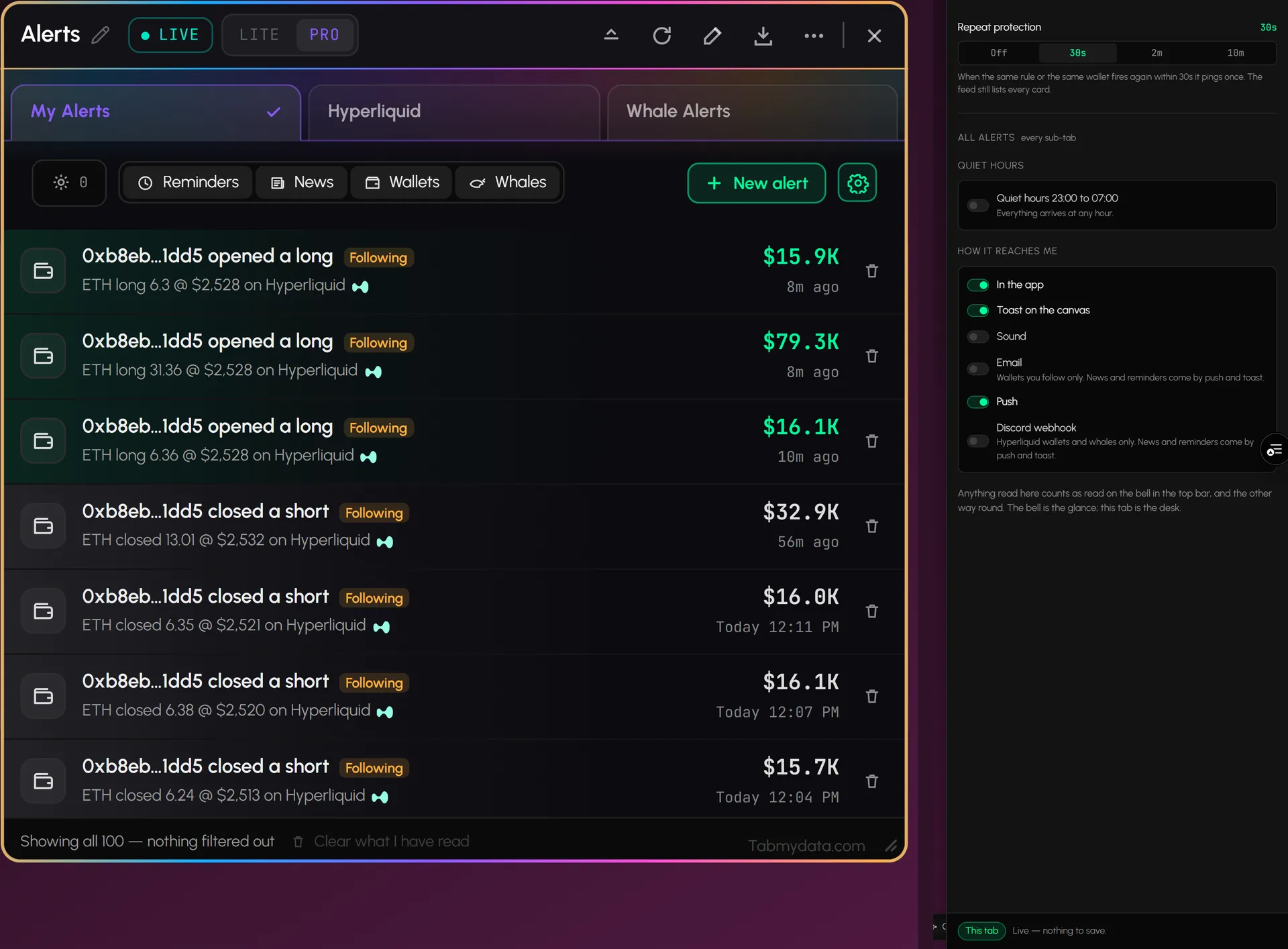
Personal alerts reach you in the app, as a toast on your canvas, with a sound, by email (wallets you follow), by push, and in your Discord by webhook you set up (wallets and whales). Reminders and news come by push and toast. Market-wide alerts for everyone come through our public Telegram channel, which anyone can join. Telegram does not carry your personal alerts. Channel settings sit behind the gear. How to: send alerts to Discord.
- 06
Fewer repeats, quiet hours
Repeat protection (off, 30 seconds, 2 minutes or 10 minutes) makes the same rule or wallet ping once when it fires again in that window. The feed still lists every card. A quiet hours switch holds alerts from 23:00 to 07:00.
- 07
Read and unread
Mark what you have read in one click. What you read here counts as read on the bell in the top bar, and the other way round.
Use cases
How traders use it
- 01
Stepping away
follow a wallet or set a session reminder, then leave the screen.
- 02
Wallet watching
get a Discord ping when a Hyperliquid wallet you follow opens or closes a position.
- 03
Before the open
a reminder before a stock market session opens, next to the Market Clock.
Who it's for
- Traders who cannot watch the screen all day and want to be told when something they care about happens.
- Wallet followers who keep a few Hyperliquid accounts starred and want a ping when one acts.
- Teams and communities who want alerts in a Discord channel.
How to use it
- Open the Alerts tab and press New alert, or follow a wallet from the Hyperliquid Whale Tracker tab.
- Pick how you want to hear with the gear: in the app, toast, sound, email, push or Discord. Each rule can change its own.
- Follow a Hyperliquid wallet in the Hyperliquid Whale Tracker tab to get wallet alerts. Step by step: how to get Hyperliquid wallet alerts.
- Check the three sub-tabs to find and manage everything in one place. Cancel any alert from its card.
- Send alerts to Discord if you want them in a channel. How to send alerts to Discord.
Help: Alert settingsHelp: Favorite alertsHelp: Create an alert
Related tools
- Hyperliquid whale tracker: accounts, positions and wallets to follow.
- Market Clock: the sessions behind a reminder.
- Workspaces: keep the Alerts tab docked beside your other tabs.
- Help: create an alert, alert settings.
FAQ
Alerts FAQ
How do I set up crypto alerts?
Press New alert in the Alerts tab and pick a trigger, or follow a wallet in the Hyperliquid Whale Tracker tab. Choose how you want to be told, and manage everything in the Alerts tab. Nothing is armed until you arm it. See create an alert.
How are alerts delivered?
Personal alerts: in the app, as a toast, with a sound, by email, by push, and to your Discord by webhook. Market-wide alerts come through our public Telegram channel, which is open to everyone; your personal alerts do not go to Telegram. Alerts can be delayed or fail.
How do I get crypto alerts on Discord?
Switch the Discord webhook on in the alert settings and paste its URL. It carries Hyperliquid wallet and whale alerts. Step by step: send alerts to Discord.
Can I get an alert when a Hyperliquid wallet trades?
Yes. Follow a wallet in the Hyperliquid Whale Tracker tab and switch Opened or Closed on to hear when it opens or closes a position. See how to get Hyperliquid wallet alerts.
What are whale alerts?
Alerts for large buys and sells on Hyperliquid. You choose the coin and the minimum size. They cover Hyperliquid today.
Are crypto alerts free?
Yes. Tabmydata alerts are free during Alpha. No card needed.
Free during Alpha.
Crypto alerts in Tabmydata come from three sub-tabs, My Alerts, Hyperliquid and Whale Alerts, and you set them from any tab. Choose how each reaches you: in the app, by email, push or a Discord webhook. Free during Alpha.
Sign up free