Orderbook
A multi-exchange order book, merged from the exchanges you choose
Help: How to choose coins and exchanges in a tab
Learn: Crypto Trading Glossary
A multi-exchange order book merges live bids and asks from the exchanges you choose into one ladder, for any listed coin. Group levels to cut noise, see which exchanges stand behind each price, and click a level for its size by exchange. Free during Alpha.
Free during Alpha.
What's happening
One merged ladder
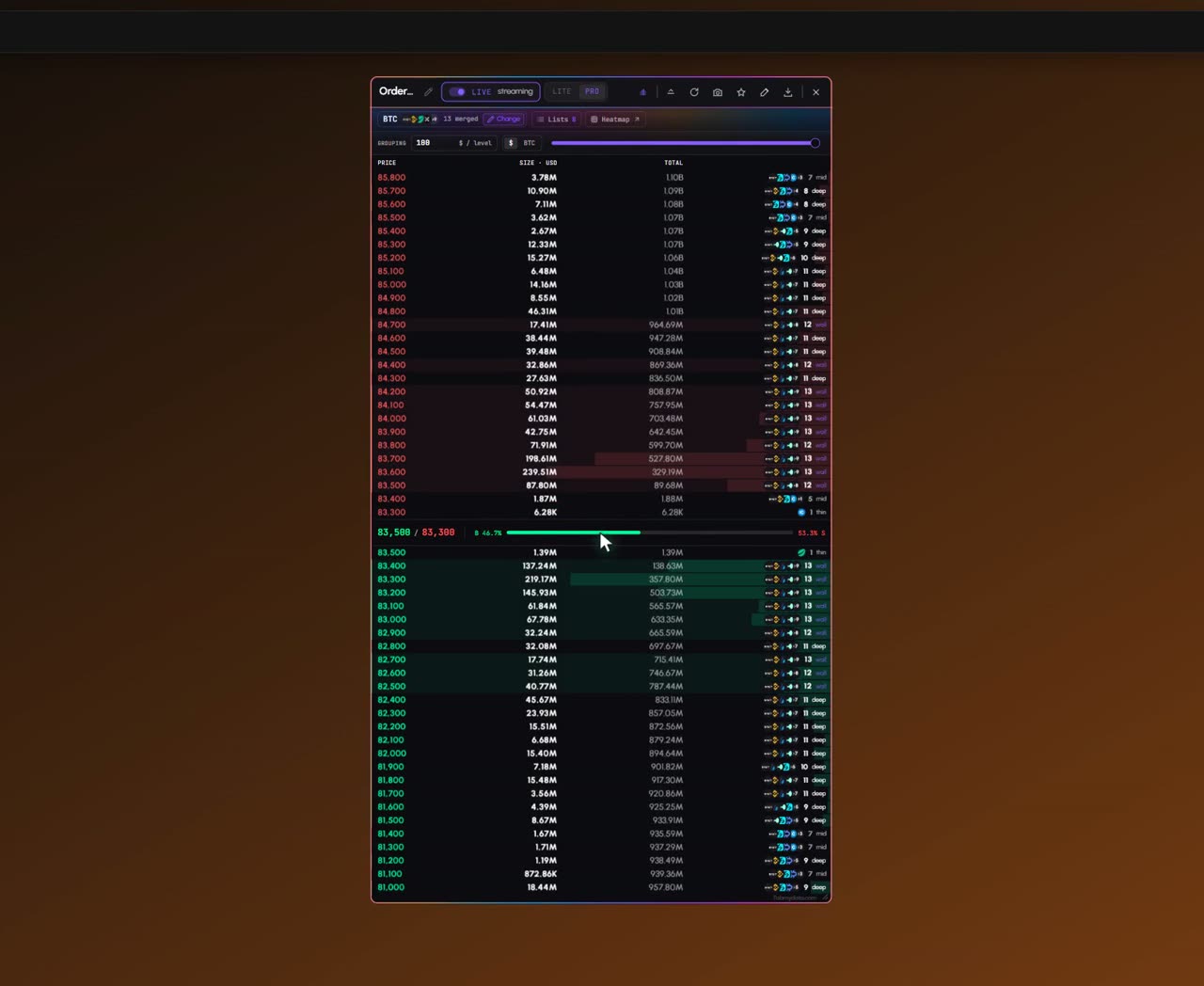
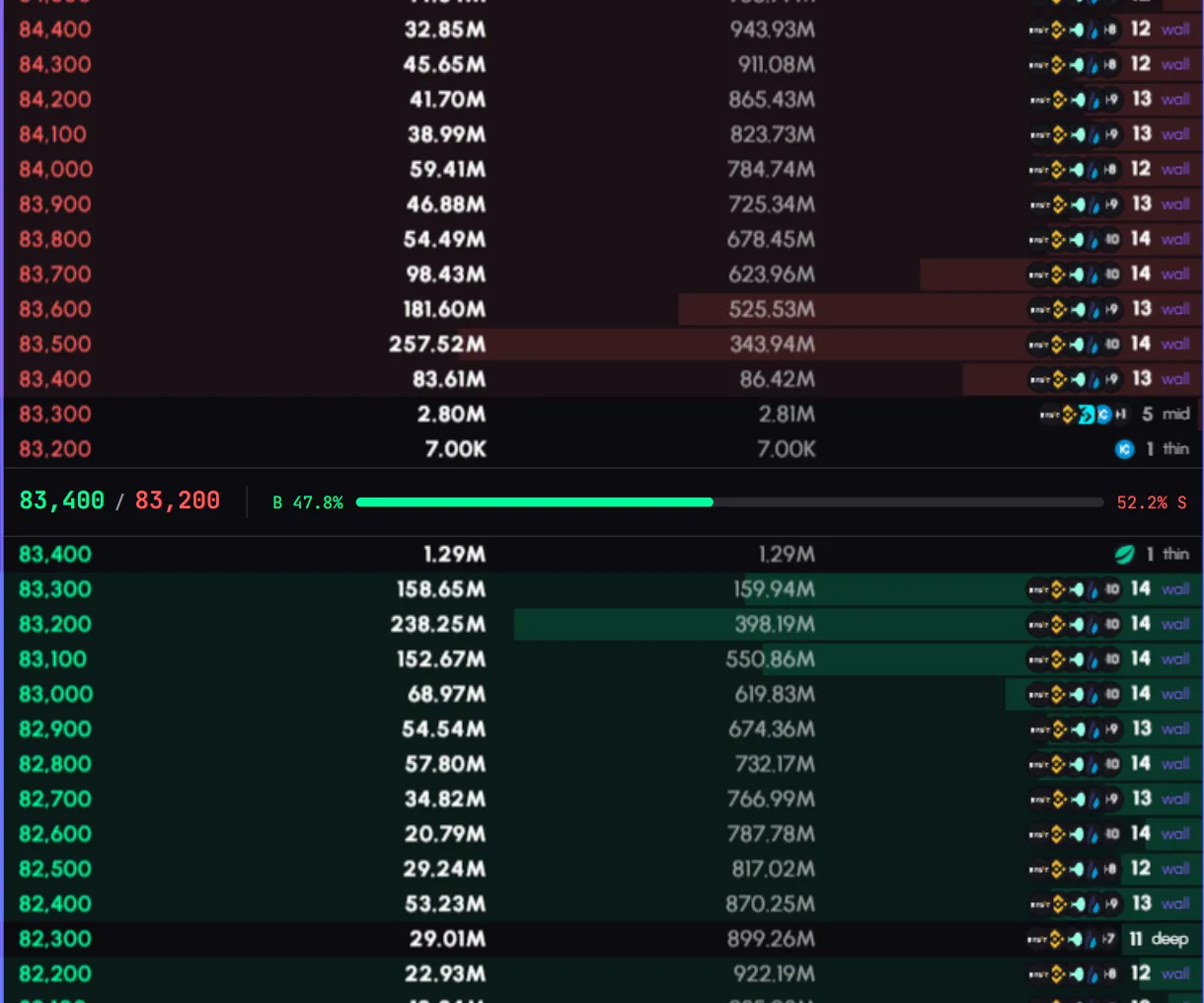
Bids and asks from every market you selected, merged into one live ladder, with the spread and a buy and sell bar in the middle.
Product tour
What you can do in the Orderbook tab
The Orderbook is a live multi-exchange order book: bids and asks merged from the futures exchanges you choose into one ladder, for any coin the exchanges list. Press Change, pick the coin, review which markets go in, and group levels to cut noise. Each row shows which exchanges stand behind that price. To see where liquidity sat over time, open the Orderbook Heatmap from the Heatmap button.
Features
- 01
One merged ladder
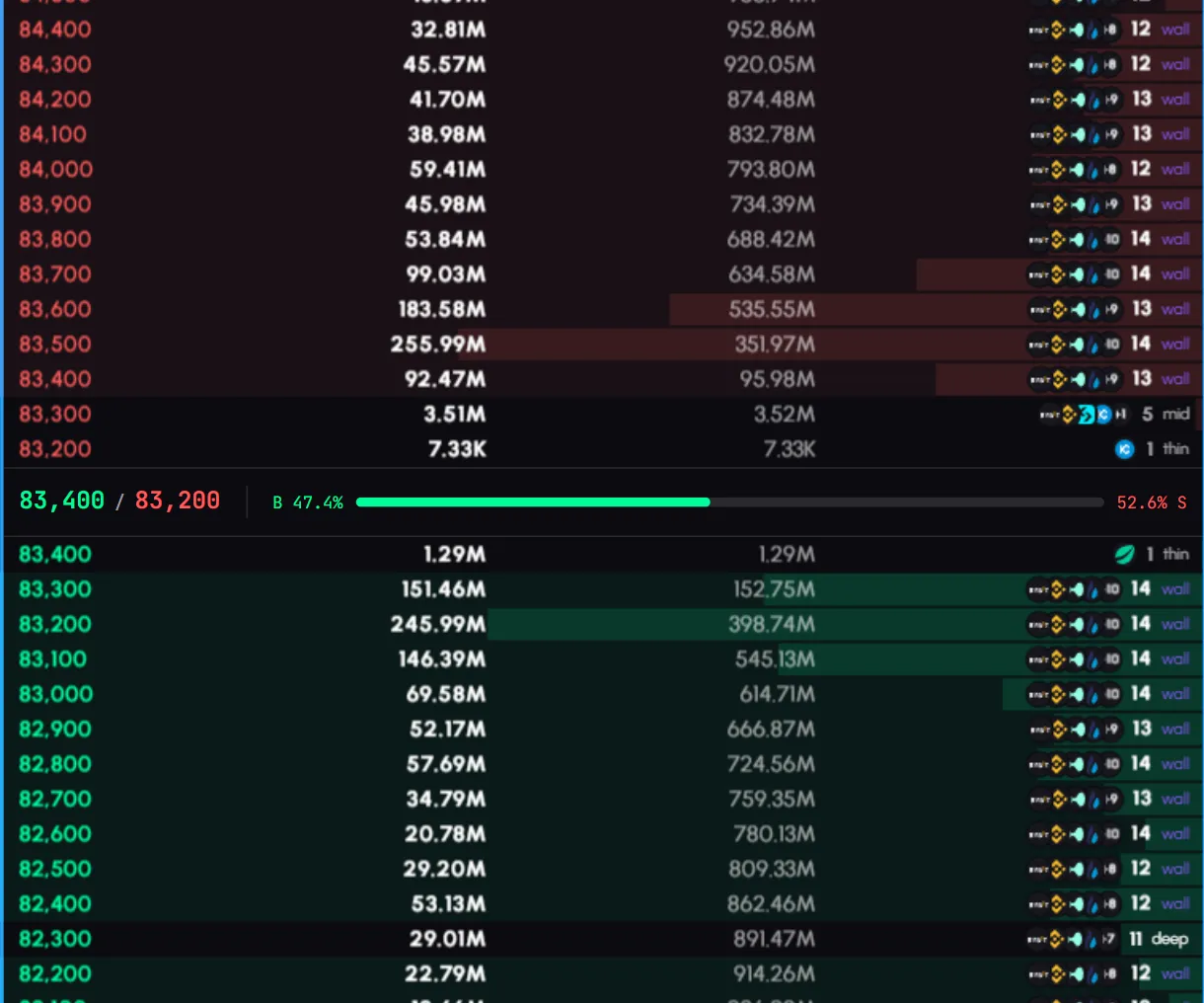
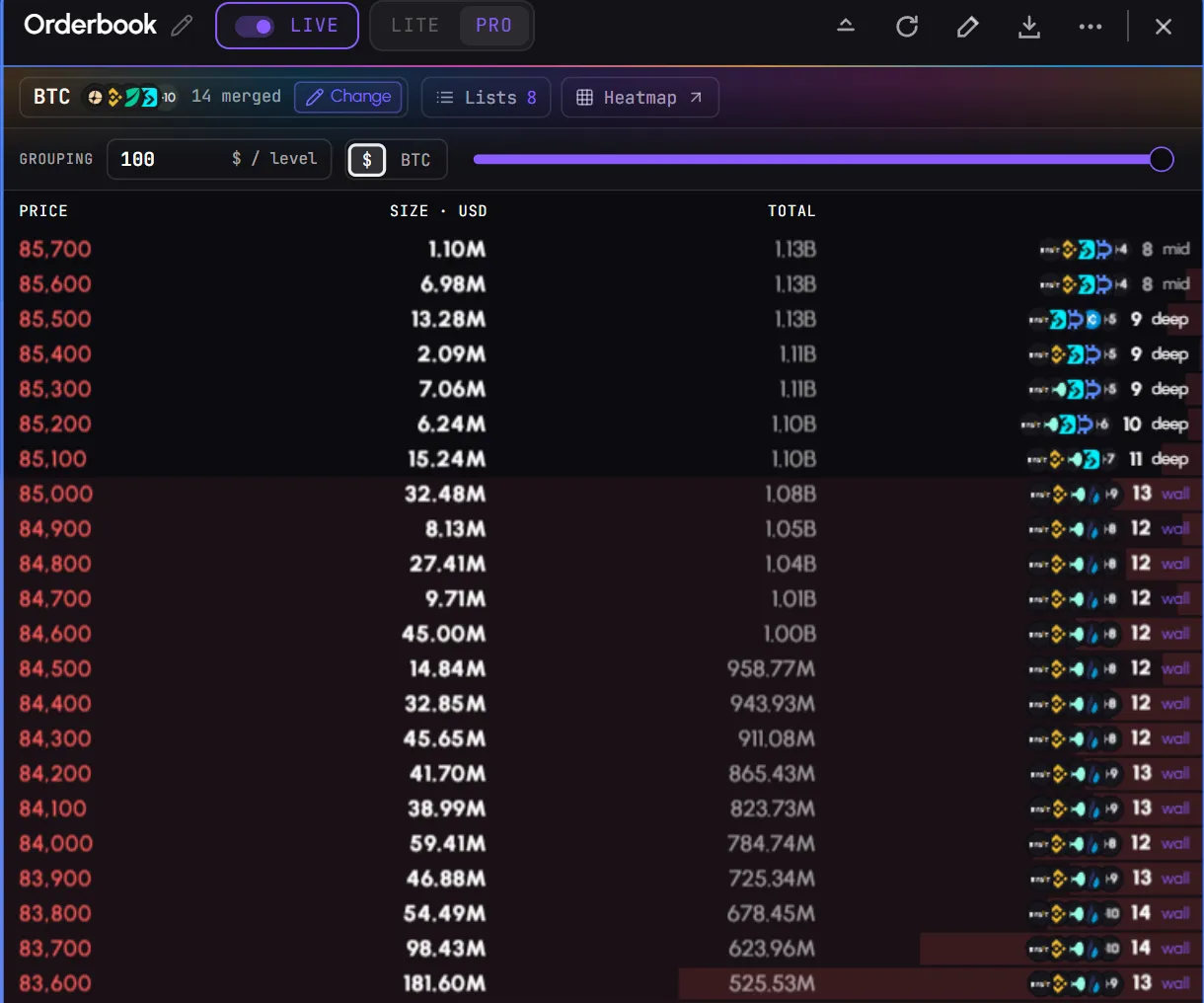
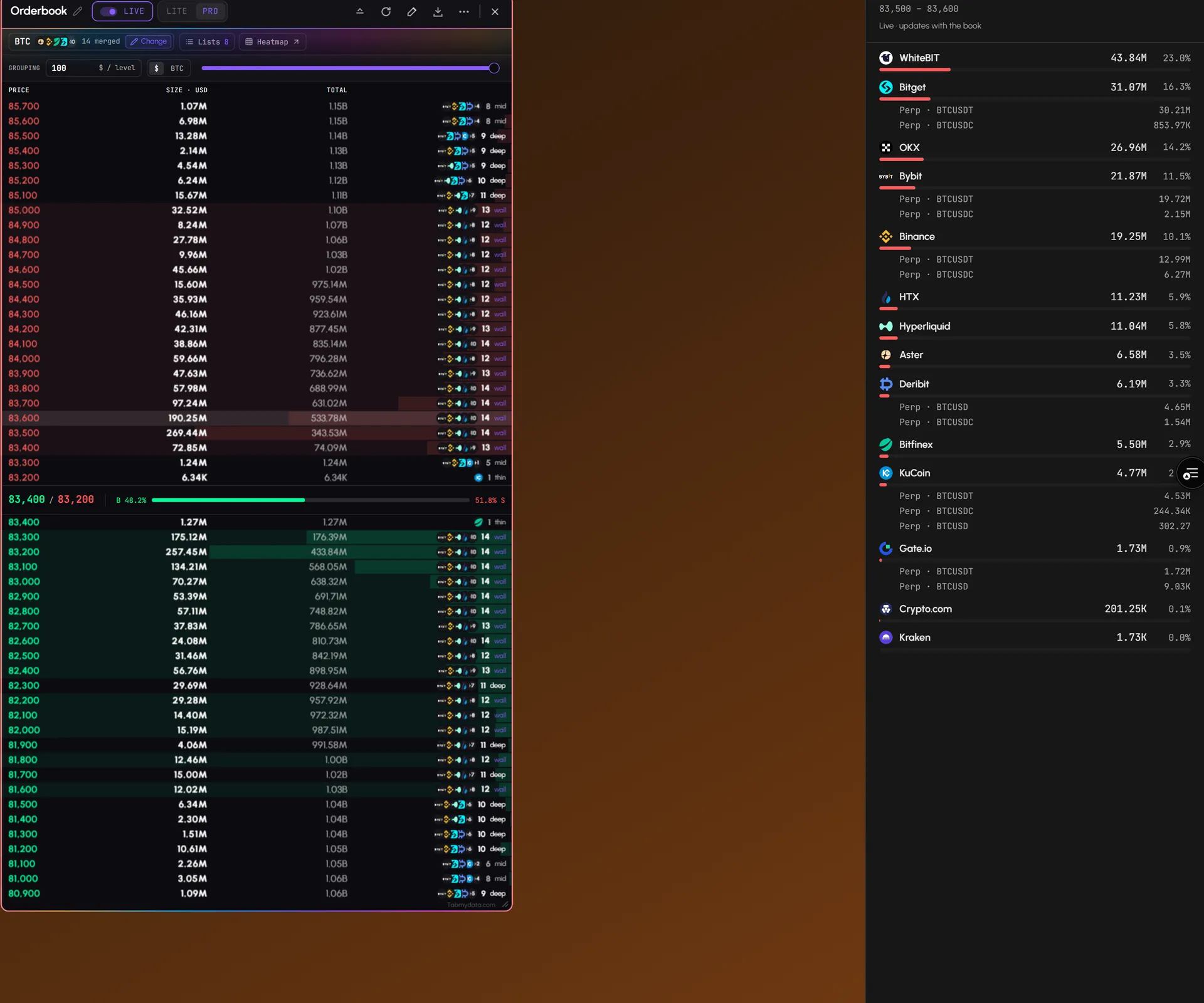
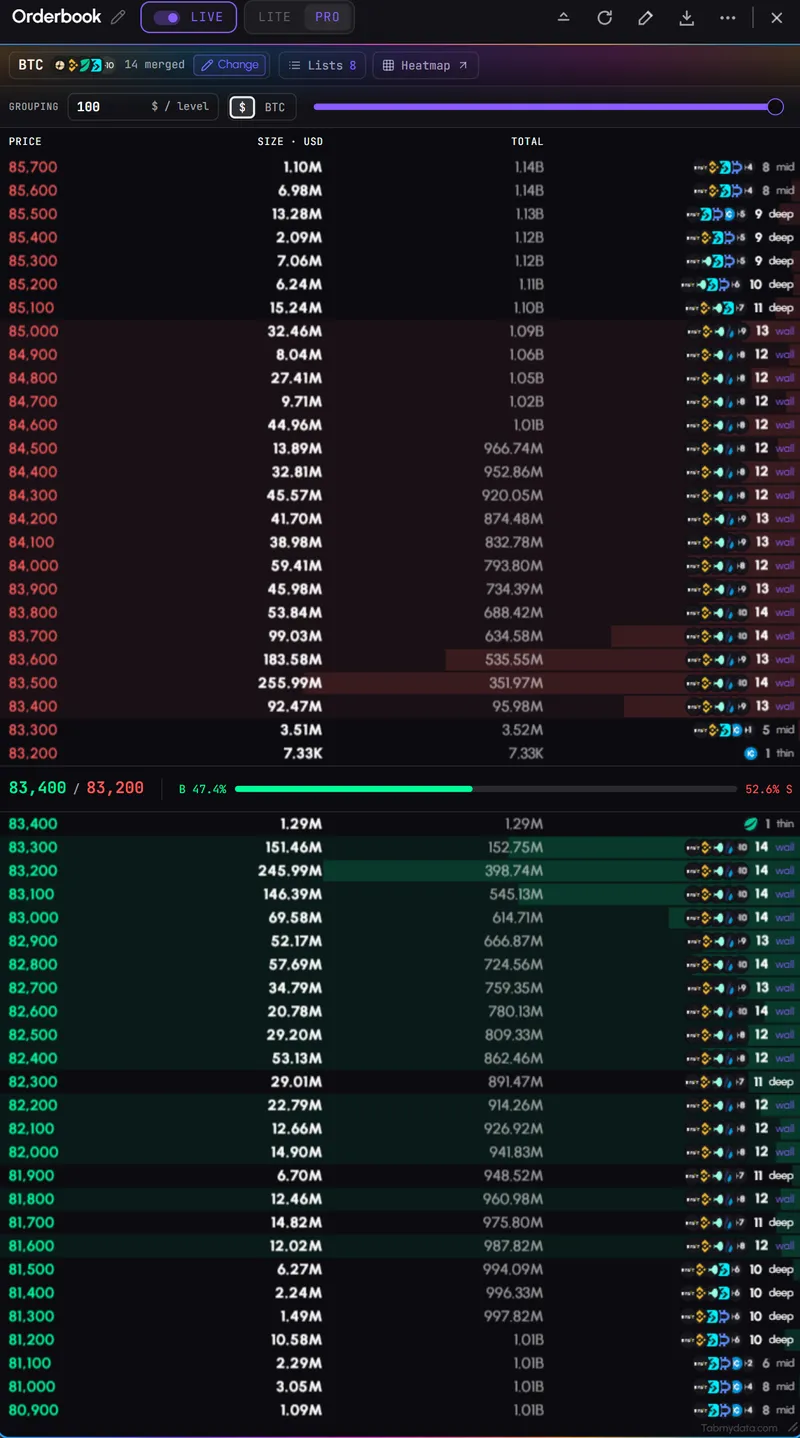
Asks in red on top, bids in green below, a spread row in the middle with best ask and best bid, and a buy and sell balance bar. The columns are price, size and a running total, with depth shading behind the numbers. The ladder updates live. A green dot in the header pauses the feed and flips to Resume.
- 02
You choose the exchanges
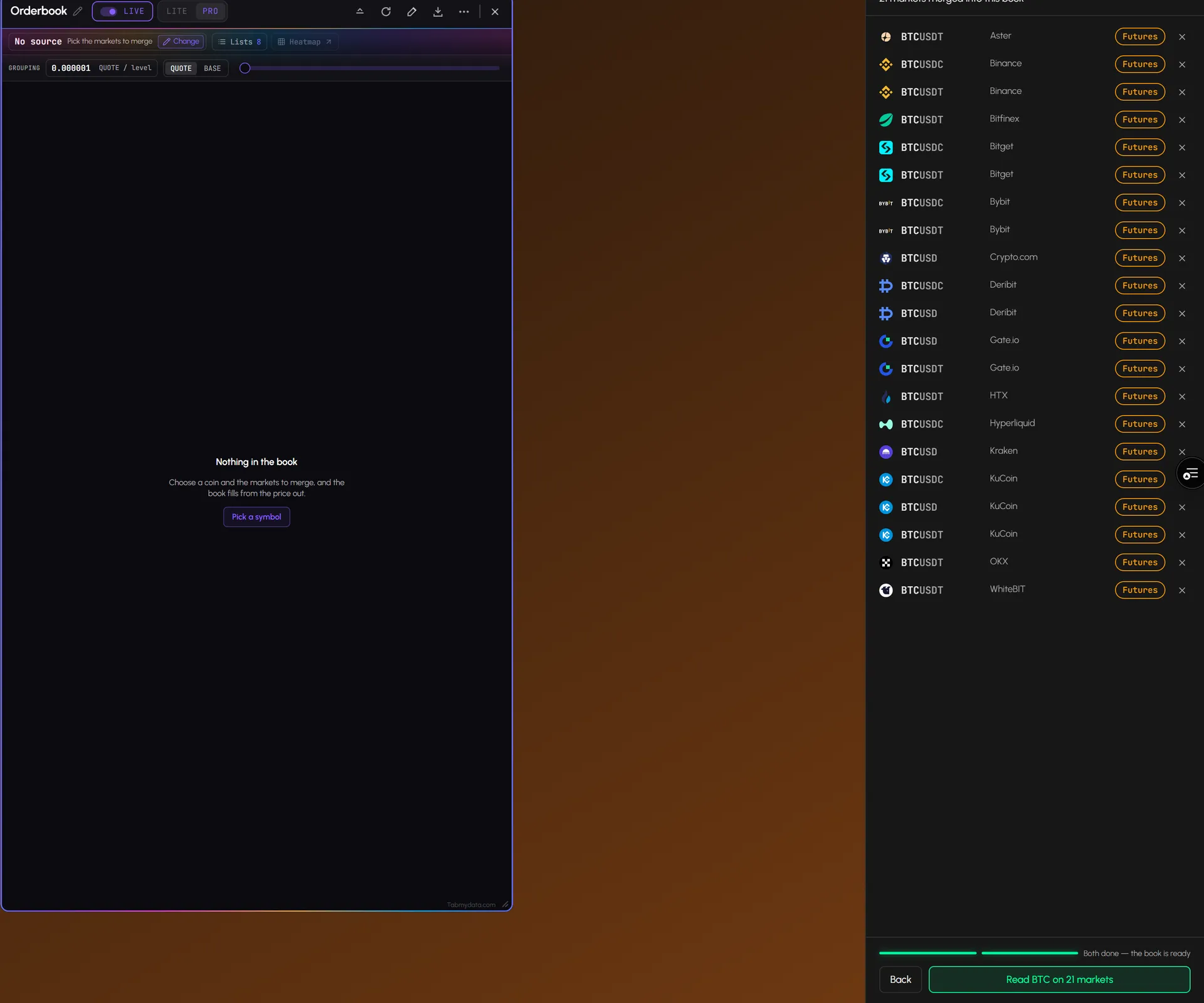
Press Change. Step 1: pick a coin from the tiles. Step 2: review the markets and remove the ones you don't want with the x on each row. Then read the book. The header tells you how many markets and exchanges are merged. Step by step: choose coins and exchanges in a tab.
- 03
Which exchanges stand at each price
Every row has a cell with exchange logos, a count and a depth tag: wall, deep or thin. The tag describes how thick the level is, meaning how much resting buy or sell size sits there. It is a size indicator, not a signal. A wall that keeps showing up over time, a continuing line rather than a single dot on the Orderbook Heatmap, is more established.
- 04
Click a row for the size by exchange
Click any price level and a side panel opens: the total size at that level, each exchange with its size and share, and a sub-line per market. It updates with the book.
- 05
Price grouping and units
Type a grouping value or use the slider, so small orders don't bury the levels that matter. Switch the size column between dollars and the coin.
- 06
Lists
Save a selection as a list and load it again in one press. The Lists panel shows each list's type, age and how many markets and exchanges it holds.
- 07
Open the heatmap
The Heatmap button opens an Orderbook Heatmap tab on the same coin. You go from the book now to the book over time in one click.
Use cases
How traders use it
- 01
During a scalp
Bitcoin perps from your usual exchanges, grouped at $10, watching the size nearest to price.
- 02
Size by exchange
a wall sits near price, so you click the level and see which futures exchanges hold it, with the order book depth split by exchange.
- 03
From book to history
You spot a thick level, then press Heatmap to see how long size has sat there.
How do I set up a Bitcoin order book?
Bitcoin is listed like any other coin, so a Bitcoin order book is three presses away. Press Change, pick BTC from the tiles, then review the futures markets and remove the ones you do not want. Group levels at a value that makes the ladder readable, for example $10, and watch the size nearest to price. Save the setup as a list so the next time takes one press.
What is order book depth?
Order book depth is how much size rests at each price level near the current price. Here it shows as the size and running-total columns, with shading behind the numbers and a wall, deep or thin tag on each row. The tag describes how thick the level is. It is a size indicator, not a signal. Click a row to see the size by exchange at that price.
Who it's for
- Active and short-term traders who watch the size nearest to price while they trade.
- Derivatives traders who read futures depth near price, exchange by exchange.
- Traders who want depth on coins outside the heatmap's recorded set, since the Orderbook shows any listed coin live.
How to use it
- Open the Orderbook tab and press Change.
- Pick the coin from the tiles.
- Review the futures markets that go into the book and remove any you don't want. See how to choose coins and exchanges.
- Group price levels with the value or the slider until the ladder is readable.
- Read the ladder. Asks above, bids below, size on each row. See how to read an order book.
- Click a row to see the size by exchange at that level.
- Save it as a list so the next setup takes one press.
- Add history. Press Heatmap to see where liquidity sat over time, or place the live trades tape beside the book.
Related tools
- Orderbook Heatmap: resting liquidity over time, with months of history.
- Live Trades: the tape beside the book.
- Workspaces: put the book next to charts and liquidations.
- Help: how to read an order book.
FAQ
Orderbook FAQ
What is a multi-exchange order book?
A single order book ladder built from the bids and asks of many exchanges. In Tabmydata you choose which futures exchanges and markets are merged, so you read depth across venues instead of one exchange at a time.
Can I see the Bitcoin order book from many exchanges at once?
Yes. Pick BTC in the Change panel, review the futures markets and merge the ones you want into one book. The ladder updates live. Free during Alpha.
How do I read the order book?
Bids sit below the price and asks above it, and each row is a price level with its size. Click a row to see which exchanges hold that size. Group levels with the value or the slider until the ladder is readable. Step by step: how to read a crypto order book.
What does order book depth show?
How much size sits at each price level near the current price. Grouping levels makes the larger sizes easier to see, and the wall, deep and thin tags mark how thick a level is.
Which coins can I see?
Any coin the connected exchanges list, live. For months of history on 93 instruments, use the Orderbook Heatmap.
Does a large order mean price will stop there?
No. The book shows where orders sit now. Orders can be moved or pulled at any time, and a tag describes size, not what price will do.
Free during Alpha.
A multi-exchange order book merges live bids and asks from the exchanges you choose into one ladder, for any listed coin. Group levels to cut noise, see which exchanges stand behind each price, and click a level for its size by exchange. Free during Alpha.
Sign up free