Workspaces & Tabs
How to change your workspace background
Pick a preset, a slow-moving background, a solid colour or gradient, or upload your own PNG or JPG. The background is the canvas behind your tabs. Changing it does not move or change any tab.
On this page
How to open the background settings
- Click Workspace settings on the tool rail, or click Canvas appearance in the bottom bar.
- In the Workspace & Tab Settings dialog, open Background under Appearance.
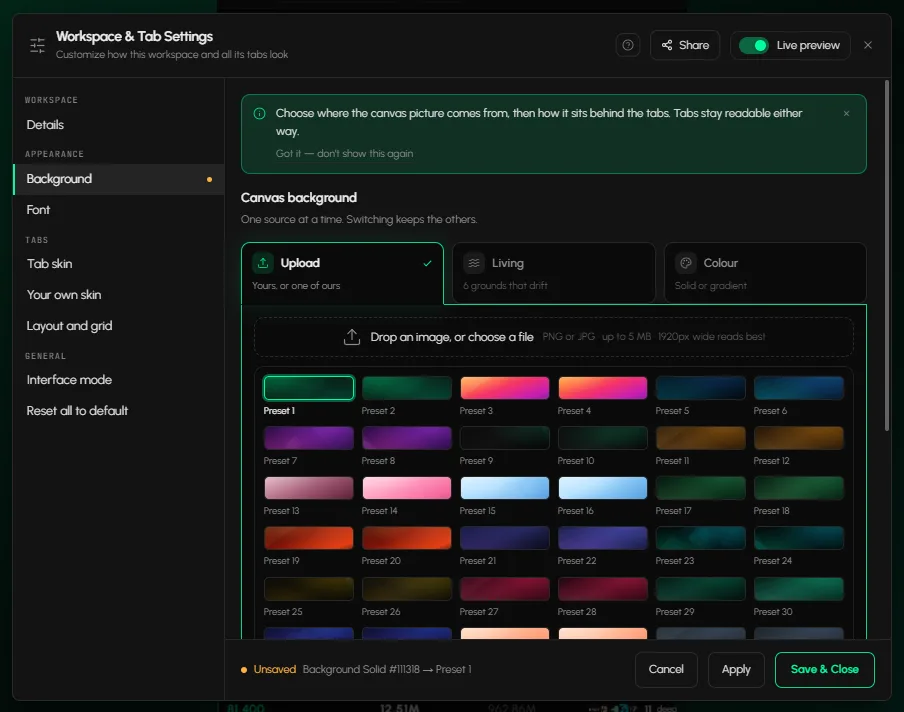
How to choose a preset or upload your own image
- In Background, pick Upload.
- Click one of the presets, or drop an image or choose a file. PNG or JPG works.
- For your own image, pick Fit, Cover, Contain or Repeat.
- Click Save & Close.
A 1920px-wide image reads best.
How to use a moving background
- In Background, pick Living.
- Choose one of the grounds: Tide, Aurora, Ember drift, Slow mesh, Spectrum or Deep calm.
The ground drifts slowly. Nothing else on the canvas moves.
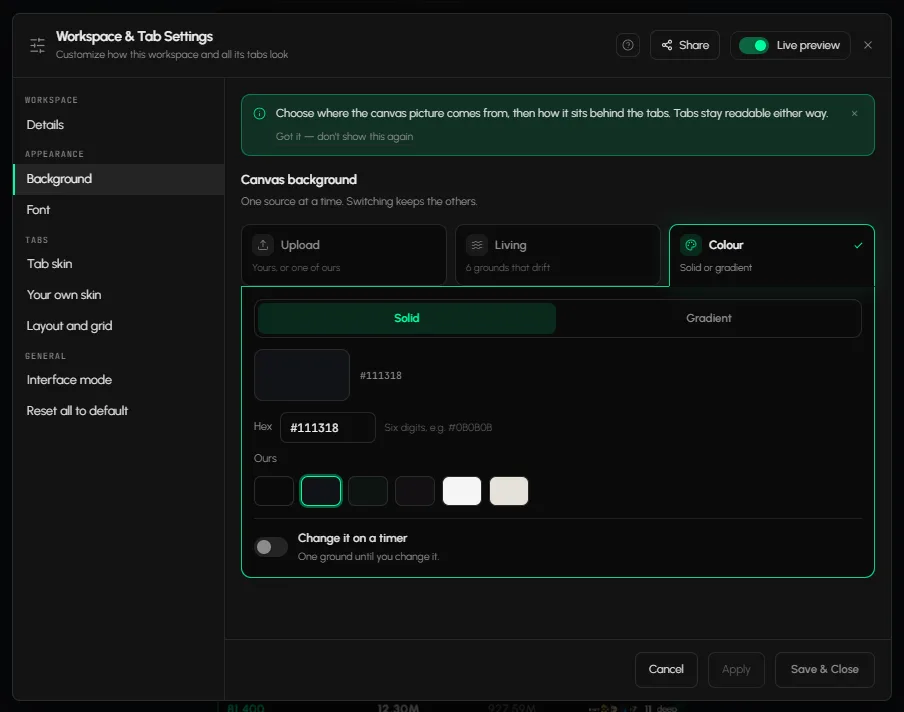
How to use a solid colour or gradient
- In Background, pick Colour.
- Choose Solid or Gradient.
- Pick your colours, or type a six-digit hex code such as #0B0B0B.
How to change the background on a timer
- Switch on Change it on a timer.
- Pick a time: 15 min, 30 min, Hourly, 6 hr or Daily, or enter your own number of minutes, hours or days.
The background is picked at random from every image in your Background list. The timer belongs to this workspace. A tab with its own background is untouched.
How to go back to the default
Open Reset all to default and click Reset workspace. This clears the background, the workspace font and sizes, and tab skins. Your tabs stay open and keep their positions.
Frequently asked questions
What image formats can I upload as a background?
PNG or JPG.
Does a background apply to all my workspaces?
It applies to the workspace you set it in.
Will changing the background move my tabs?
No. Tabs stay where they are.
Can I preview a background before keeping it?
Yes. Turn on Live preview in the dialog, then use Cancel to discard.