Support
Troubleshooting
Tabmydata not loading? Fix a stalled feed, a paused tab or a broken workspace layout, and find out how to reach support if it persists.

Most Tabmydata problems come down to three things: a feed that stopped, a tab that is paused, or a workspace that ended up looking wrong. This section is for anyone whose prices, trades or order book stopped updating, whose tabs are lost off-screen or piled on top of each other, or who needs to send the team a clear report. Start with the lightest fix and work down; the articles are ordered that way.
Start here
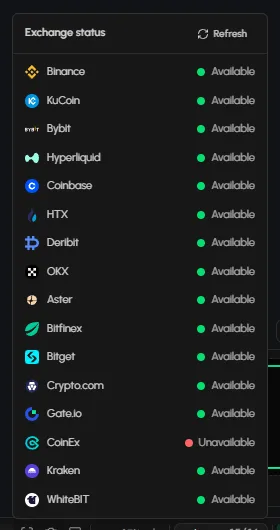
- How to fix data that is not loading: check the Live chip in the bottom bar for exchange status, make sure the tab is not paused, refresh it, then check your connection and browser.
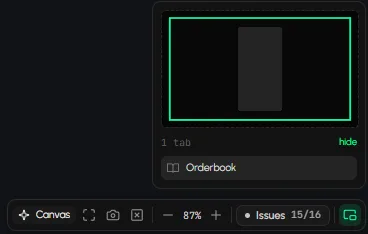
- How to reset a workspace: bring lost tabs back with Fit, tidy overlapping tabs with Layout, or reset the look to the defaults. Reset keeps your tabs open and does not touch your other workspaces.
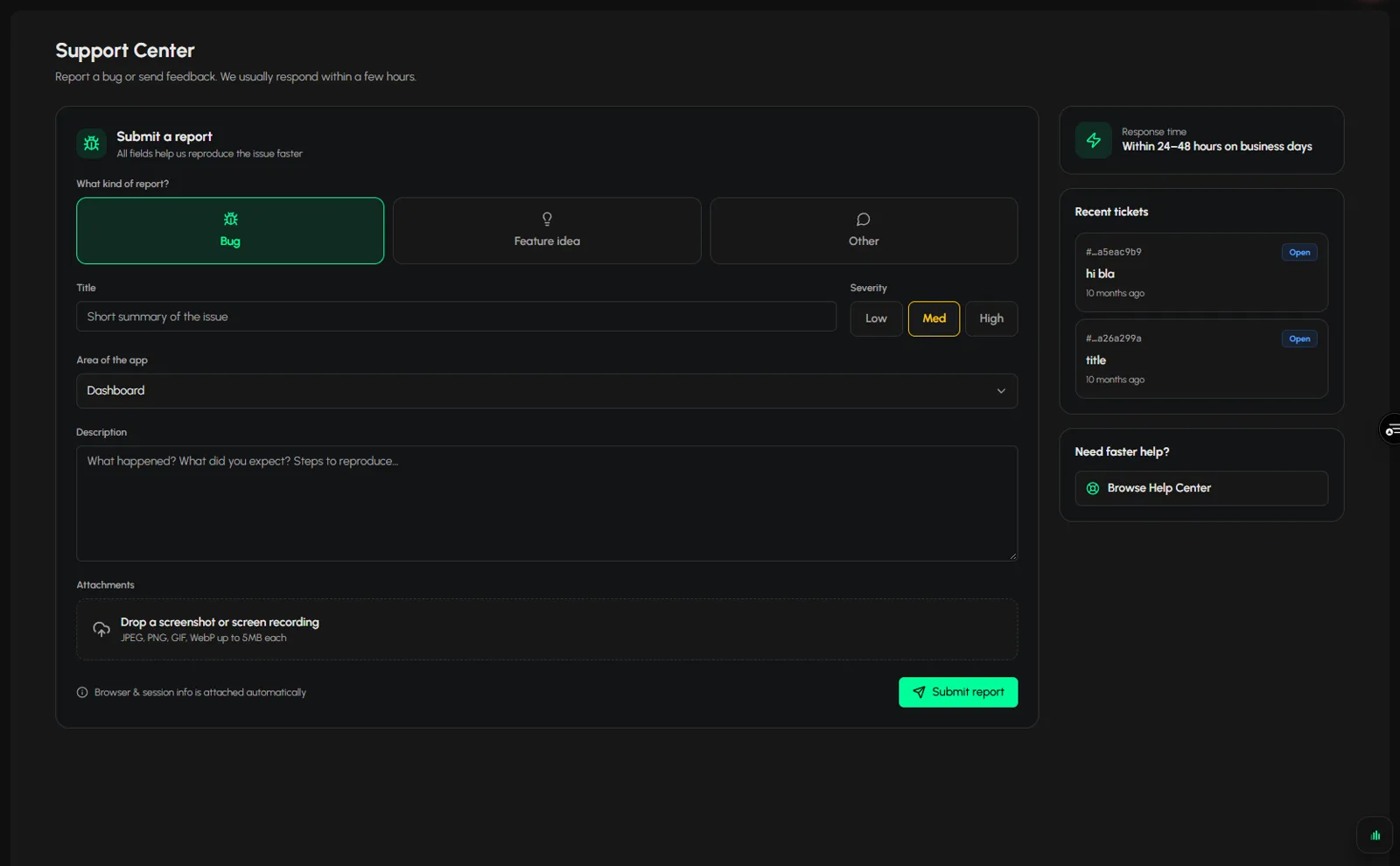
- How to contact Tabmydata support: open the Help menu, choose Ask Support, and say which tab, coin and exchanges you were using, so the team can reproduce the problem.
- How to fix data that is not loadingPrices, trades or the order book stopped updating? Work through these checks in order. Most frozen tabs are paused, or one exchange is down. · 4 min
- How to reset a workspaceTidy a workspace that looks wrong, fit the tabs in view, or reset its look, keeping your tabs open. · 3 min
- How to contact Tabmydata supportTo contact Tabmydata support, click Bug Report in the sidebar, fill in the form (kind, title, severity, area and description) and click Submit. The page says to expect a ... · 2 min
Frequently asked questions
Why did my tab stop updating?
The usual causes are a paused tab, an exchange that is not available, or a dropped connection. Click the Live chip in the bottom bar to see each exchange, then use Refresh in the tab's title bar.
Will resetting a workspace close my tabs?
No. Reset clears the background, font and skins back to the defaults, and your tabs stay open where they are. It cannot be undone, so read the list in the confirmation first.
Where do I report a bug?
In Help, then Ask Support. Choose the request type, describe what happened and attach a screenshot if you can.