Troubleshooting
How to reset a workspace
To reset a Tabmydata workspace, open Workspace & Tab Settings, choose Reset all to default and click Reset workspace. It restores the background, font and skins and keeps your tabs open where they are. If tabs are only lost or overlapping, try Fit every tab in view or Tidy first.
On this page
Try the lighter fixes first. Reset only changes how the workspace looks; it does not move or close tabs.
How do I bring lost tabs back into view?
- Click Fit every tab in view in the bottom bar.
- Or click list under the minimap to see every open tab by name, and click one to jump to it.
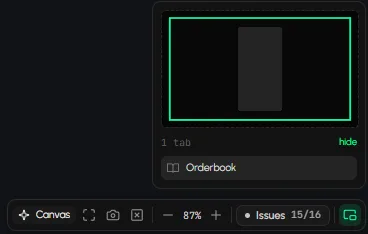
How do I tidy tabs that overlap?
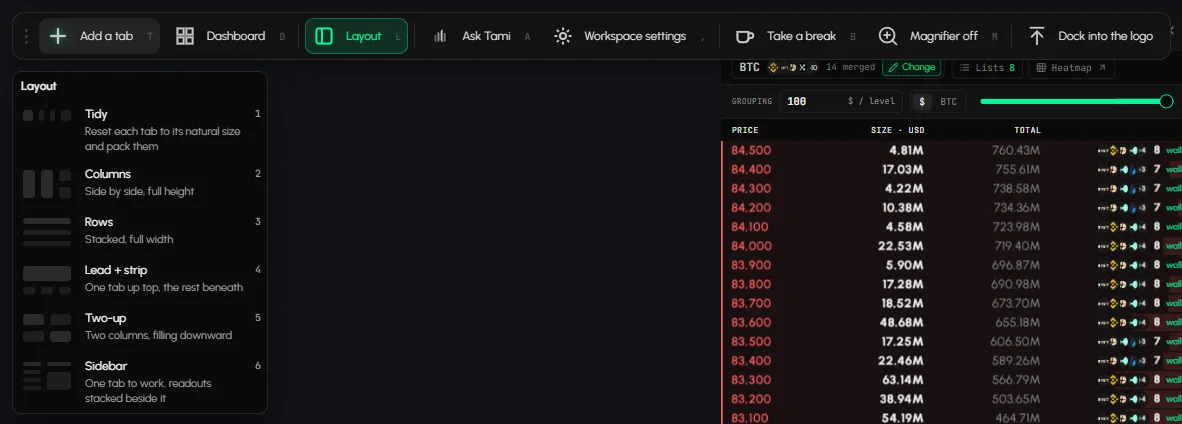
- Click Layout on the tool rail, or press L.
- Click Tidy ("Reset each tab to its natural size and pack them"), or pick Columns, Rows, Lead + strip, Two-up or Sidebar. The menu stays open, so you can try another one. Press Esc to close it. See Arrange tabs.
How do I reset the workspace to the defaults?
- Click Canvas (Canvas appearance) in the bottom bar, or Workspace settings on the tool rail, to open Workspace & Tab Settings.
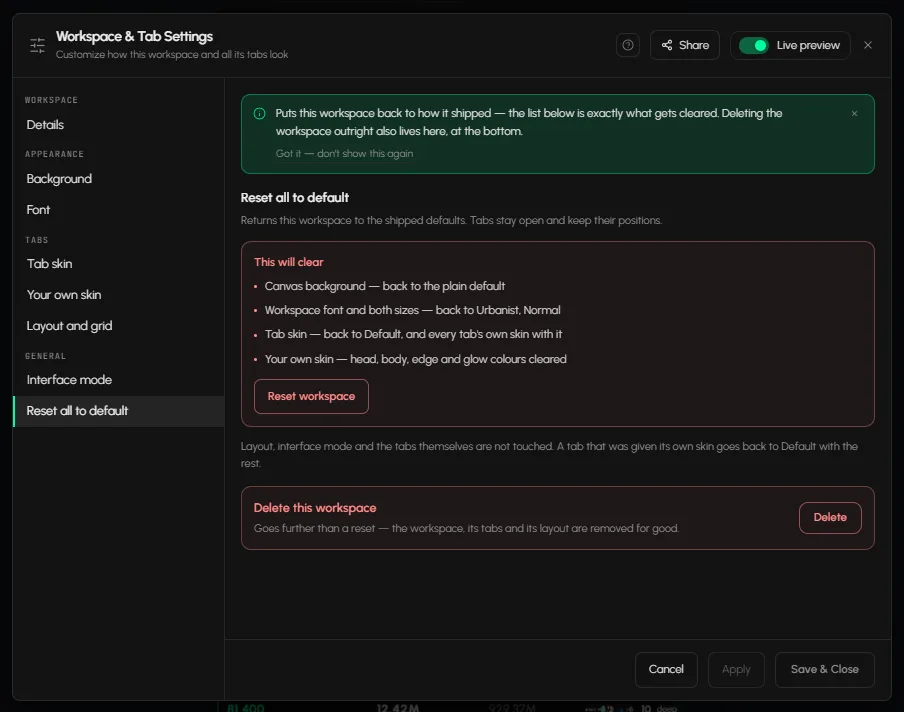
- Open Reset all to default in the left menu, under General.
- Read the list of what will be cleared, then click Reset workspace.
- In the box "Reset this workspace?", confirm. This cannot be undone.
It clears the canvas background (back to the plain default), the workspace font and sizes (back to Urbanist, Normal), the tab skin and every tab's own skin (back to Default), and your own skin colours. Tabs stay open and keep their positions. Layout and interface mode are not touched.
How do I start from an empty canvas?
- Click Close all tabs in the bottom bar to remove every tab.
- In the box "Clear all tabs?", click Yes to continue or Cancel to keep your tabs.
There is no Undo for Close all tabs. To close a single tab and get an Undo, use its x.
Frequently asked questions
Does resetting a workspace delete my other workspaces?
No. Reset only affects the workspace you are in.
Does Reset all to default close my tabs?
No. Tabs stay open and keep their positions.
Can I undo a workspace reset?
No. The confirmation says it cannot be undone. Re-apply your background, font and skins in Workspace & Tab Settings.
Is there a way to delete a workspace?
Yes. Under Reset all to default, Delete this workspace removes the workspace, its tabs and its layout for good.
My tabs show no data. Will a reset fix it?
No. Reset changes only the look. See Data not loading.
How do I change the background or font again after a reset?
Open Workspace settings and pick them under Background, Font and Tab skin. See Workspace settings.