Workspaces & Tabs
How to create and use a watchlist
To make a crypto watchlist in Tabmydata, add the Watchlist tab, click + and pick your pairs from any covered exchange, futures or spot. The tab keeps them in one column with the latest price and 24-hour change on each card, and a click opens a 15-minute chart of the pair.
On this page
Product overview: watchlist.
What you can do
- Pick pairs from any covered exchange, futures or spot.
- Reuse a saved list as the starting point.
- See price and 24-hour change on each pair's card.
- Click a pair to open a 15-minute chart of it in a new Charts tab.
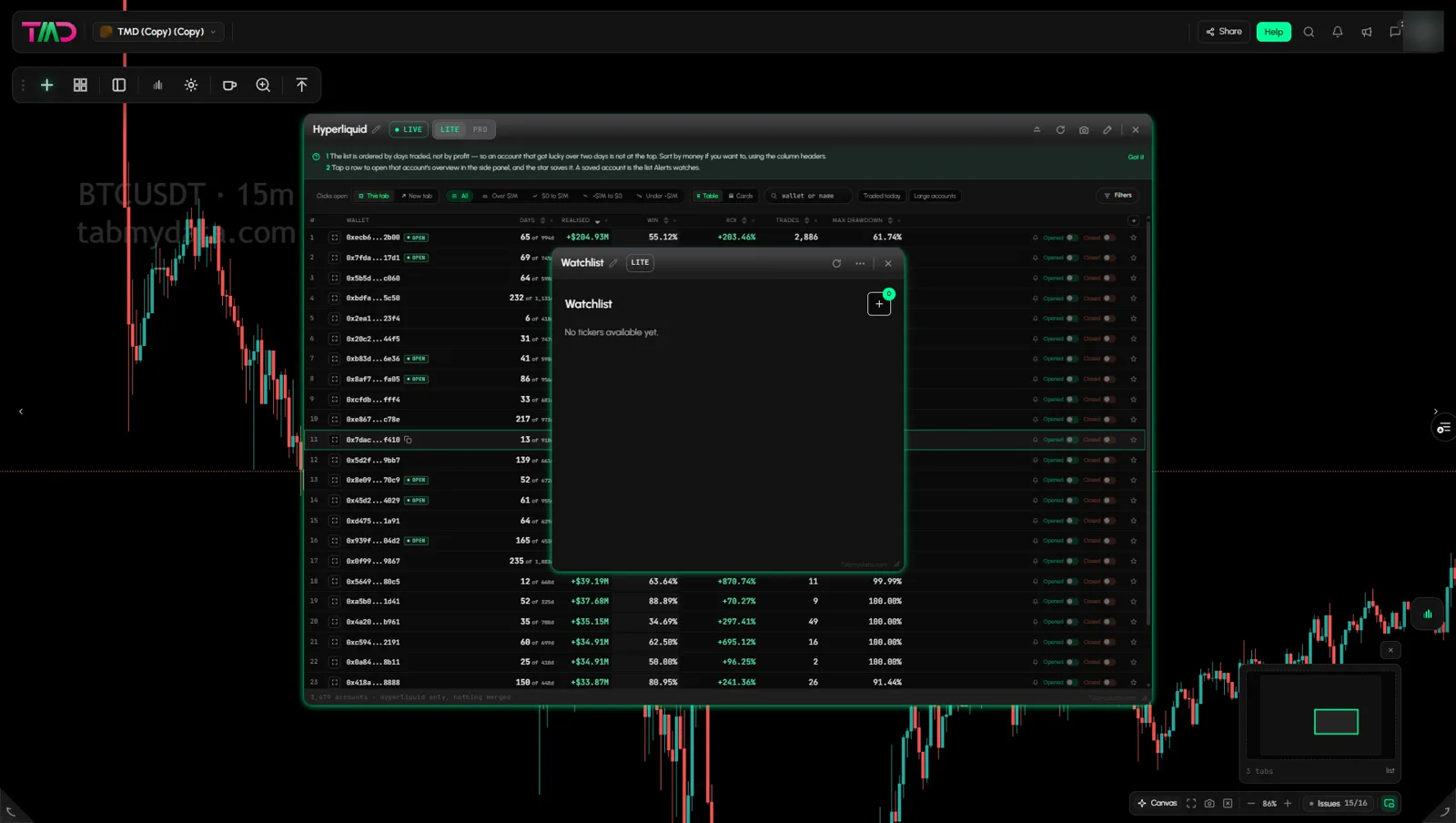
How to add the Watchlist
- Click + (Add a tab) on the tool rail.
- Open Market data and click Watchlist (shortcut Alt+1).
A new Watchlist is empty. It says "No tickers available yet."
How do I add coins to my watchlist?
- Click + at the top right of the tab. It has no label, only the plus icon. A badge shows how many pairs you have.
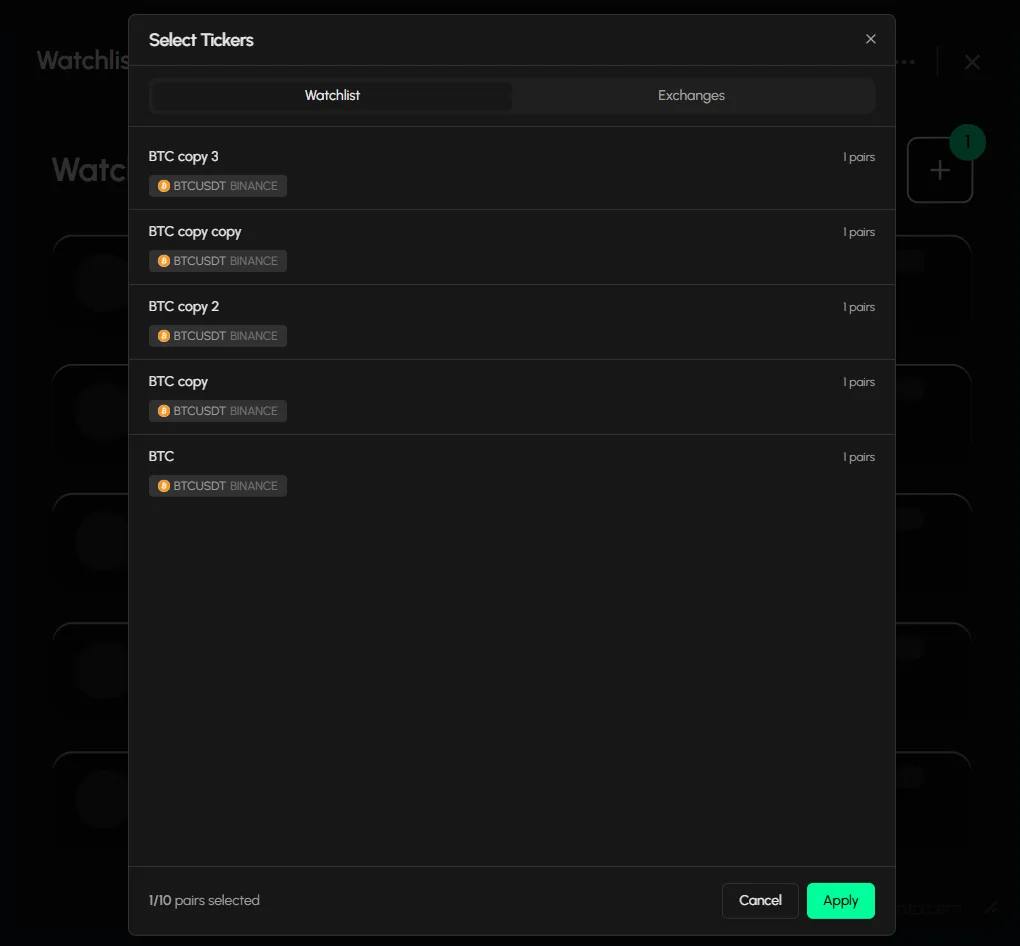
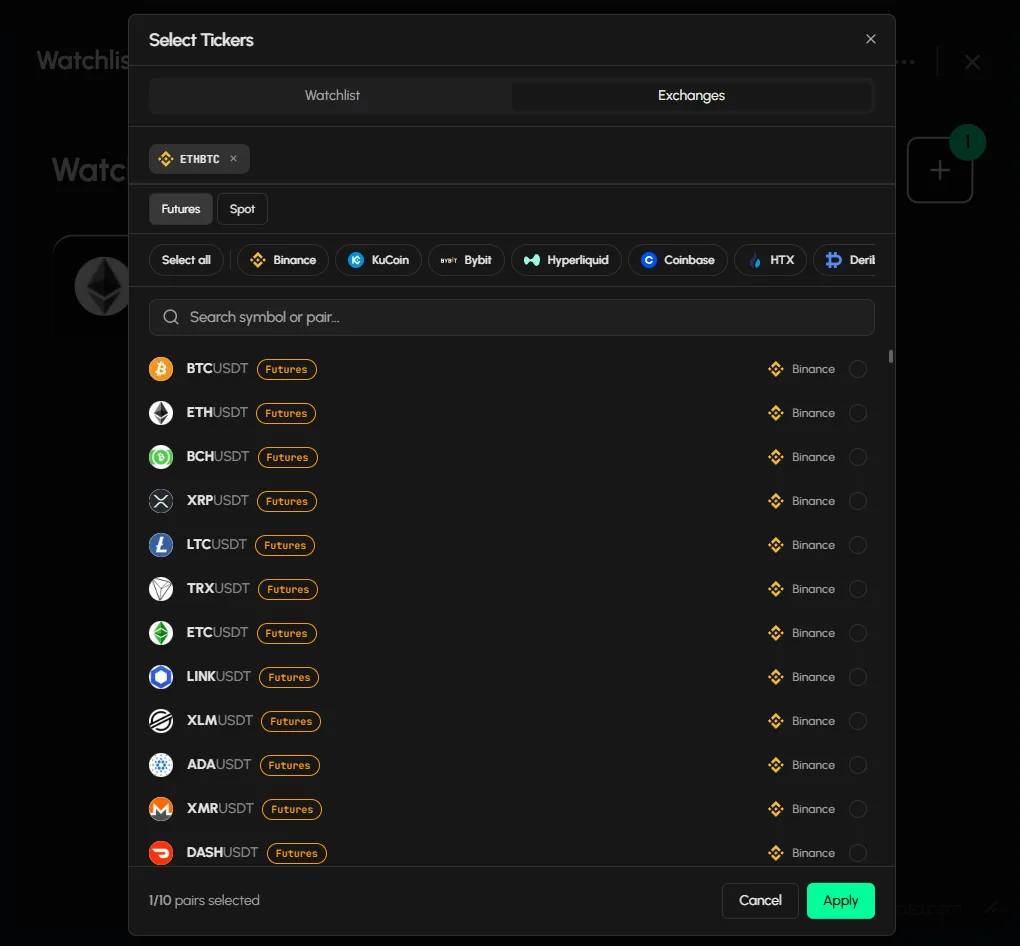
- The Select Tickers dialog has two tabs: Watchlist and Exchanges.
- On Watchlist, pick a saved list. Each card shows its pairs and exchange, for example "1 pairs · BTCUSDT · binance". Lists you pick here stay linked to the saved lists on your account.
- On Exchanges, switch Futures | Spot, pick an exchange chip, and search "Search symbol or pair...". Each row shows the coin, the pair, a Futures or Spot tag and the exchange. Select all ticks the visible rows. Your picks are kept while you search, so you can search one pair after another and apply once.
- The footer counts your picks against the tab's limit. Click Apply to confirm or Cancel to leave.
How do I open a chart from my watchlist?
Each card shows the pair, its price and its 24-hour change. Click a card. A new Charts tab opens for that pair on the 15-minute time frame.
Tab controls
The header has Refresh, LITE | PRO density, and More (Minimize, Screenshot, Edit appearance). Rename, resize and close work as in every tab: Tab controls.
Can I keep many lists?
Yes. Save lists of coins and exchanges and load them as the starting point of a Watchlist tab. Each list card shows its pairs and exchange. See Save and load coin lists.
Settings
Your pair selection belongs to the tab. When you pick one of your saved lists, the tab stays linked to that list on your account. To rename or edit a list, use the account pages. See Save and load coin lists.
States
- Empty: "No tickers available yet." and a + button.
- Populated: one card per pair, with price and 24-hour change.
Frequently asked questions
How many pairs can I add?
The dialog footer shows your limit as you pick.
Is the watchlist free?
Tabmydata is free during Alpha. The Watchlist tab is part of it.
Can I mix exchanges?
Yes. Pairs can come from any covered exchange.
Can I mix futures and spot?
You switch between Futures and Spot in the picker. Switching the toggle clears the current selection.