More Tabs
How to use the YouTube tab
To watch YouTube in your Tabmydata workspace, add the YouTube tab, click a video and it plays in place, next to your chart and your other tabs. You do not need another window. The tab plays what you pick and does not curate or recommend anything. This article is the full guide.
On this page
What you can do
- Browse the Tabmydata channel inside the tab.
- Play a video in place.
- Search for a video or another channel, or paste a YouTube link.
- Place and resize the tab like any other.
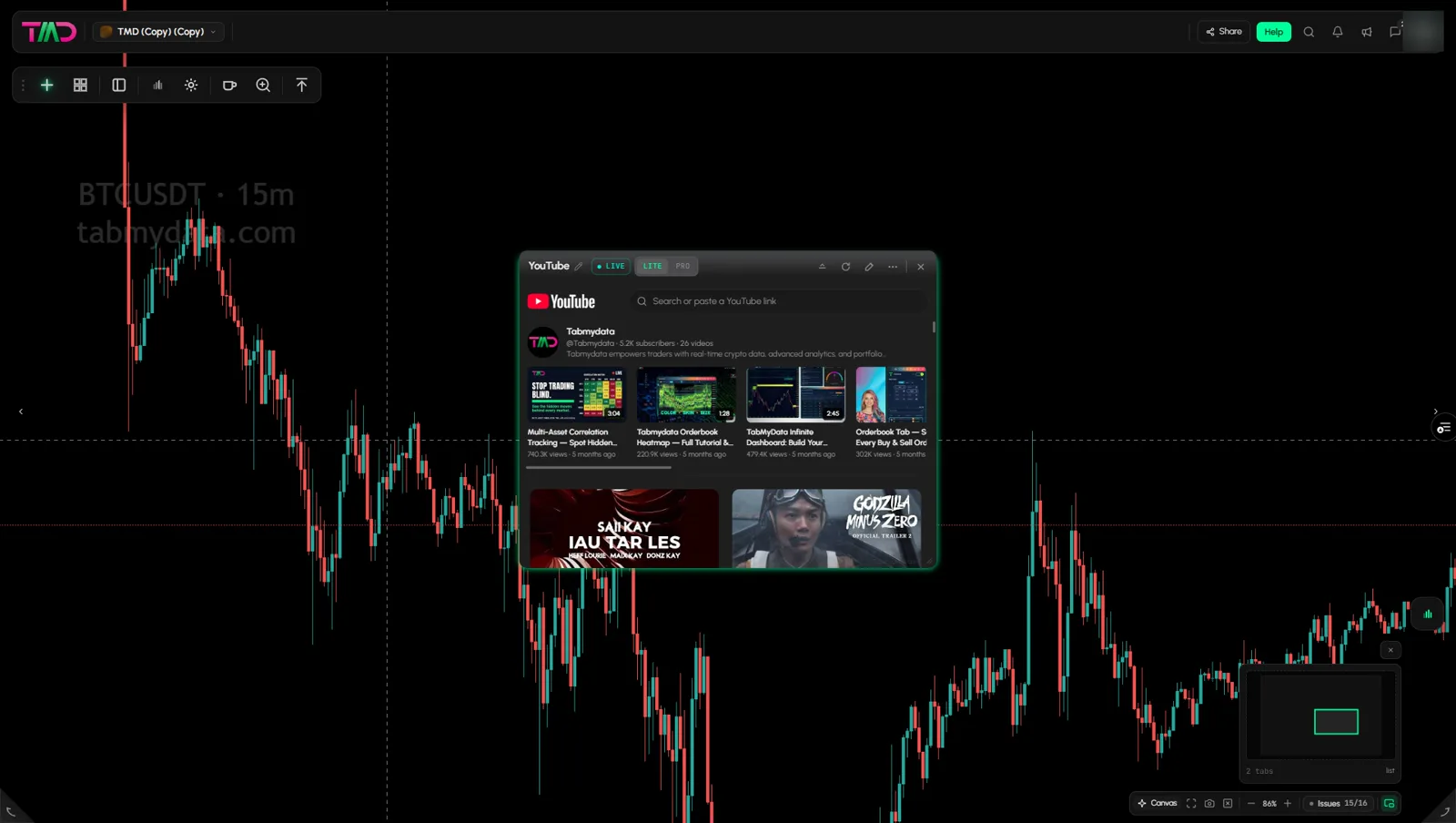
How do I watch a YouTube video next to my chart?
- Add the YouTube tab (steps below).
- Click a video to play it.
- Drag the tab beside your Chart tab and resize it. See How to use the Chart tab.
How to add the YouTube tab
- Click + (Add a tab) on the tool rail.
- Open News and events and click YouTube (shortcut Alt+7).
- Drag the title bar to place it. Drag the bottom-right corner to resize it.
How to browse and play a video
- The tab opens on the Tabmydata channel. The channel name is a link to YouTube.
- Each video shows a thumbnail with its length, title, views and age.
- Click a video to play it inside the tab. It starts playing at once.
- Click Back to videos to return to the list, or Home to return to the feed.
The Home feed is YouTube's own and is not filtered. It can include videos unrelated to markets.
How do I search other channels or play a specific video?
- Click the box that reads "Search or paste a YouTube ...".
- Type a search, for example a channel or a video title, or paste a YouTube link.
- Confirm. Pick a result to play it.
The tab opens on the Tabmydata channel, but you are not limited to it: search finds other channels too.
Tip: the Home feed is YouTube's own, so a link or a search is the quickest way to reach one video or channel.
Tab controls
The header has LITE | PRO, Minimize, Refresh, Edit appearance, More and Close. See Tab controls.
Settings
None in the tab. It remembers the last video you opened, also after you reload the page.
States
Not seen empty or in error.
Frequently asked questions
Can I watch a video without leaving my workspace?
Yes. The tab sits beside your other tabs.
Can I put it next to a chart?
Yes. Place and resize it like any other tab.
Can I watch other channels?
Yes. Search for the channel or a video in the box, or paste a YouTube link. You are not limited to the Tabmydata channel.
Will it remember my video after a reload?
Yes. It reopens on the last video you played.
Does the tab give advice?
No. It plays the video you pick.
Is the YouTube tab free?
Tabmydata is free during Alpha. The YouTube tab is part of it.
Why does the Home feed show videos that are not about markets?
The Home feed is YouTube's own and Tabmydata does not filter it.