Workspaces & Tabs
How to open a coin in another tab
To open a coin in another tab in Tabmydata, use the Open in control in the tab you are on, or the links under the coin header in Coin Info. The target tab (a chart, an order book or liquidations) opens on the same coin, so you never pick the coin twice. This works from Live Trades, Liquidations, Coin Info, the Watchlist, the Orderbook and the Orderbook Heatmap.
On this page
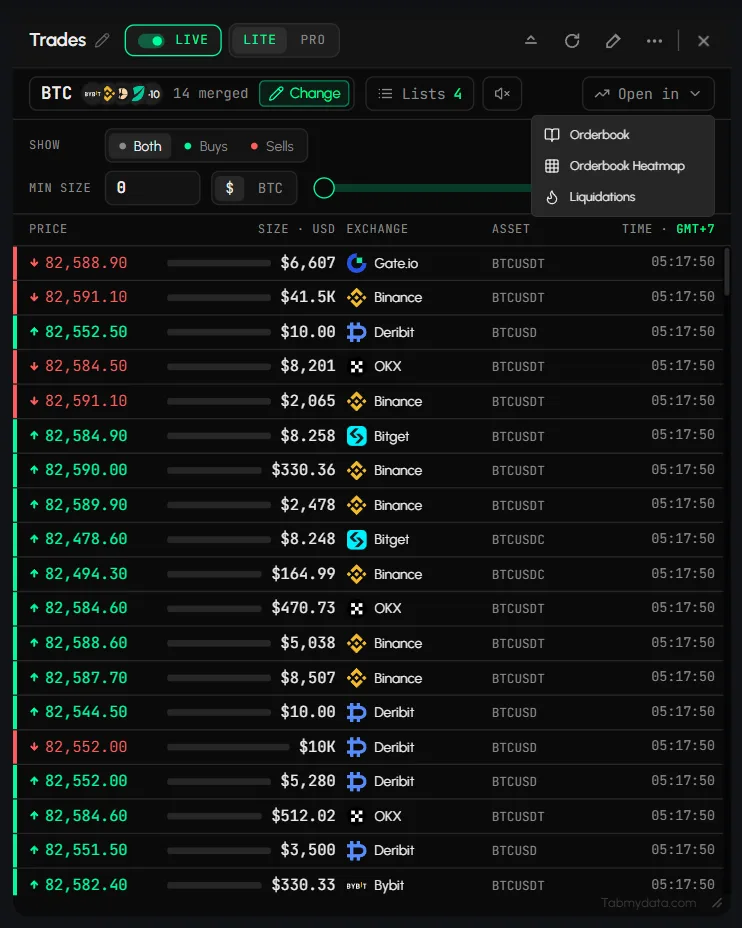
How do I use Open in from a data tab?
- In Live Trades or Liquidations, click Open in in the control row.
- Choose the target, for example Chart or Orderbook.
- The target tab opens on the same coin.
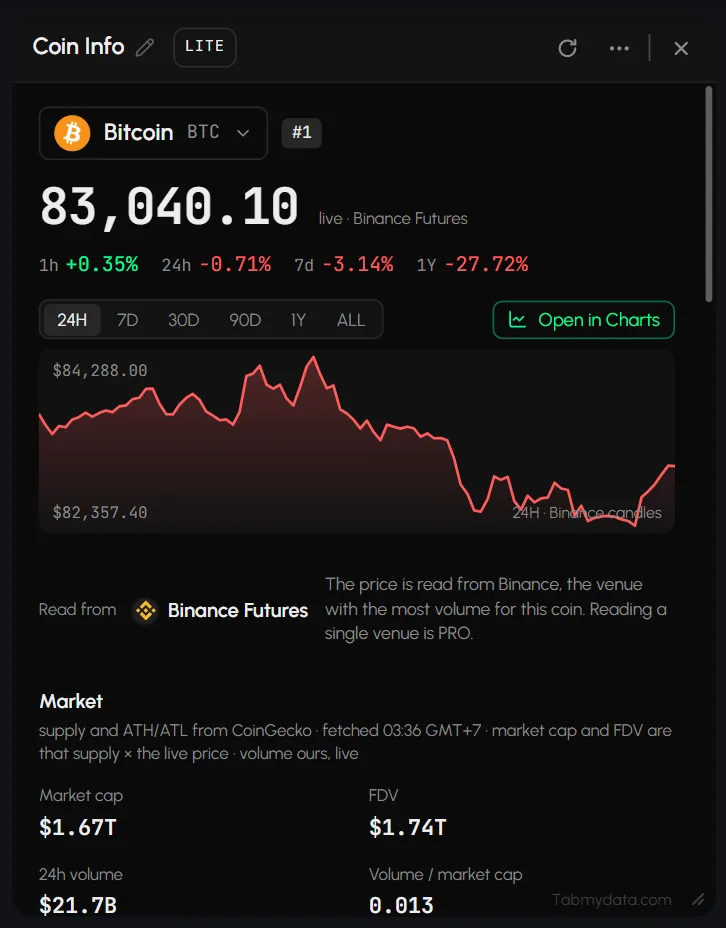
How do I open a coin from Coin Info or the Watchlist?
- In Coin Info, click Charts, Live Trades or Liquidations under the coin header.
- In the Watchlist, select a row and use its links (Chart, Orderbook, Liquidations, News, Coin Info).
- The chosen tab opens on that coin.
How do I open the Orderbook Heatmap as a chart?
In the Orderbook Heatmap, click Chart to open a Chart tab on the same coin. See Orderbook Heatmap.
Where Open in is available
| From this tab | How | Opens |
|---|---|---|
| Live Trades | Open in in the control row | Chart, Orderbook and other targets |
| Liquidations | Open in in the control row | Charts, Orderbook, Orderbook Heatmap or another tab |
| Coin Info | Charts, Live Trades, Liquidations under the coin header | The chosen tab, on that coin |
| Watchlist | Select a row, then its links | Chart, Orderbook, Liquidations, News, Coin Info |
| Orderbook | Heatmap button | An Orderbook Heatmap tab on the same coin |
| Orderbook Heatmap | Chart button | A Chart tab on the same coin |
An example flow
You spot a coin in your Watchlist. Select its row and open Liquidations. See what is being closed, then use Open in to send the same coin to the Orderbook Heatmap and read where liquidity sat. You never pick the coin a second time.
Frequently asked questions
How do I open the same coin in a chart?
Use Open in → Chart in the tab you are on, or the Charts link in Coin Info.
How do I send a coin from the Watchlist to a chart?
Select the row in the Watchlist and use its Chart link. The Chart tab opens on that coin.
Which tabs can send a coin to the Orderbook Heatmap?
The Orderbook has a Heatmap button, and Liquidations has Open in with the Orderbook Heatmap as a target. Both open the heatmap on the same coin.
Do I have to set up the target tab again?
No. The target tab opens on the coin you were looking at, so you do not pick it twice.
What is the quickest way to add a tab for a coin I am already watching?
Use Open in in the tab you are on. If you need a tab that is not offered there, add it with Add a tab (T) and pick the coin. See Use the tool rail.