Troubleshooting
How to contact Tabmydata support
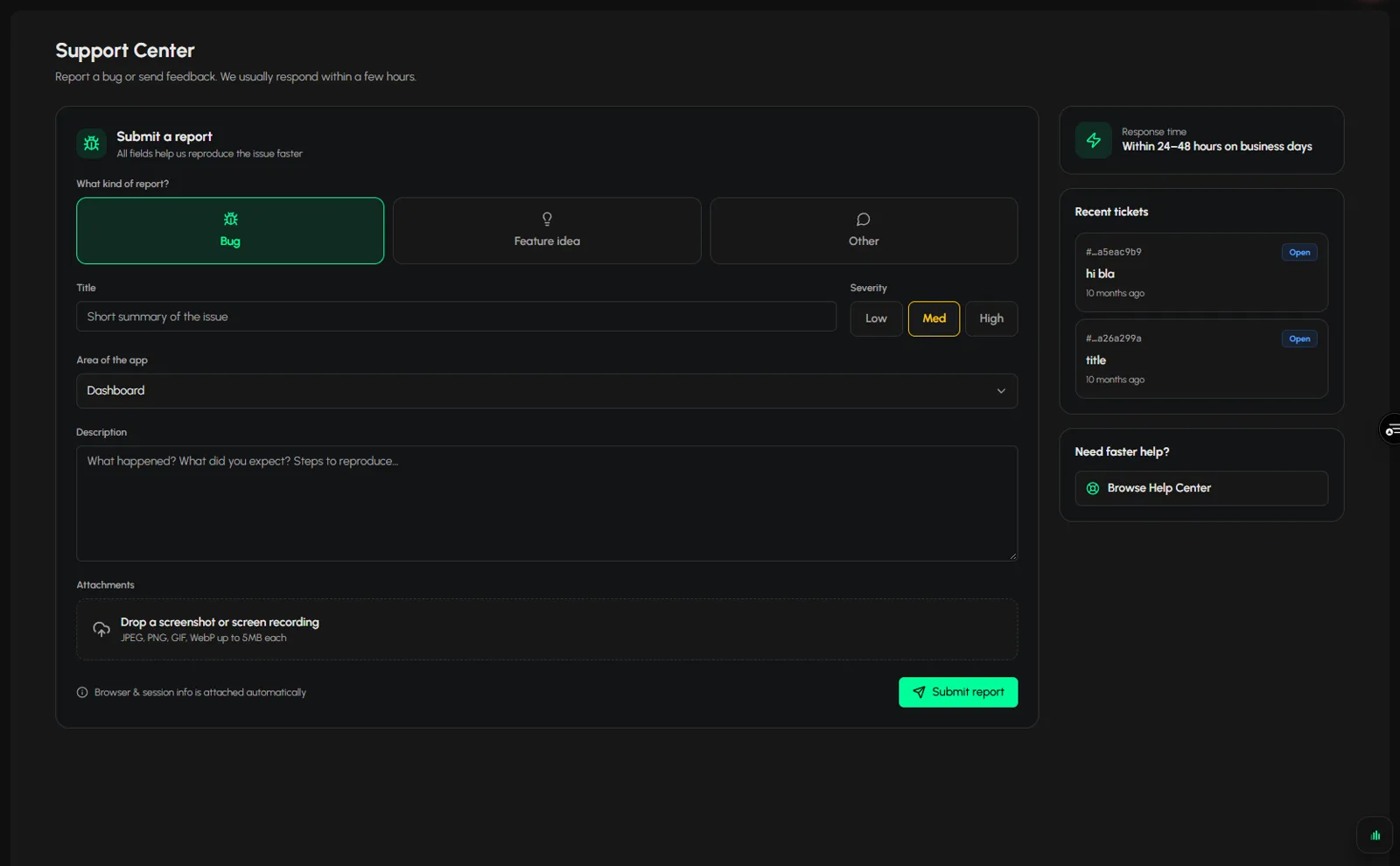
To contact Tabmydata support, click Bug Report in the sidebar, fill in the form (kind, title, severity, area and description) and click Submit. The page says to expect a reply within 24 to 48 hours on business days. Name the tab, coin and exchanges you used so the team can help faster.
On this page
Check Data not loading first if a tab stopped updating.
What you can do
- Report a bug, suggest a feature or ask something else.
- Attach screenshots.
- Follow your recent tickets.
- Browse the Help Center from the same page.
How do I open the support form?
Use any of these:
- Click Bug Report in the sidebar.
- Click Support in the sidebar user menu.
- In a workspace, click Help in the top bar and choose Ask Support.
You need to be signed in to send a ticket.
How do I submit a ticket?
- Choose the kind: Bug, Feature idea or Other.
- Add a Title.
- Pick a Severity: Low, Med or High.
- Pick the Area of the app from the list (21 options).
- Write the Description: which tab, coin and exchanges you used, what you expected, what you saw.
- Attach screenshots if you can: JPEG, PNG, GIF or WebP, up to 5 MB each. Each tab can save a Screenshot from its More (...) menu.
- Click Submit.
Your browser and session info are attached automatically.
Tip: one problem per ticket, with the steps that lead to it, is the fastest to fix.
How do I follow my tickets?
Recent tickets on the same page lists what you sent.
How long does a reply take?
The page says to expect a response within 24 to 48 hours on business days.
Where else can I get help?
- Browse Help Center on the Support page, or Help Center in the Help menu.
- Keyboard shortcuts in the Help menu in the top bar.
- Replay the canvas hints in the same menu, to see the first-run tips again.
- The Tabmydata Discord: https://discord.gg/PCA3s5gFrP
Frequently asked questions
How do I report a bug in Tabmydata?
Choose Bug, describe it, name the tab, coin and exchanges, and attach a screenshot.
How do I suggest a feature?
Choose Feature idea on the same form and describe what you would like to do.
How long does Tabmydata support take to reply?
The page says to expect a response within 24 to 48 hours on business days.
Can I see the keyboard shortcuts?
Yes. Open Help, then Keyboard shortcuts.