Platform
Alerts & Notifications
Set up crypto alerts, follow Hyperliquid wallets and whale alerts, choose how they reach you, and clear your notifications inbox.
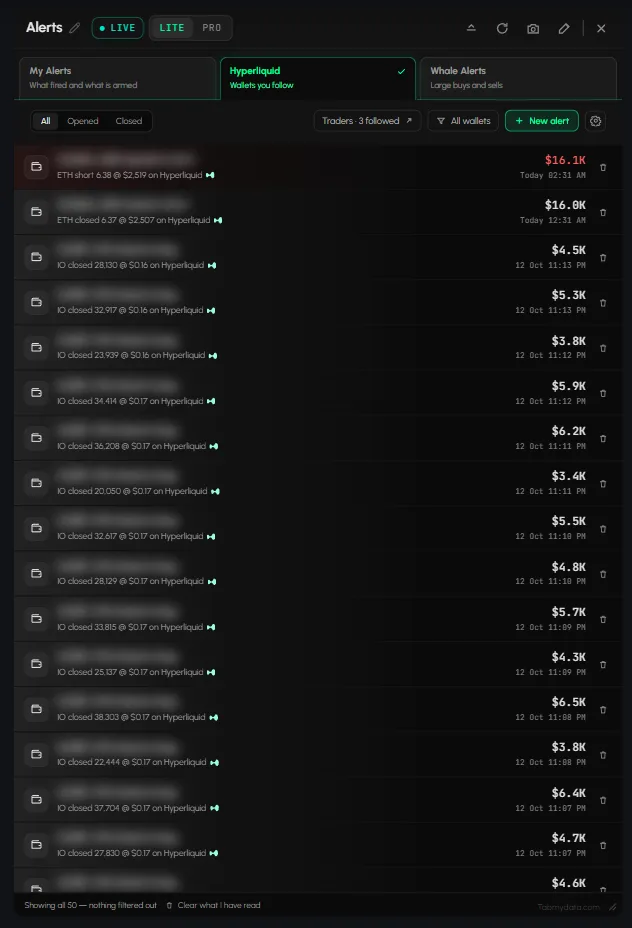
Alerts & Notifications covers two separate things. Alerts are the market events you set up or follow: your own alerts, Hyperliquid wallet alerts and whale alerts. Notifications are release notes and system messages from the Tabmydata team. This section is for traders who want to be told, in the app, by email or push, or in Discord, when something they watch happens. Market-wide alerts are broadcast on our public Telegram channel.
Start here
- How to set up crypto alerts: set an alert from the tab you are looking at, manage it in the My Alerts sub-tab, and mute, edit or delete it later.
- How to send crypto alerts to Discord, email or push: set in-app, email, push and Discord webhook delivery once in Alert rules.
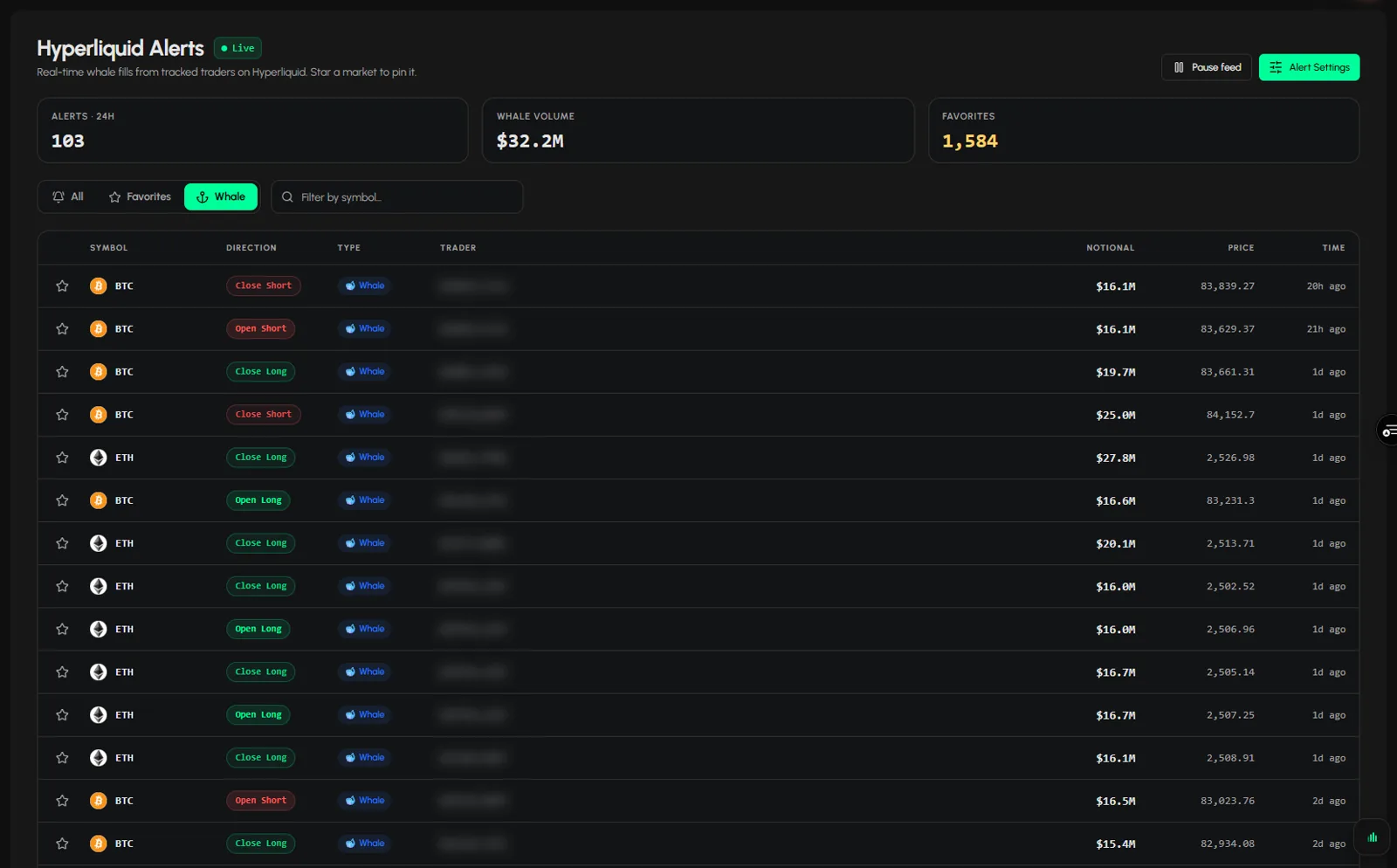
- How to use Whale Alerts: whale alerts here come from Hyperliquid and you choose the minimum size.
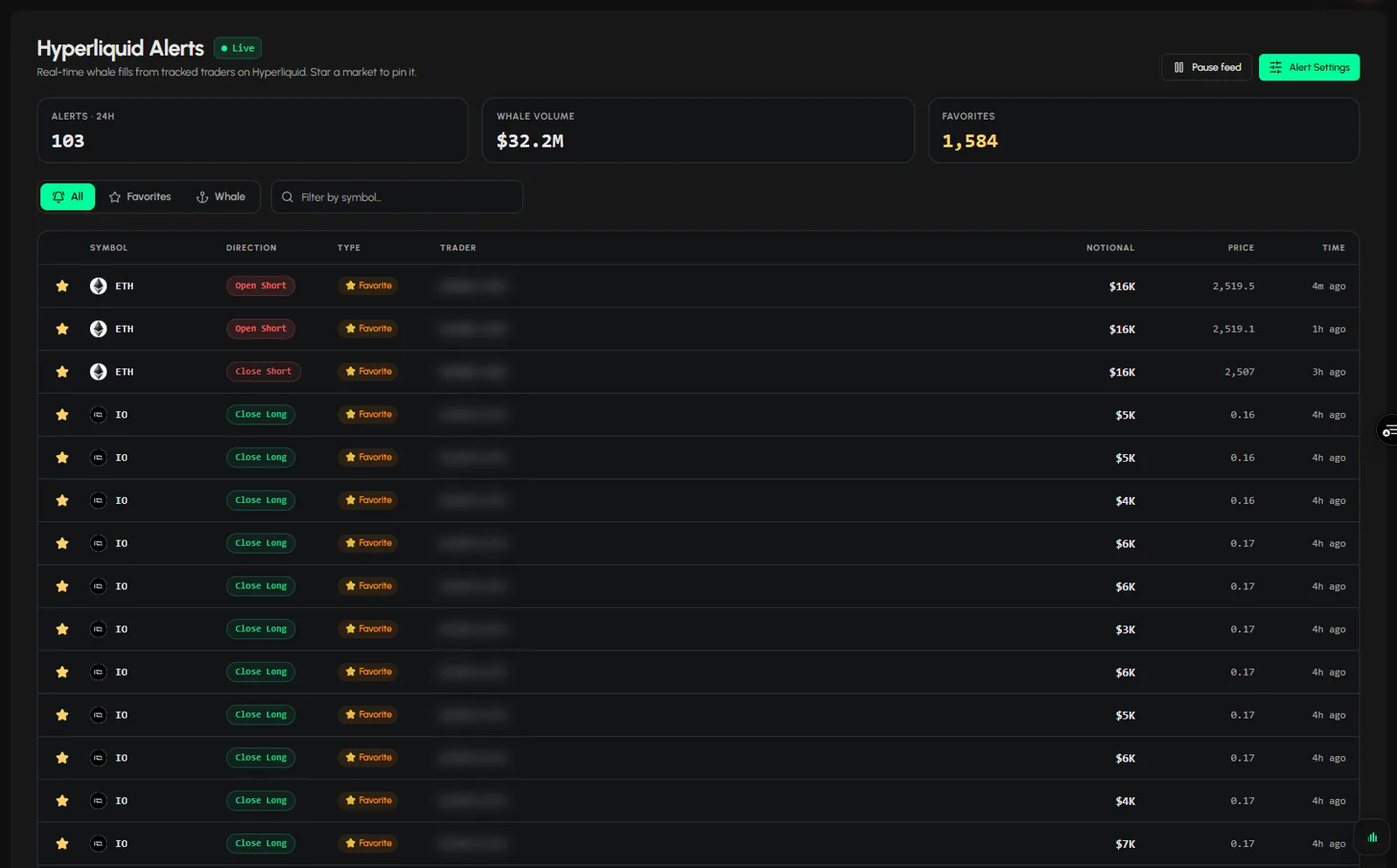
- How to follow Hyperliquid wallets and get alerts: favourite a trader and see their alerts under Favorites.
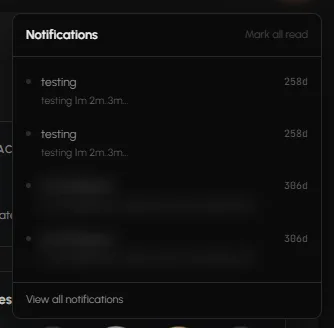
- How to read and clear your notifications: the Notifications button in the top bar, separate from market alerts.
- How to set up crypto alertsYou set crypto alerts from the tab you are on, then manage every alert in the Alerts tab. Click New alert, pick a ready trigger such as a market session opening or news o... · 3 min
- How to use the Alerts pageThe Tabmydata Alerts page is a live feed of whale fills from tracked traders on Hyperliquid. Filter it by symbol, star a market to pin it, switch between All, Favorites a... · 3 min
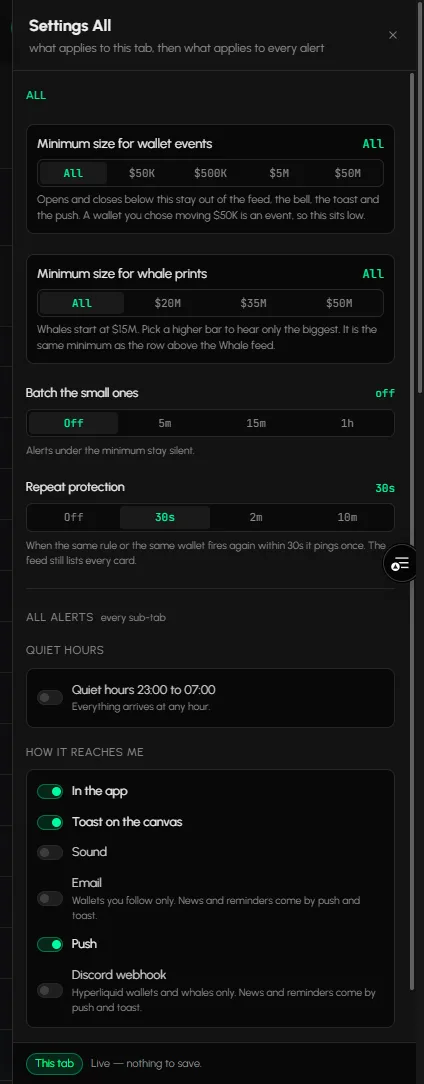
- How to send crypto alerts to Discord, email or pushPersonal alerts can reach you in Discord by webhook, as well as in the app, by email and by push. Set minimum sizes, batching and quiet hours once, and they save as you c... · 5 min
- How to use Whale AlertsA whale alert in Tabmydata tells you when a very large buy or sell lands on Hyperliquid, above a minimum size you choose. Read them in the Alerts page, the Alerts tab or ... · 3 min
- How to follow Hyperliquid wallets and get alertsFollow a Hyperliquid trader and get an alert when they open or close a position. · 3 min
- How to read and clear your notificationsYour Tabmydata notifications inbox holds release notes, system messages, workspace likes and friend news. Open it from the megaphone in the top bar or from Notifications ... · 3 min

Frequently asked questions
What is the difference between Notifications and Alerts?
Notifications carry release notes and system messages from Tabmydata. Alerts carry your market alerts, such as whale prints and the accounts you follow.
How is Whale Alerts different from following a wallet?
Whale alerts report large prints above the minimum size you set. Following a wallet alerts you on one account, whatever the size.
Can I reduce repeat alerts?
Yes. In the rule editor you can group repeats, receive a digest instead of every alert, and set quiet hours for non-priority alerts.