Workspaces & Tabs
How to read a liquidity heatmap in the Orderbook Heatmap tab
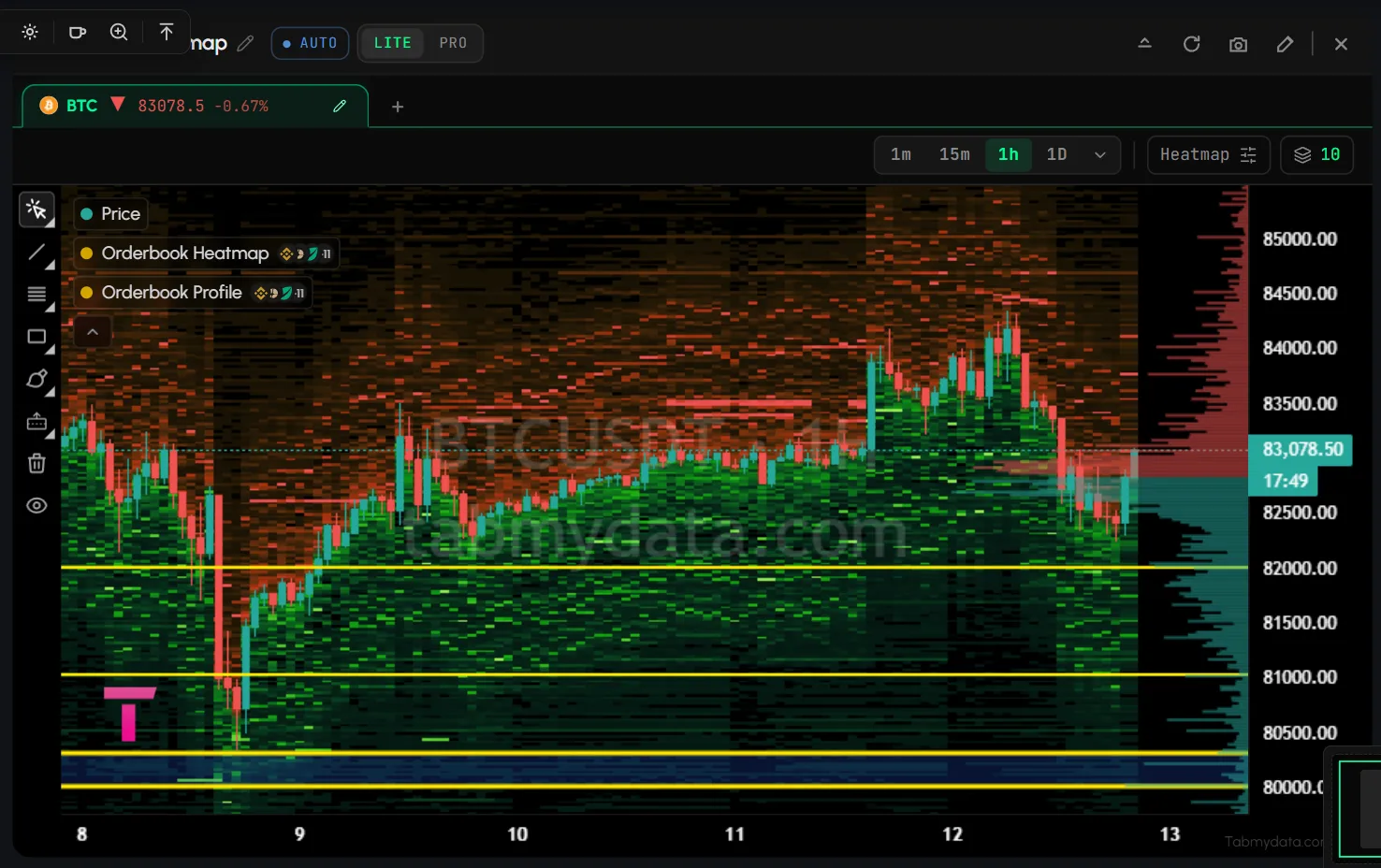
A liquidity heatmap of the order book shows where resting depth sat over time, drawn on top of the candles. It draws resting order-book depth by price, over time, behind the candles, merged across the exchanges you pick. Brighter shading means more resting size at that price. It shows where size sat. It is not a forecast. Older versions called this tab "Liquidity Heatmap".
On this page
- What you can do
- How do I add the Orderbook Heatmap?
- How do I read the heat field?
- How do I choose the time frame?
- How do I keep many assets in one tab?
- How do I change the asset?
- How do I open Field settings?
- How do I turn on the Orderbook Profile?
- How do I adjust sensitivity, floor and ceiling?
- How do I choose which exchanges feed the heatmap?
- How do I see which exchange a level comes from?
- How do I show, hide and tune layers?
- How do I draw on the chart?
- How do I move around the chart?
- Tab controls
- States
- Frequently asked questions
- Related
Product overview: Orderbook Heatmap.
Looking for estimated liquidation levels? See the Liquidation Heatmap layer. Looking for coin tiles? See the Market Map, the Heatmap tab. The difference between the first two: liquidity heatmap vs liquidation heatmap.
What you can do
- Read resting depth over time as a heat field behind the candles.
- Read the live price tag on the right axis, with the candle countdown.
- Pick a time frame from 1m to 1D and beyond.
- Keep many assets in one tab and switch between them.
- Change the asset and the market that draws the candles.
- Click a heat cell to see which exchanges held the size at that price.
- Tune the picture in Field settings: unit, Orderbook Profile, sensitivity, floor and ceiling, exchanges.
- Show or hide layers from the legend.
- Draw on the chart and keep drawings per symbol.
How do I add the Orderbook Heatmap?
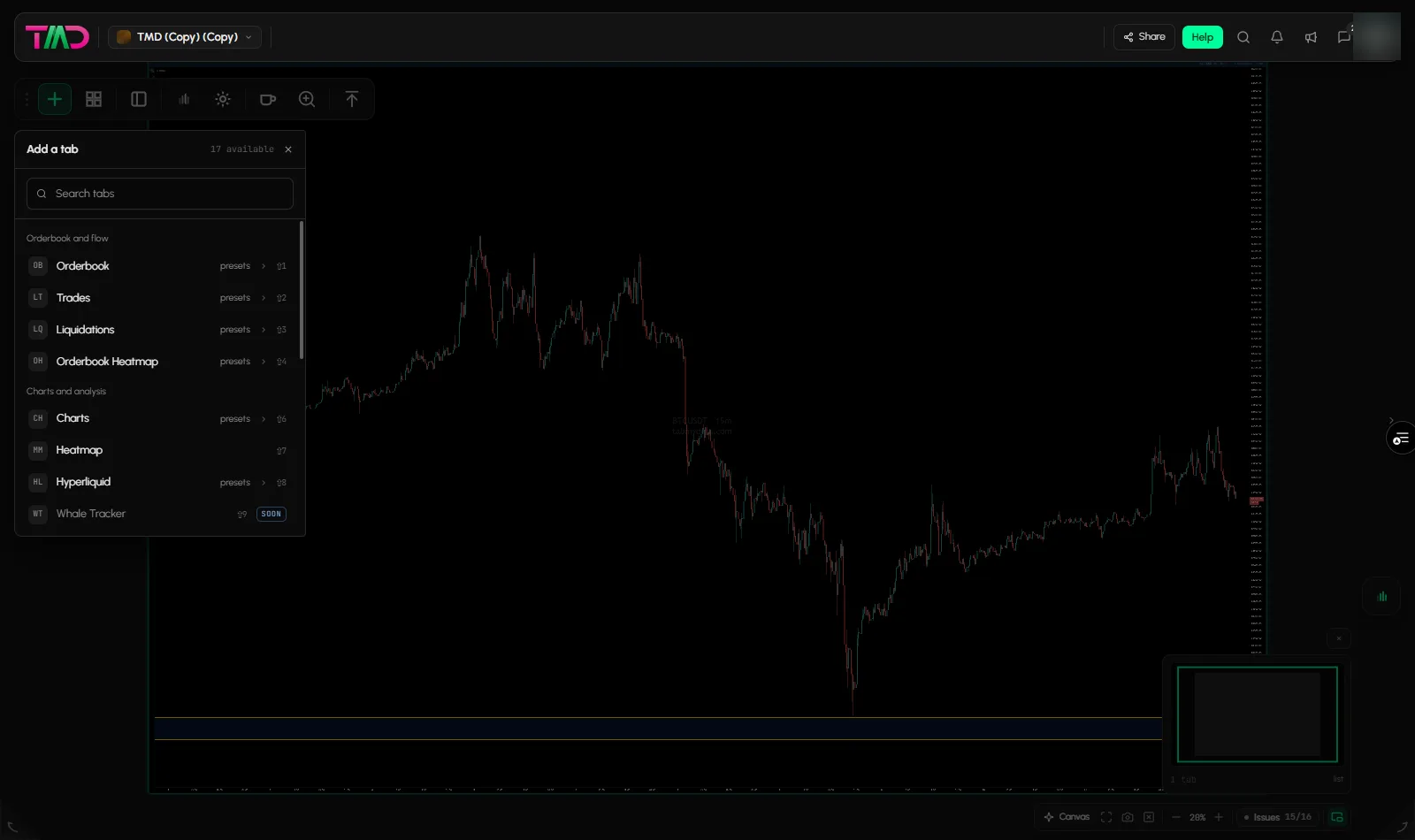
- Click + (Add a tab) on the tool rail.
- Open Orderbook and flow and click Orderbook Heatmap (shortcut Shift+4). Or hover it and pick a preset: BTC walls or ETH walls.
- Drag the title bar to place it. It also opens from the Heatmap button in the Orderbook tab, and from Open in in Trades and Liquidations.
How do I read the heat field?
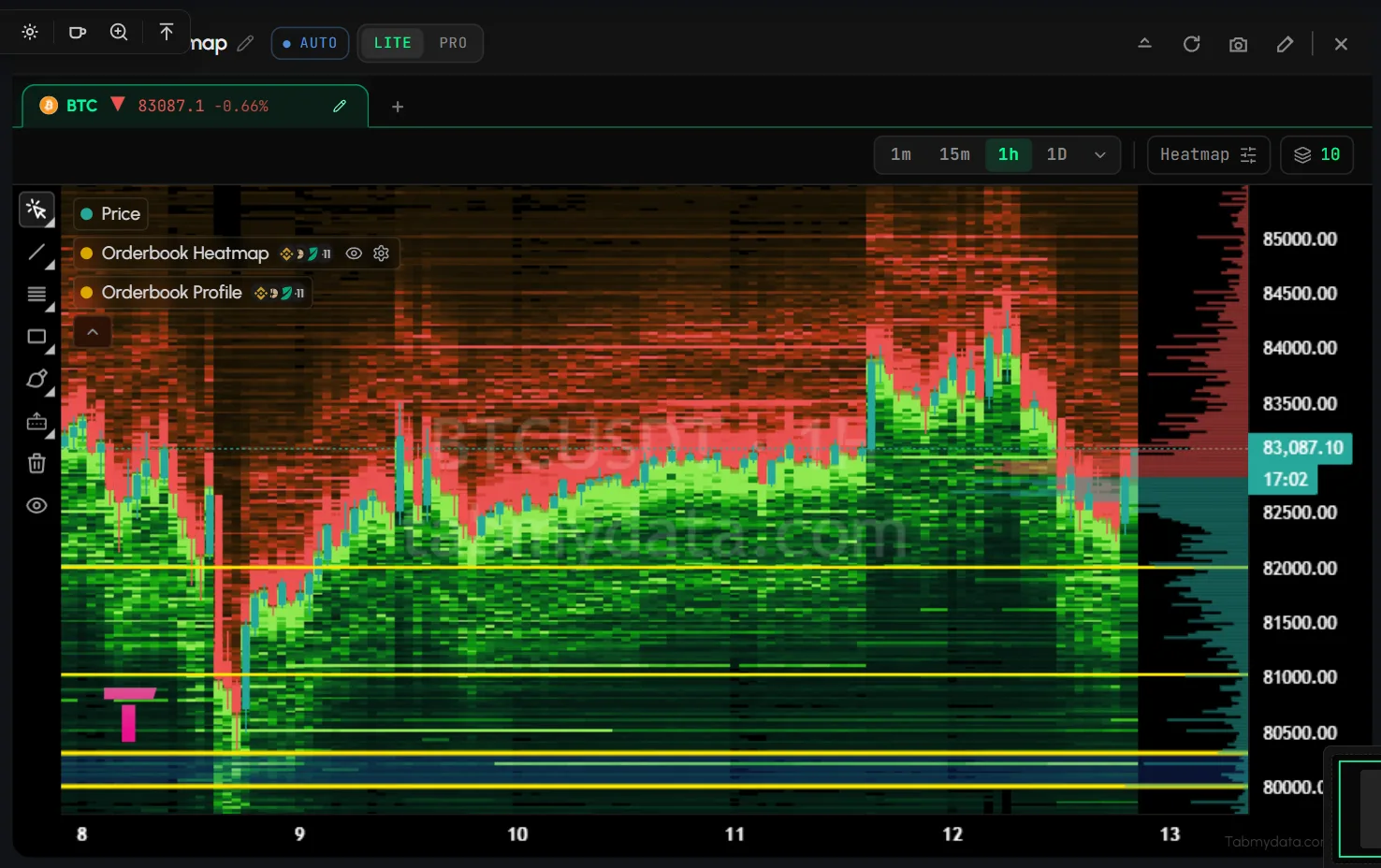
- Price runs up the side. Time runs along the bottom. The candles sit on top.
- Brighter shading means more resting size at that price. Faint areas are thin.
- A band that runs across many candles sat there for a long time. A band that stops was filled, moved or pulled.
- In the default colour ramp, green marks resting bids, below the price. Red and orange mark resting asks, above the price.
Tip: if everything looks equally bright, or almost nothing shows, change the sensitivity (see below) before you read the picture.
How do I choose the time frame?
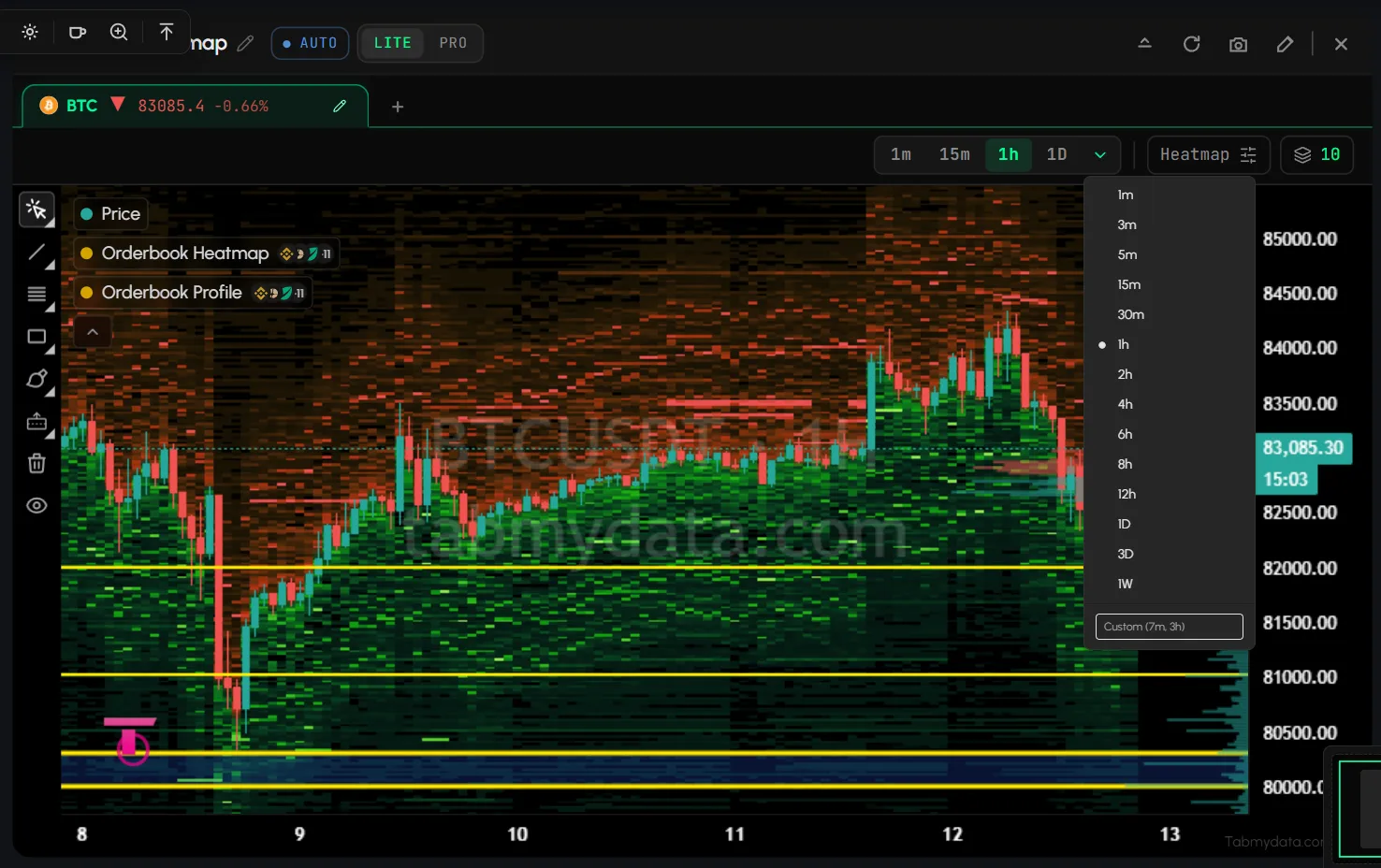
- Click a chip: 1m, 15m, 1h or 1D.
- For more, open More time frames. It lists 1m, 3m, 5m, 15m, 30m, 1h, 2h and more.
How do I keep many assets in one tab?
- Look at the asset tabs under the header, for example BTC with its price and change. Hover one to see its time frame and the exchange that draws the candles.
- Click + to add another asset tab.
- Click x on the active asset tab to close it.
- Click Open in new tab under an asset tab to move it into a tab of its own. New chart tab opens a new tab with the same setup.
How do I change the asset?
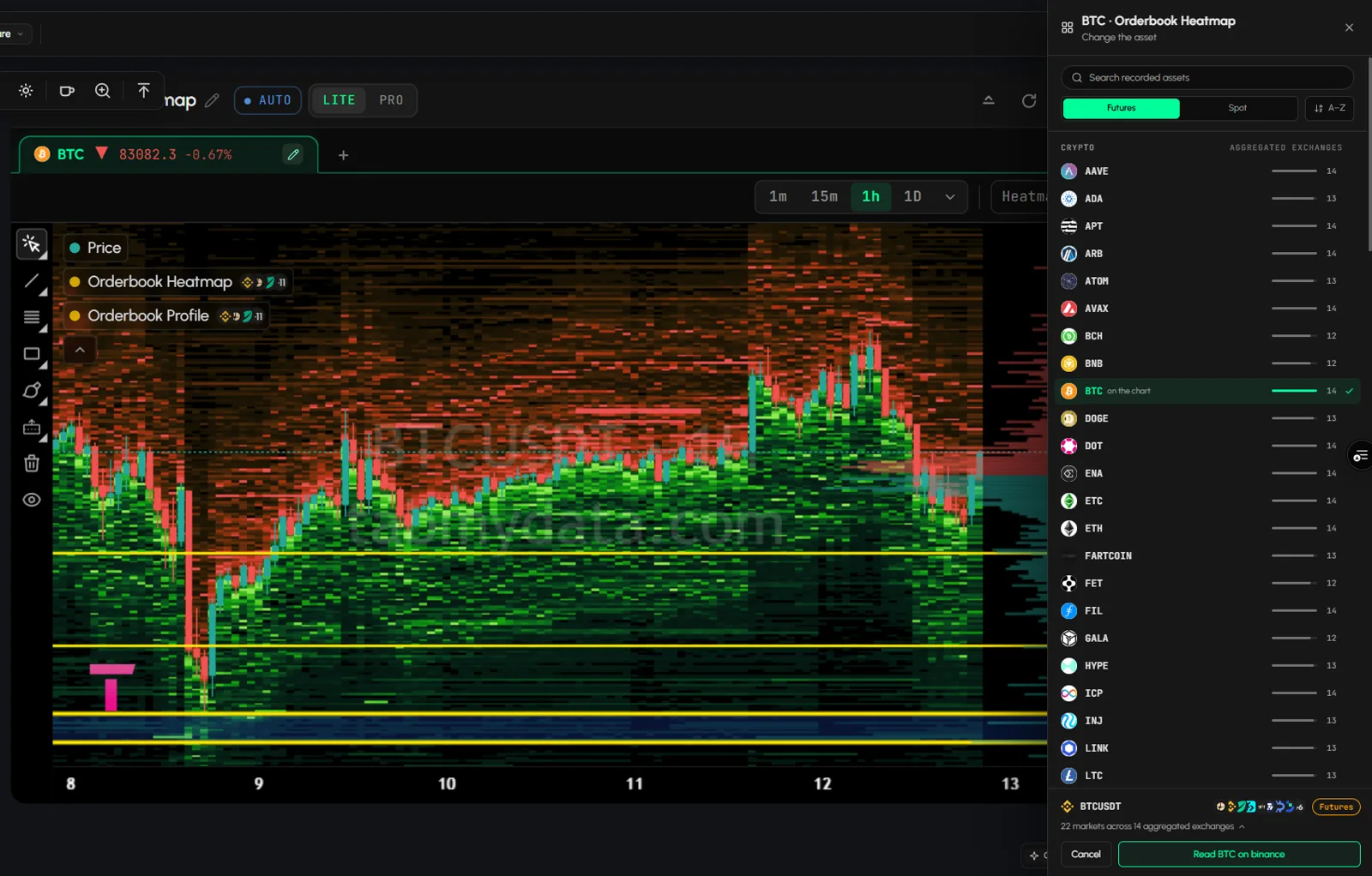
- Click the pencil on the asset tab (Change the asset).
- Search recorded assets. The list opens on futures markets and is grouped: Crypto, Stocks & ETFs, Commodities & FX. A Futures | Spot toggle and an A-Z sort sit above it. The stock, ETF, gold and commodity entries are tokenised assets that trade on crypto exchanges.
- Check the footer. It names the market, for example "BTCUSDT Futures", and shows which exchange draws the candles. Open the list to see which exchanges and markets are read.
- Click Read <asset> on <exchange>. Cancel closes the panel.
Only assets with recorded depth appear. See Change coins and exchanges.
How do I open Field settings?
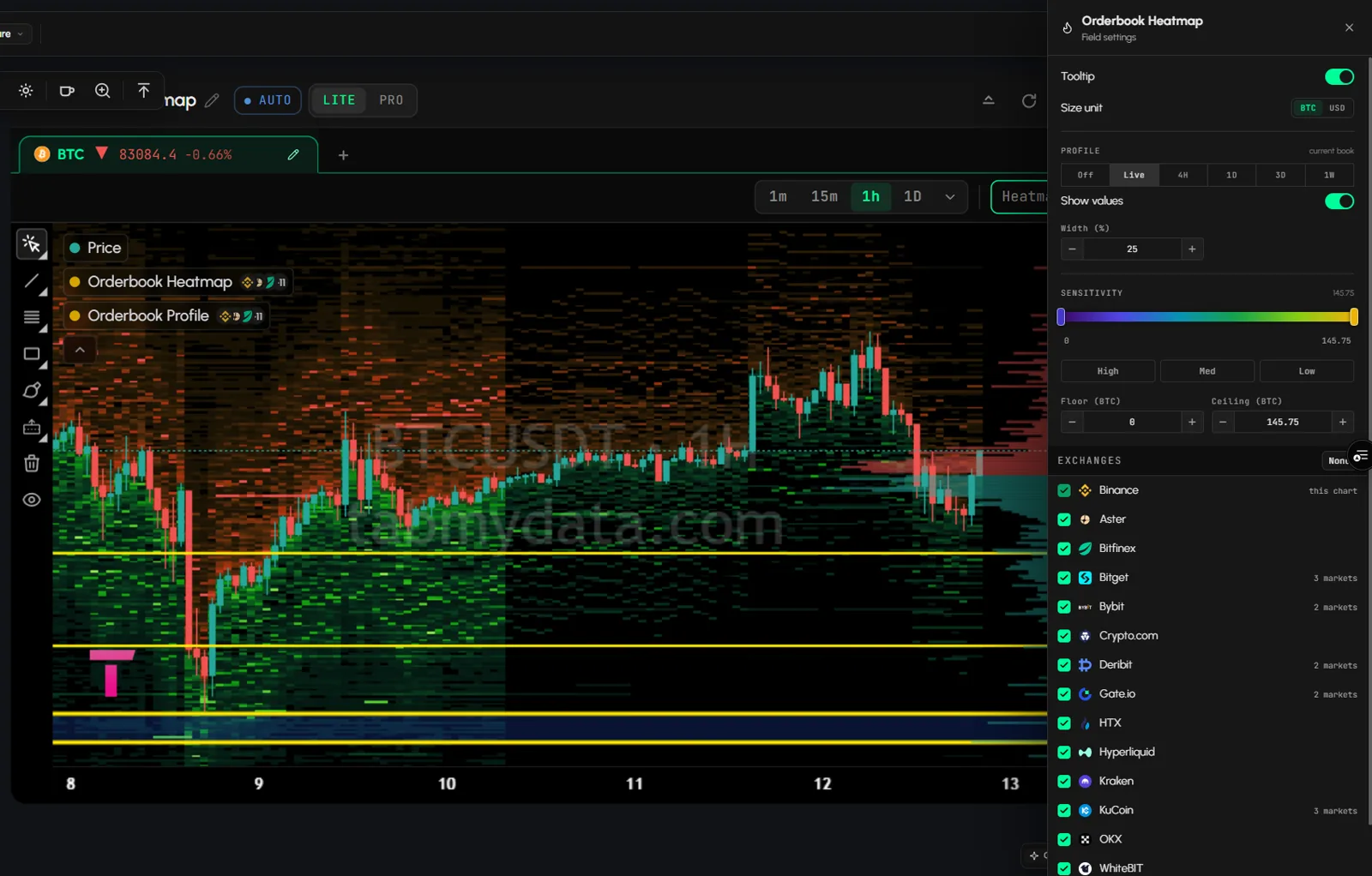
Click Heatmap (the sliders icon). The side panel holds the settings below. They belong to this tab.
- Tooltip: switch on to read the size at a price when you hover.
- Size unit: BTC or USD.
- Close the panel with its x.
How do I turn on the Orderbook Profile?
The Orderbook Profile is a band on the right edge. It shows resting size at each price. It is off by default.
- Open Field settings.
- Set PROFILE to Live, 4H, 1D, 3D or 1W. Off hides it.
- Optional: switch on Show values and set Width (%).
How to read the bars: Orderbook Profile.
How do I adjust sensitivity, floor and ceiling?
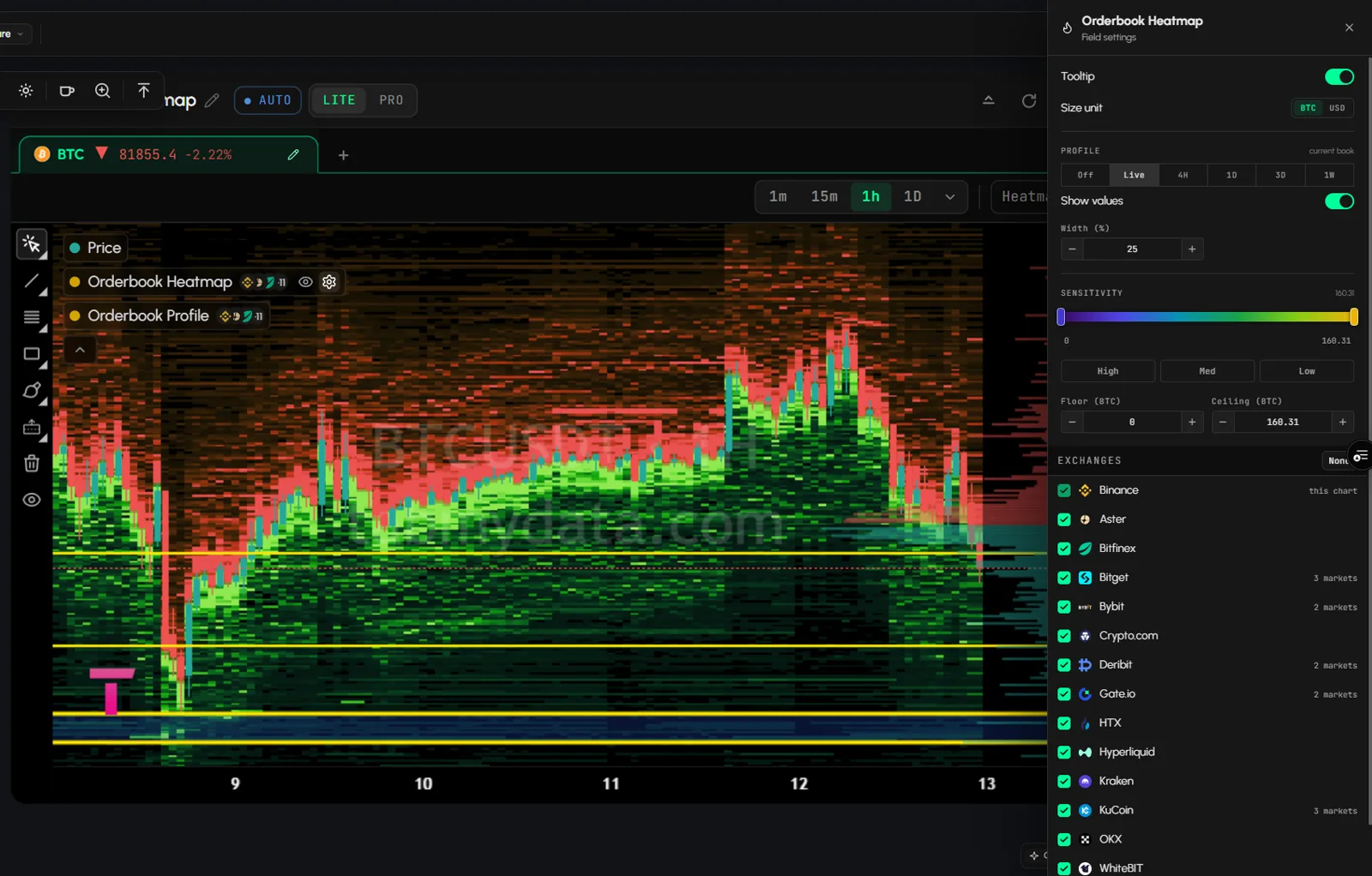
- Drag the two handles on the SENSITIVITY gradient, or pick High, Med or Low. A preset also moves Floor and Ceiling.
- Set Floor and Ceiling (in BTC). Type a value and press Enter. A lower ceiling brings out smaller clusters. A higher one keeps only the largest.
- Your values stay after you reload the page.
How do I choose which exchanges feed the heatmap?
- In Field settings, scroll to EXCHANGES.
- Tick the exchanges that feed the heatmap. All are ticked by default. Each shows its market count. The exchange marked "this chart" draws the candles.
- Click None to clear the list, then tick again.
Your choice stays after you reload the page, and the heatmap and the Orderbook Profile both follow it.
How do I see which exchange a level comes from?
- Make sure the Cursor tool is selected in the left rail, with no drawing tool armed.
- Click a heat cell that has recorded depth.
- A side panel titled What you clicked opens. It shows the price bucket and the resting size per exchange and market, split into bid and ask.
- Close it with x.
Cells without recorded depth open nothing.
How do I show, hide and tune layers?
- Open the legend at the top left. Layers: Price, Orderbook Heatmap, Orderbook Profile, each with a "+" count of extra venues.
- Hover or click a row. Click the eye to hide the layer. Click the gear to open its settings.
- Collapse the legend with the chevron below it.
How do I draw on the chart?
- Pick a tool from the left rail: Cursor, Trend Line, Fib Retracement, Rectangle, Brush or Long Position.
- Click the plot to draw. Hide drawings hides them. Clear All removes them. To remove one drawing, select it and click Remove in the floating toolbar.
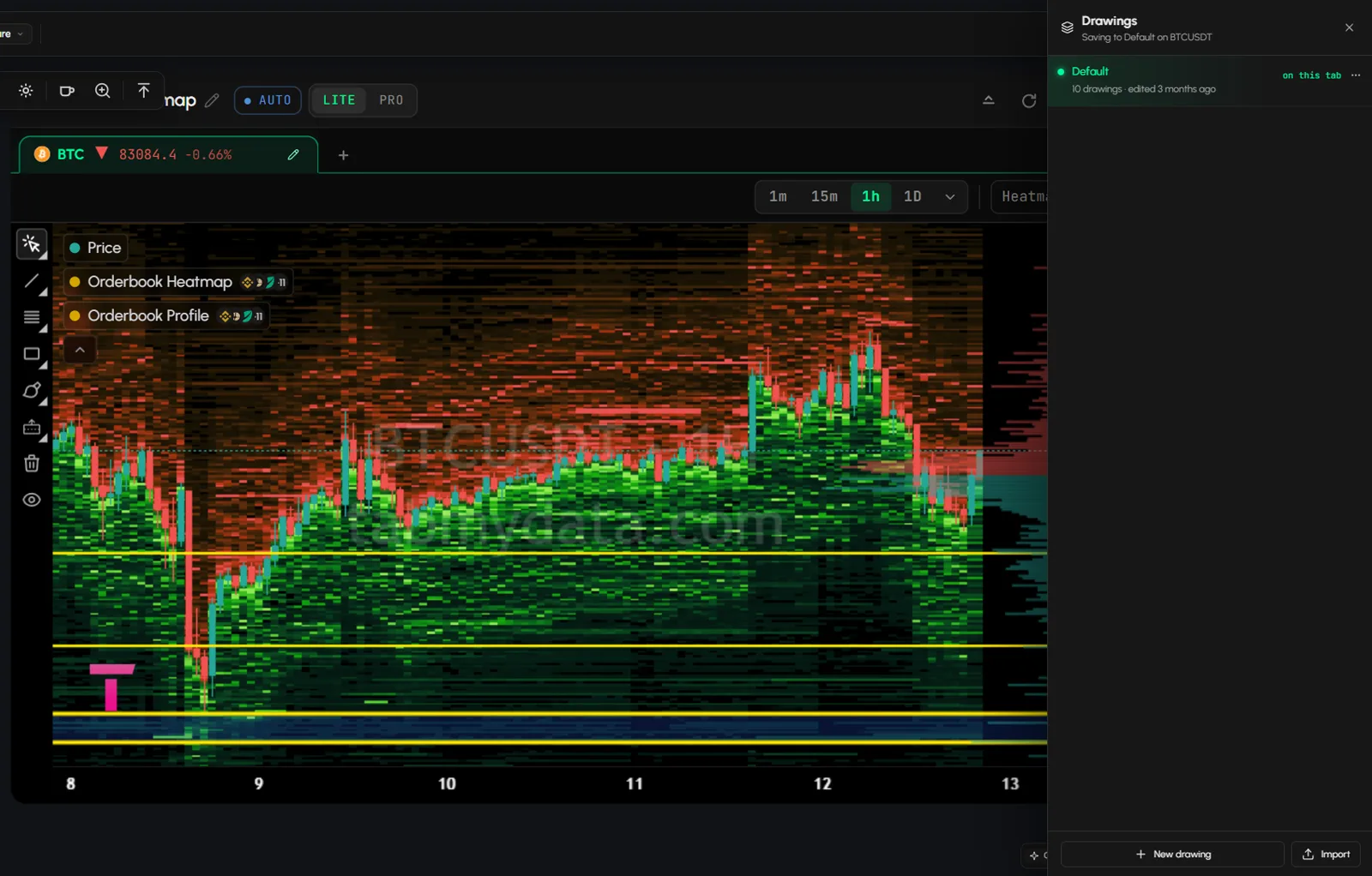
- Click the Drawings button (top right) to open the library: New drawing, Import and a menu per row. Drawings are saved per symbol in your drawings library, and a new tab on the same symbol loads them.
How do I move around the chart?
Use the buttons at the bottom of the chart: Zoom Out, Zoom In, Scroll Left, Scroll Right, Reset View. Rolling the mouse wheel over the chart zooms the time axis. The canvas does not zoom when you do this.
Tab controls
The title bar has LITE | PRO, Minimize, Refresh, Screenshot, Edit appearance and Close. This tab shows them inline, not in a ... menu. Rename and resize work as in every tab: Tab controls. Screenshot opens a Captured image dialog with Copy to clipboard and Download. PRO adds Share. See Share a tab or workspace.
States
This guide has no empty or error state to show yet.
Frequently asked questions
How do you read a liquidity heatmap?
Price is vertical, time is horizontal. Each cell shows how much resting size sat at that price at that moment, merged across the exchanges you chose.
What do the colours mean?
Brighter means more resting size. In the default ramp, green marks bids below the price and red or orange marks asks above it. Sensitivity, floor and ceiling decide which sizes reach full brightness.
Why did a bright band disappear?
The orders at that price were filled, moved or pulled.
Can I see which exchange a level comes from?
Yes. Click a heat cell with the Cursor tool. The What you clicked panel splits the resting size by exchange and market.
Which exchanges feed the heatmap?
The ones ticked under EXCHANGES in Field settings. You can change the list at any time.
Is the liquidity heatmap the same as a liquidation heatmap?
No. The Orderbook Heatmap shows resting orders that sat in the order book. A liquidation heatmap models where leveraged positions could be liquidated. Read liquidity heatmap vs liquidation heatmap.
Does the heatmap predict where price will go?
No. It shows where size sat.
Can I open two coins in one tab?
Yes. Use + next to the asset tabs.
Where do my settings live?
Field settings belong to the tab you changed them in.