Workspaces & Tabs
How to use the Magnifier
To zoom into a tab in Tabmydata, press M or click the Magnifier on the tool rail. A round lens follows your cursor and enlarges whatever is under it, from 1.5x to 5x: small numbers in an order book, a busy chart area, a heatmap band. Your layout does not change. Press Esc to turn it off.
On this page
What is the difference between the Magnifier and canvas zoom?
The Magnifier enlarges only what is under the lens and leaves every tab where it is. Canvas zoom (the - and + in the bottom bar, Fit every tab in view, or the mouse wheel over empty canvas) scales the whole workspace, tabs included. Use the Magnifier to read one small area, and canvas zoom to see more or fewer tabs. See Create a workspace.
When should I use the Magnifier?
Use it when a tab is dense and you do not want to resize it. Small numbers in an order book, a busy stretch of a chart, a heatmap band: move the lens over them and read them larger. Because your layout does not change, the other tabs stay where you put them. If you would rather make a tab bigger for good, resize it instead. See arrange tabs in your workspace.
How do I turn on the Magnifier?
- Click the Magnifier icon on the tool rail (the magnifying glass), or press M.
- The icon highlights, and a bar appears at the bottom of the screen: "Magnifier, 2.5x, Alt+Scroll to zoom, Esc or right-click to close".
- Move your cursor over any tab to enlarge it.
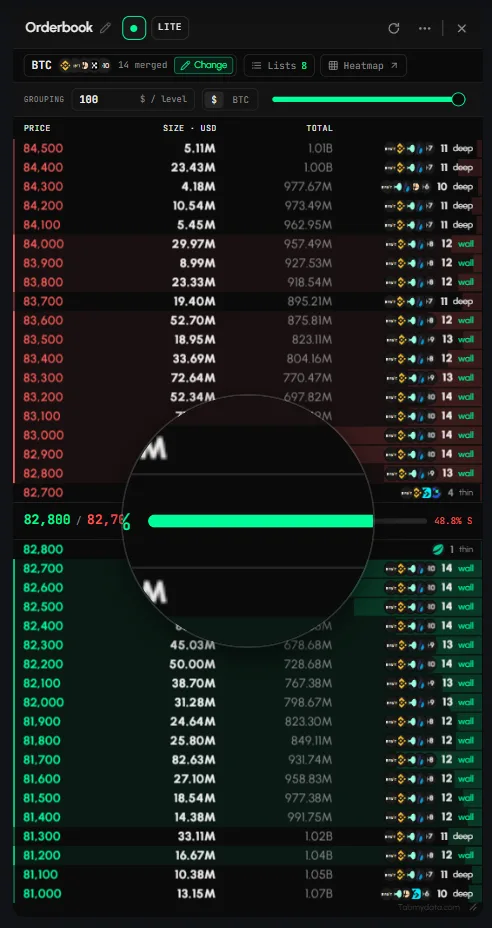
How do I change the Magnifier zoom level?
The bottom bar shows the current level. It starts at 2.5x.
- Click + to zoom in, in steps of 0.5x, up to 5x.
- Click - to zoom out, down to 1.5x.
- Or hold Alt and scroll the mouse wheel to adjust it.
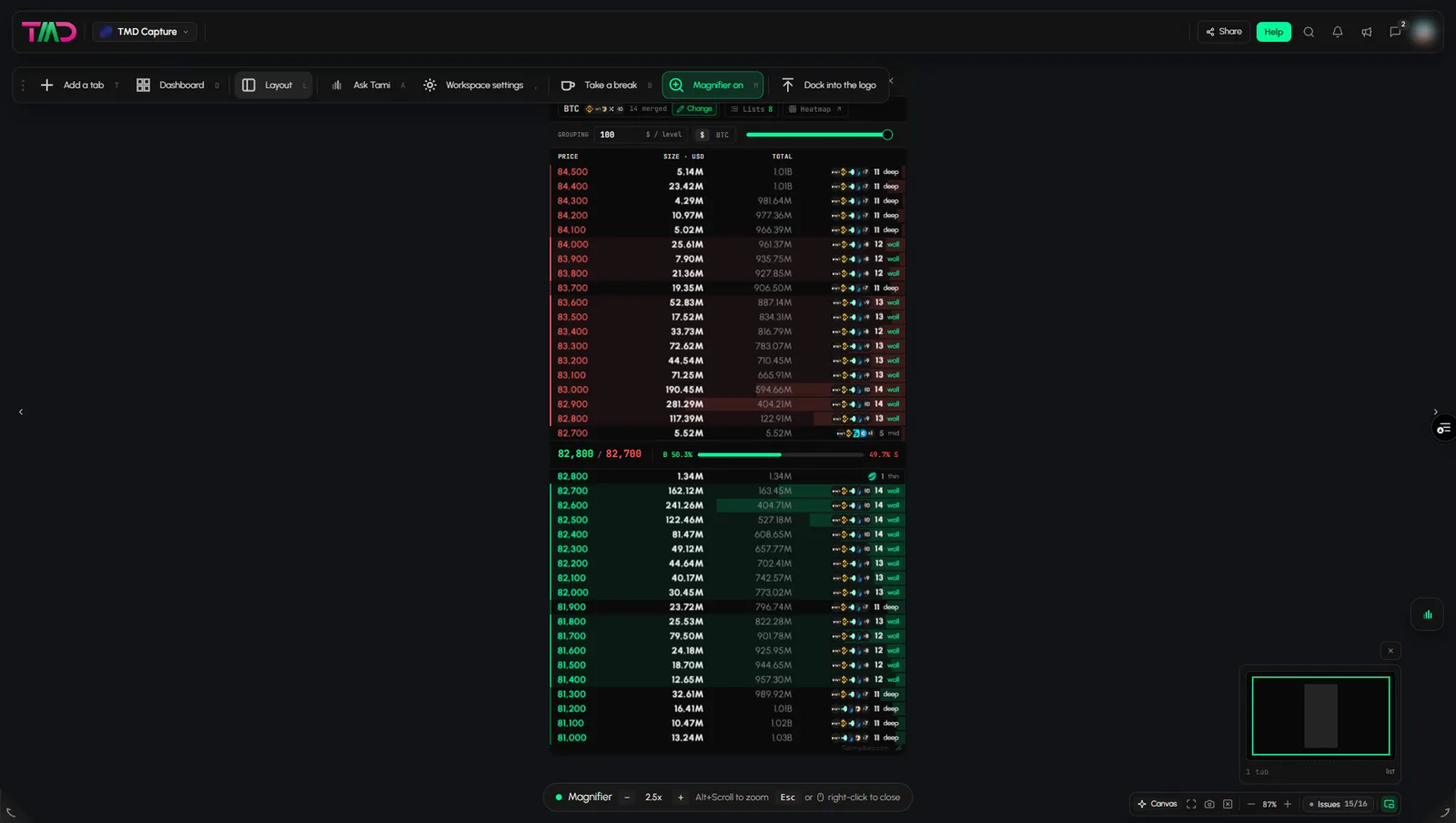
How do I turn off the Magnifier?
- Press Esc.
- Right-click anywhere on the workspace.
- Click the Magnifier icon again.
Keyboard shortcuts
| Action | Keys |
|---|---|
| Turn the Magnifier on or off | M |
| Change the zoom level | Hold Alt and scroll the mouse wheel |
| Turn it off | Esc, or right-click anywhere on the workspace |
The full list is in search and keyboard shortcuts.
Frequently asked questions
How do I zoom into a small part of a tab?
Turn on the Magnifier and move the cursor over that part.
What zoom levels does the Magnifier support?
From 1.5x to 5x. It starts at 2.5x.
Does the Magnifier change my layout?
No. It only enlarges what is under the lens.
What is the keyboard shortcut for the Magnifier?
Press M to turn it on. Press Esc or right-click to turn it off.
How do I zoom into the order book?
Turn on the Magnifier and move the lens over the order book. It enlarges whatever is under it, for example the size column, without changing your layout.
How is the Magnifier different from zooming the canvas?
The Magnifier enlarges only what is under the lens. Canvas zoom scales the whole workspace. The shortcut to reset canvas zoom is 0.